


Launching Your
Airbnb Listing.
The 100-point pre-flight checklist we use on every Cavmir launch. The first 14 days decide your listing's next ten years. Here is how to win them.
Download the free PDF manual ↓If you remember nothing else from this guide, remember this: Airbnb gives every new listing a 14-day boost. The platform pushes your listing higher in search, shows it to more guests, and forgives the absence of reviews — but only if the listing looks ready on day one. If you waste that window with an empty listing, missing photos, generic copy, or a half-loaded amenity list, the algorithm decides you are not serious. It buries you. Most hosts never come back.
This is the playbook we follow with every client we onboard at Cavmir. We have launched listings from Salvador penthouses to Cotswolds cottages to Hobart waterfront flats, and the formula does not change. The locations change. The price points change. The photographers and the styling change. The launch sequence does not.
I am writing this guide because most of the operators we meet have already burned their 14-day window. They had a property worth $400 a night and shipped a listing worth $180. We can fix it after the fact — that is half of what our Listing Optimization service does — but it is faster and cheaper to launch correctly the first time. So here is everything we know, in the order we do it.
The 14-Day Window
Every Airbnb listing gets a newcomer boost. We have seen it consistently across markets — search rank that would normally take three months to earn is granted to a new listing for roughly its first 14 days. The platform wants to see whether you can convert that traffic into bookings and reviews. If you can, you graduate to the long-term ranking pool. If you cannot, the boost ends and your listing settles into mediocrity for the life of the URL.
This means three things, and they are not negotiable:
- You do not create the listing until everything is ready. Photos, copy, amenities, pricing, host profile, calendar — all of it. Not "mostly ready." Ready.
- You do not launch on a Tuesday at 11pm. Launch on a Wednesday or Thursday morning, when guest traffic is highest and the boost overlaps with the weekend booking window.
- You do not slow-launch. If you publish on Wednesday and add photos on Friday, you have already lost. The algorithm scored your listing on day one.
The 6-Hour Rule
From the moment you press "Publish," you have six hours to make the listing as good as it will ever be. We treat this window as sacred. We block the calendar. We do not take calls. The listing strategist, the photo editor, and the copy lead all sit in one room and work the listing simultaneously.
Why six hours? Because the platform is indexing your listing in real time during this window. It is scoring photos, parsing copy, counting amenities, checking your host profile completeness, and benchmarking your pricing against comps. Every minute you spend with a half-filled listing is a minute the algorithm spends concluding you are not a serious host.
Here is what the first six hours look like, hour by hour:
- Hour 1. Publish with everything loaded. Send the link to five trusted operators or friends. Ask them what their eye lands on in the first three photos.
- Hour 2. Re-order the photos based on the feedback. The order on the listing is not the order they were taken — it is a curated narrative.
- Hour 3. Search your own listing on the platform. Note your rank. Screenshot it.
- Hour 4. Read the description aloud. Cut any sentence that does not earn its place.
- Hour 5. Walk the amenity list with the property in front of you. Add anything you forgot. Remove anything you cannot honestly promise.
- Hour 6. Open the calendar 12 months out. Turn Instant Book on for verified guests. Set your response time honestly and then plan to beat it.
Never Create an Empty Listing
This is the single most common mistake we see, and it is fatal. A host creates a draft listing, uploads two phone photos, leaves the description blank, and "saves it for later." Three weeks pass. They finally come back and finish it. They publish. They wonder why their listing has no traffic.
The platform watched them. The platform indexed an empty listing. The platform decided this is not a real property. The boost is already burning, on a listing nobody can see.
The rule is simple: everything is ready before you create the listing. Not the draft. Not the framework. The listing. Photos sized, copy in a doc, amenities mapped, pricing modeled, host profile complete, calendar open. You sit down once, you load everything in one session, you publish.
If you are not there yet, do not open Airbnb. Open a folder on your desktop and start staging.
The Hero Image
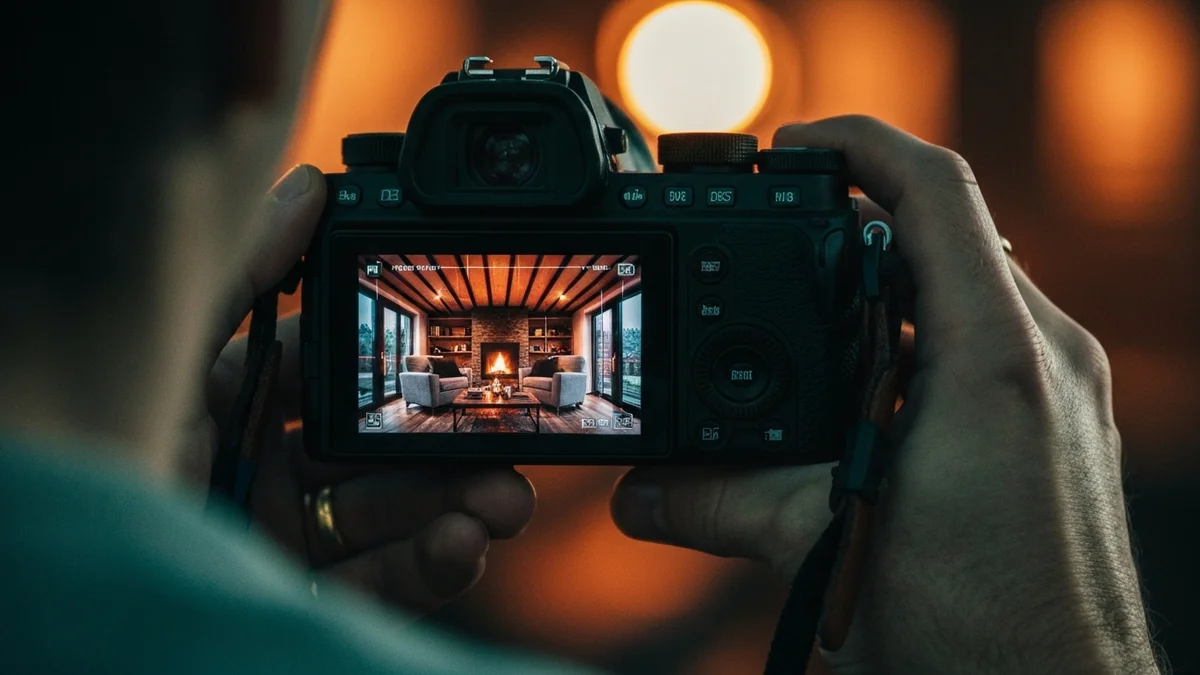
One frame on your listing does more work than the other twenty combined. We call it the hero. It is the frame that loads first in search results. It is the only image a guest sees before they decide whether to click. If the hero does not stop the scroll, nothing else you did matters.
What makes a hero image:
- One subject, one feeling. A hero image is not a documentary. It is a poster. A guest should feel something within half a second.
- Light is the message. Golden hour, blue hour, or strong directional window light. Never overhead noon light. Never a phone flash.
- The signature feature is in frame. If you have a pool, the pool is in the hero. If you have a view, the view is in the hero. If your signature feature is the interior styling, then the styling is the hero.
- Edit the hero deliberately. Lift the shadows two stops. Warm the whites. Deepen the blues. Auto-correct is the enemy of the hero.
- Crop tighter than your photographer thinks. Heroes work on phone screens. Tight beats wide.
If you are choosing between investing in better photography or better furniture, choose photography. We have seen $250 dining chairs photographed by a master out-perform $2,500 chairs photographed by an amateur. Lighting and framing are the leverage.
The Top 5 Photos
After the hero, the next four photos decide whether a guest scrolls or books. Together, those five frames are 80% of your listing's first impression. We script the top 5 before the shoot ever happens.
Here is the order we use, almost without exception:
- Hero. The signature emotional shot.
- Primary living space, wide. Shows scale, light, layout, and lifestyle.
- Primary bedroom or signature feature. Whichever is stronger. For most properties, it is the bedroom. For properties with a pool, hot tub, or view, it is the feature.
- Kitchen. Guests stare at this photo longer than any other in the listing. Make it warm, make it stocked, make it clean.
- Exterior or twilight shot. Closes the loop. Tells the guest where they will sleep, what the street feels like, what they will walk out to in the morning.
Then you can add the rest. Bathrooms, second bedrooms, dining, outdoor furniture, neighborhood. But those first five frames are the listing.
The 35-Amenity Floor
We have correlated amenity count against booking rate across hundreds of listings. The single cleanest pattern: listings with fewer than 35 listed amenities convert at half the rate of listings with 35 or more. The platform reads amenity count as a proxy for property quality and host effort. So do guests.
Most hosts under-list. They forget to check obvious items, they skip categories that feel embarrassing ("of course I have hangers, why would I list it?"). The platform does not know what you forgot to check. It only knows what you checked.
Walk the property with the amenity list open. Check every item that is honestly present. Do not lie — guests will mention it in a review and the listing will be punished. But do not under-claim either.
If you cannot honestly hit 35 amenities, the listing is not the problem. The property is. Do not publish. Spend the weekend buying a coffee maker, mounting hangers, adding a fan, putting a small workspace in the bedroom. Add the missing items first. Then list.
The Host Profile
Guests book listings. They also book hosts. A weak host profile is the most common reason a strong listing under-converts. The fix is simple and most operators skip it.
- A real photograph of your face. Daylight. Eye contact. Slight smile. No sunglasses, no group shots, no dogs blocking your face. If you are a company, use the company logo plus a photo of the human guests will message.
- A first-person bio. Three to six sentences. Why you host. What guests can expect. One specific thing about your taste or your neighborhood. Never write in the third person.
- Verifications complete. Government ID, phone, email, payment method. All four. The trust badges matter.
- Response time committed. Set it to what you can sustain, then beat it. A "responds within an hour" badge — earned and held — is worth real money over the life of the listing.

The Seed-Review Play
Here is the part our competitors do not teach. The 14-day boost is real, but it only converts to long-term ranking if you have reviews by the time it ends. The algorithm needs proof that real humans stayed and liked it. Zero reviews after the boost means the algorithm has nothing to score, and your listing slides.
So we engineer the reviews. Here is exactly how:
- Your first three paying guests get a launch discount — 40 to 60 percent off. Price them so the room rents itself in week one. We are not chasing margin in the first 14 days; we are chasing reviews.
- Friends and family book single-night stays at a deep discount — 70 to 80 percent off. Not freebies. They book through the platform, they pay something, they stay one night, and they leave the 5-star review your listing needs to clear the boost window.
- These are the first 5-star reviews that get the listing off zero. Friends and family staying in a genuinely good property leave 5-star reviews on their own — that is the social proof the algorithm scores you on while the boost is live. If something is off, you hear it from them first and fix it before a paying guest ever sees it.
- Three to five 5-star reviews by day 14 is the goal. That is enough social proof to convert the next wave of guests without the discount.
Why this is inside the rules: discounted stays are allowed. What is not allowed is paying for a review, scripting a review, or trading anything in exchange for a specific rating. We never do those things — the deep-discount play seeds the 5-stars on its own.
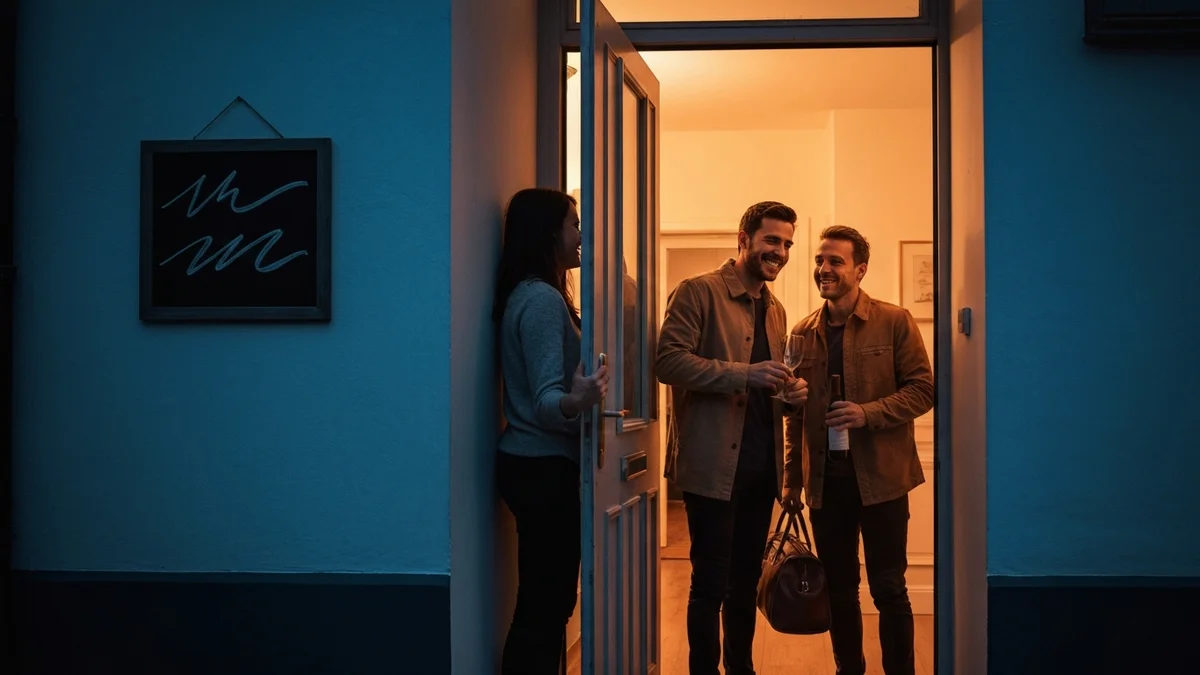
The Cavmir Pre-Flight: 100-Point Launch Checklist
Branded PDF. Print it, tape it to the wall, work it line by line. We use this exact checklist on every Cavmir launch.

The Full 100-Point Pre-Flight Checklist
Work it in order. Do not skip steps. The checklist exists because we have launched enough listings to know which corners cost real money when they get cut.
001-017Pre-Launch · Property
- 1Photograph the property only after professional cleaning, fresh linens, and full styling pass.
- 2Walk every room with a hand-held meter — minimum 200 lux on counters, 100 lux ambient living spaces.
- 3Bulbs are matched in temperature (2700K warm white, never mixed warm/cool).
- 4All bulbs working. Replace any that flicker, hum, or are dimmer than their neighbors.
- 5Touch-up paint completed on baseboards, door frames, switch plates.
- 6Every cabinet, drawer, and closet emptied of personal items.
- 7WiFi router placed for max throughput, name and password printed and laminated.
- 8WiFi speed tested in every room — minimum 100 Mbps down at the furthest point.
- 9HVAC serviced, filters new, remote batteries fresh.
- 10Smoke detectors and CO detectors tested, batteries fresh, photographed in place.
- 11Fire extinguisher visible, mounted, in-date.
- 12First aid kit stocked and visible.
- 13Locks rekeyed or smart lock installed with rotating codes.
- 14Outdoor lighting working, motion sensors aimed.
- 15Mattresses inspected — replace any older than 7 years or with visible sagging.
- 16All windows cleaned inside and out; tracks vacuumed.
- 17House manual printed, bound, placed on the kitchen counter.
018-032Pre-Launch · Photography
- 18Hero image identified and shot first — the single best frame of your property.
- 19Top 5 frames mapped before the shoot: hero, primary living space, kitchen, primary bedroom, signature feature.
- 20Photographer briefed in writing on which 5 frames must be delivered.
- 21Shoot scheduled in golden-hour light (90 minutes before sunset for most interiors).
- 22Twilight shot scheduled at blue hour with exterior lights on and one warm light in each room.
- 23Every room shot in landscape orientation, 4:3 or 16:9 aspect.
- 24Hero shot edited with deliberate color grading — not auto-corrected.
- 25No people, no pets, no clutter, no power cords visible in any frame.
- 26Bathroom shots include framed mirror, folded towels, soap on a tray.
- 27Outdoor shots include at least one twilight (blue-hour) frame.
- 28Hot tub, pool, fire pit, and any signature feature photographed in active state (water moving, fire lit).
- 29Drone shot delivered if property has roofline, water, or land worth showing.
- 30All photos delivered in 2048px long-edge minimum, color-corrected, JPG and WebP.
- 31Photo set ordered: hero → wide → bedroom → bath → feature → exterior.
- 32Captions written for every photo in the order they appear.
033-044Pre-Launch · Copy
- 33Property name chosen — distinct, memorable, three syllables or fewer ideally.
- 34Listing title written: 50-character cap, lead with location and the one feature guests filter for.
- 35Subtitle defined in plain language ("design-forward 2BR with hot tub").
- 36Property neighborhood or borough listed exactly as guests search for it.
- 37Description draft 1 written — 500–1500 chars, no real-estate cliches.
- 38Description includes the three numbers guests want: bedrooms, beds, walking distance to one anchor.
- 39"The Space" and "Guest access" sub-sections completed — never left blank.
- 40House rules written tight — no novels, ten lines max.
- 41Cancellation policy chosen (Moderate is the default for first launches).
- 42Check-in instructions drafted, tested by someone unfamiliar with the property.
- 43Local guide written — 5 restaurants, 3 things to do, 1 emergency contact.
- 44All copy spell-checked, read aloud once, edited for friction words.
045-057Pre-Launch · Amenities
- 45Amenity audit completed — count what you actually have, on paper, before you list.
- 46Target a minimum of 35 amenities listed (industry-correlated booking floor).
- 47WiFi listed with measured speed.
- 48Workspace listed only if there is an actual chair-height desk.
- 49Free parking, EV charger, hot tub, pool — each verified, not guessed.
- 50Kitchen amenities counted: dishes for max guest count + 4, full cookware, coffee setup.
- 51Bathroom amenities counted: starter shampoo, conditioner, body wash, hand soap, lotion, toilet paper.
- 52Linen pack: 2 sets of sheets per bed, 2 bath towels per guest, 1 hand towel per bathroom, 1 floor mat per bathroom.
- 53Outdoor amenities verified: grill, patio furniture, fire pit, umbrellas, beach chairs as applicable.
- 54Family amenities verified honestly: pack-and-play, high chair, baby gates, outlet covers.
- 55Safety amenities listed: smoke detector, CO detector, fire extinguisher, first aid kit.
- 56Accessibility features audited and listed honestly: step-free entry, wide doorways, grab bars where present.
- 57If you cannot hit 35 amenities, stop the launch. Improve the property first.
058-066Pre-Launch · Pricing
- 58Comps pulled — minimum 10 listings of your bedroom count and feature set in your direct neighborhood.
- 59Base rate set 10-15% below the lowest comparable comp for the first 14 days.
- 60Weekend uplift configured (+20-35% Fri-Sat).
- 61Length-of-stay discount set: 10% at 7 nights, 20% at 28 nights.
- 62Minimum night stay set to 1 or 2 for the boost window — never higher.
- 63Smart pricing or dynamic pricing tool connected before going live.
- 64Special weekly intro discount enabled.
- 65Cleaning fee set realistically — never above 25% of nightly rate for a 2-night stay.
- 66Payout method tested with at least one trial transaction before going live.
067-075Pre-Launch · Host Profile
- 67Profile photo uploaded — face only, eye contact, daylight, warm.
- 68Full name (or business name + DBA), city, languages spoken.
- 69Profile description written in first person — 3–6 sentences, why you host, what guests can expect.
- 70Government ID verified.
- 71Email and phone verified.
- 72Payment method connected and verified.
- 73Co-host or backup contact added if anyone else is on the property.
- 74Saved-reply templates written for the top 5 inquiry types: check-in, parking, late arrival, family questions, group questions.
- 75Response time setting committed to — set it to what you can actually do, then beat it.
076-083Launch Day · The 6-Hour Window
- 76Listing created with all photos, copy, amenities, and pricing already loaded.
- 77No empty fields. No placeholder text. No "we will add photos later."
- 78Listing published.
- 79Within 60 minutes: send the link to 5 friends and ask for feedback on the first 3 photos.
- 80Within 2 hours: re-order photos based on which ones land hardest.
- 81Within 4 hours: open the booking widget on your phone, search your own listing, screenshot rank.
- 82Test a fake booking attempt as a guest from a different browser — confirm pricing, fees, and rules display correctly.
- 83Within 6 hours: every visible field optimized, calendar open 12 months out, instant book on.
084-091Days 1–14 · The Boost Window
- 84Calendar open every day for the next 90 days minimum.
- 85Instant Book on for guests with verified ID and positive reviews.
- 86Notifications turned on for every device — inquiries answered within 60 minutes during waking hours.
- 87Inquiry response time tracked daily. Below 1 hour is the target.
- 88Offer the property at a steep launch discount to the first 3 paying guests (40–60% off).
- 89Invite trusted friends and family to book single nights at deep discount — these are the first 5-star reviews your listing needs to clear the boost window.
- 90After each stay: send a thank-you message at hour 24 of checkout, then a polite review reminder at day 6.
- 91Never script, trade, or pay for a review — that is the line. The deep-discount play seeds 5-stars on its own; keep the structure clean.
092-100Days 14–30 · Hold the Gains
- 92Pull your listing stats. Note views, conversion, and search rank.
- 93If you have 3+ reviews, lift your base rate 5–10%.
- 94If you have zero bookings in 14 days, the issue is your photos, your price, or your reviews — fix in that order.
- 95Refresh the listing title once with a tested variant.
- 96Add or upgrade one feature based on early guest feedback.
- 97Reply to every guest review within 7 days — your public response shapes the next guest's read of the listing.
- 98Move to your steady-state pricing curve.
- 99Connect to a second OTA if direct-booking demand warrants.
- 100Schedule a 60-day review of every photo, comp, and rate.
Or, Let Us Run the Launch
Everything in this guide is what we do for paying clients. Reading the manual is not the same as having a launch strategist, a photographer, a copy lead, a pricing analyst, and a review coordinator all working your listing on the same day. That is what we sell.
If you would rather buy a clean launch than build one, we have done this many times. The link below is the fastest way to talk to us.

Launch Strategist · Cavmir Marketing
