




Marcus runs a two-bedroom cabin outside Gatlinburg, Tennessee, from a condo in Chicago's West Loop. The drive is a little under 600 miles. He has made it twice this year — once in March, once over the Fourth of July — and in between those two visits his cabin hosted 41 separate groups of guests, survived a burst supply line under the kitchen sink, cycled through roughly 120 loads of laundry, and earned more than his old long-term tenant paid in rent for the entire previous year.
Marcus is not a superhost savant. He is an operations guy with a spreadsheet habit, which is exactly why I like using him as the worked example for this piece. When people hear "I manage an Airbnb from 600 miles away," they picture either constant low-grade panic or some expensive local company taking a third of the revenue. Marcus has neither. What he has is a stack: a lock layer, a sensor layer, a cleaner who functions as a co-pilot, a bench of local tradespeople he built before he needed them, and a 20-minute Monday dashboard review that tells him whether the machine is healthy.
I spend my working hours inside hosts' numbers — pacing reports, turnover logs, review velocity — and the pattern I see over and over is this: distance does not kill remote hosts. Improvisation does. The host who fails from 600 miles away would usually have failed from 6 miles away too; the distance just removed the ability to paper over missing systems with a quick drive over.
So this is a systems article. We are going to build the remote stack layer by layer, with Marcus as the recurring test case, and with the math shown wherever math matters. By the end you should be able to look at your own setup and see exactly which layer is missing.
Distance is a systems problem, not a courage problem
Here is the reframe that makes everything else in this guide click: every task at a short-term rental either has a system or becomes an emergency. There is no third category. A guest arriving needs a way in — that is either an automated code or a frantic phone call. A turnover needs verification — that is either a photo checklist or a 4 p.m. message from an arriving guest about hair in the shower drain. A furnace dying in January is either line two of a runbook or the worst week of your hosting life.
When you live nearby, you can survive without systems because your car is the system. You are the backup lock, the turnover inspector, the emergency plumber-caller. Remote hosting simply takes your car off the table and forces you to replace yourself with process. The good news: process scales and you do not. Hosts who build these systems for one remote property routinely discover they have accidentally built the machine for three — which is the whole thesis of our guide to scaling from one property to ten.
Marcus picked Gatlinburg deliberately, by the way. He wanted a drive-to leisure market with year-round demand and a deep local labor pool of cleaners and tradespeople who work with cabins all day, every day. That last part matters more than most buyers realize: remote hosting is dramatically easier in a market where short-term rentals are a mature local industry. If you are still choosing your market, our Gatlinburg and Smoky Mountains market guide covers why that corridor is a remote host favorite.
Before we start stacking layers, let me put a sample number on the whole thing, because "tech stack" sounds expensive and mostly is not.
Sample recurring software budget for a one-property remote stack — example math: entry-level PMS around $30, noise sensor subscription around $12, exterior camera cloud plan around $10, smart lock connectivity around $10, dynamic pricing tool around $15. Your quotes will vary; the point is that the full software layer costs less per month than one night's cleaning fee in most markets.
That is the software. The humans — cleaner, handyman, backup bench — cost more, and they are worth every dollar. Let's build it from the front door inward.
Layer one: the lock, plus the lock behind the lock
The smart lock is the piece everyone gets right first, so I will keep the basics quick and spend the time on the failure mode nobody plans for.
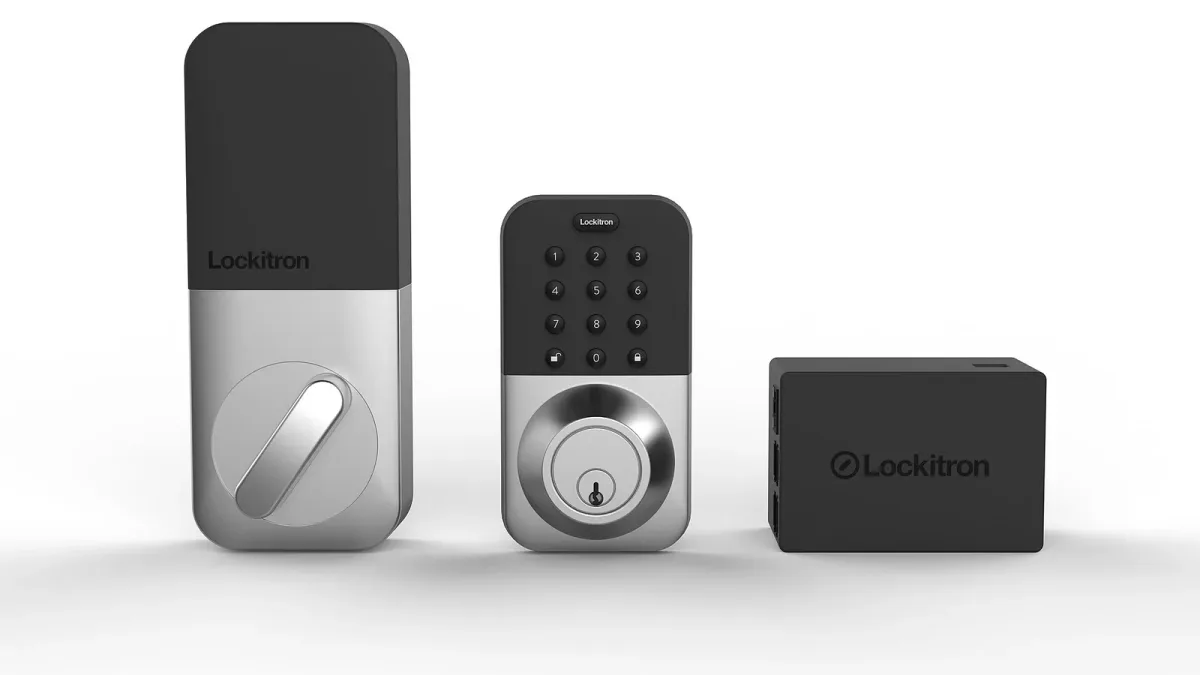
Basics: a keypad smart lock that integrates with your property management software so every reservation generates its own code, valid from check-in to checkout. Per-stay codes matter for three reasons. Security — a static code spreads through the guest grapevine and never expires. Accountability — your access log tells you exactly who opened the door and when, which settles "we never got in" disputes in about nine seconds. And operations — your cleaner and handyman get their own permanent codes, so your access log doubles as a turnover attendance record. Most keypad smart locks land somewhere in the $150 to $300 range, and the PMS integration is the feature to shop for, not the app. We go deep on models and wiring in our smart home tech guide for Airbnb hosts.
Now the failure mode. It is 2 a.m. on a Friday in February. A guest lands at the cabin after a delayed flight and a ninety-minute mountain drive, and the keypad is dead. Batteries. They always die at 2 a.m., never at noon on turnover day. The guest is standing in the cold with two sleeping kids in the car, and you are asleep 600 miles away.
Marcus survives this scenario without waking up, because of the lock behind the lock: a plain mechanical lockbox, bolted somewhere unobtrusive, holding a physical backup key. The lockbox code is not printed anywhere a guest sees by default. Instead, his automated message flow includes a conditional: if a guest reports an entry problem, the auto-reply walks them to the lockbox and gives the code. The next morning, Marcus rotates the lockbox code, and his cleaner re-keys the box and swaps the smart lock batteries on the next turnover.
Two supporting protocols make the backup real rather than theoretical. First, the battery calendar: smart lock batteries get replaced on a schedule — every four to six months, whether they need it or not — instead of on failure. Batteries cost a few dollars; a 2 a.m. lockout costs a review. Second, the cleaner's cabinet: a labeled bin inside the property with spare batteries, spare bulbs, and the lockbox re-key tool, so the fix never waits on a hardware-store run.
One rule to write down: the lockbox is for emergencies, not convenience. Hosts who get lazy and start handing out the lockbox code as a primary entry method have simply rebuilt the static-code problem with extra steps.
Layer two: eyes and ears, done ethically
The sensor layer is where remote hosts most often either under-build (flying blind) or over-build (into creepy territory that violates platform rules and, in some places, the law). The ethical line is actually easy to draw, and staying on the right side of it is not just morally correct — it is a listing-survival issue.
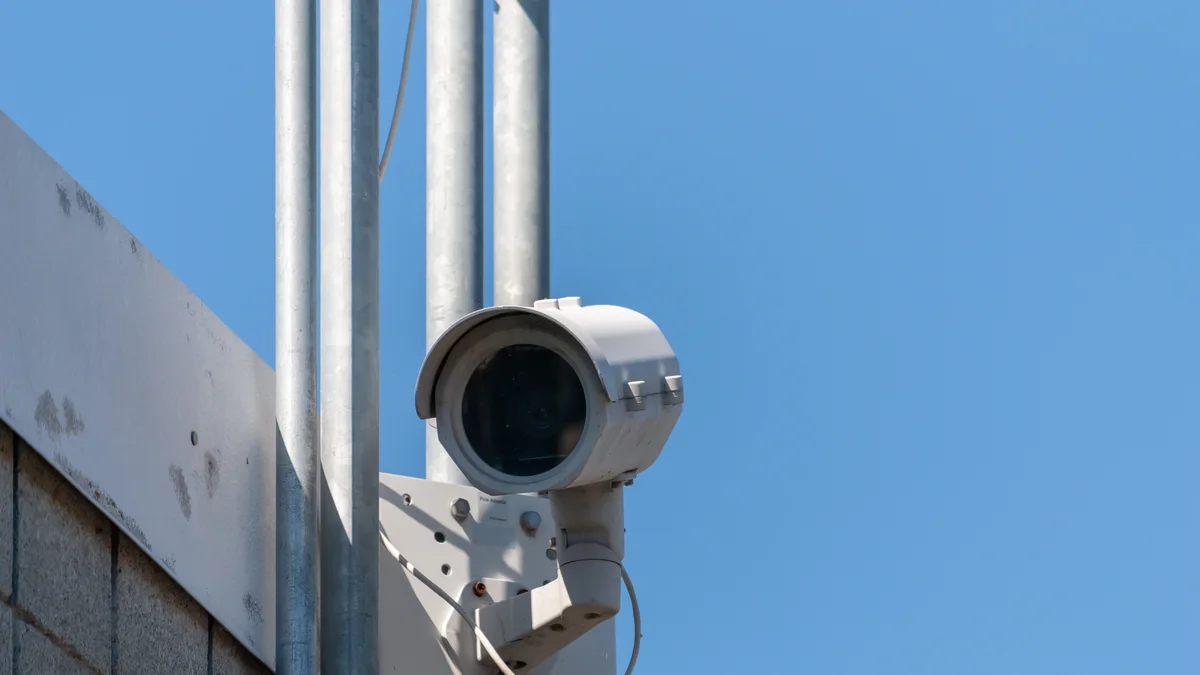
The rules of the road, in plain terms. Exterior cameras only. Airbnb's current policy prohibits indoor cameras entirely — not just in bedrooms, anywhere inside — and requires that outdoor cameras be disclosed in the listing. Check the help center for the current wording before you install anything, and check your state's recording laws too, because some jurisdictions have their own requirements. But the practical summary has been stable: outside, disclosed, pointed at entrances and parking, never at spaces where guests expect privacy such as an enclosed hot tub area.
Marcus runs exactly one camera: a doorbell-style unit covering the front porch and the parking pad. It answers the questions a remote host actually needs answered. Did the guests arrive? How many cars? Did the cleaner show at 10 a.m. or 2 p.m.? Is that a dog? Is there a delivery sitting on the porch in the rain? He discloses it in the listing description and in the house rules, in one matter-of-fact sentence. Nobody has ever objected. Guests generally read a disclosed exterior camera the same way you read one at a hotel entrance: normal.
Inside the property, the ethical tool is a noise sensor, and the key phrase is decibel-not-audio. Devices in this category — Minut and NoiseAware are the names you will hear most — measure sound pressure levels without recording any audio. They cannot tell you what anyone said; they can tell you that the living room has been running loud for forty minutes at 11 p.m. on a Saturday. That is the party-detection signal, delivered without eavesdropping. Disclose the sensor in your listing too. Honest hosts have nothing to hide here, and the disclosure itself quietly filters out the guests planning a rager.
What does the noise alert actually trigger? Not a panicked call to the police. Marcus's flow is graduated: first alert sends an automated, friendly message through the platform — "Hey folks, quick note that quiet hours in the neighborhood start at 10, thanks for keeping it down." In his two years of remote hosting, that message has resolved every single noise event he has had. The escalation tiers beyond it — a personal call, then the local contact — exist in the runbook we will build later, and he has never needed them. Systems are like that: the visible presence of the system prevents most of the events the system exists to handle.
Layer three: the cleaner is your co-pilot, so hire and pay accordingly
Here is the sentence I want you to internalize: your cleaner is not a vendor, your cleaner is your operations partner who happens to also clean. For a remote host, the cleaner is the only person who stands inside the property every few days. They are your quality control, your damage-detection system, your restocker, your battery-swapper, and your early-warning sensor for maintenance problems. Treating that role as a commodity you shop on price is the single most common remote-hosting mistake I see.
Sourcing. Skip the national gig-app cleaners for a remote property; you need a relationship, not a rotation of strangers. The best sources, in rough order of hit rate: referrals from other hosts in the market (local host Facebook groups are gold for this), your real estate agent's network if you bought recently, and cleaners who already service short-term rentals in the area and understand that a turnover is not a house cleaning. Interview on a video call, then pay for a trial deep clean and judge the results — ideally during one of your in-person visits, or by having a host friend in the market walk it.
Pay above market. This is a math decision, not a generosity decision, so let me run the example numbers. Say the going turnover rate in your market is $120 and a great cleaner wants $150. That is $30 extra per turn. Marcus's cabin turns about 41 times a year, so call it roughly $1,230 a year in premium — example math, your market will differ. Now price the alternative: one blown turnover that greets an arriving guest with a dirty bathroom. That is plausibly a refunded night, a bad review dragging on your ranking for months, and hours of your time doing damage control from 600 miles away. One saved disaster pays for the premium several times over, and the premium also buys you priority: when a snowstorm compresses every cleaner's schedule, the host who pays well and pays fast is not the client who gets dropped.
The photo-checklist turnover system. This is the crown jewel of remote operations, and it is almost embarrassingly simple. After every turnover, before leaving the property, the cleaner photographs each staged room from standard angles — the same angles every time — plus a few known trouble spots: inside the microwave, under the beds, the shower drain, the coffee station, the thermostat reading, the smart lock battery indicator if it has one. The photo set gets dropped into a shared album or straight into the task in your property management software. Total added time once it becomes habit: maybe five minutes per turn.
What those five minutes buy you is remote certainty. You, in Chicago, can verify a Gatlinburg turnover in ninety seconds of thumb-scrolling. Damage from the departing guest gets documented with timestamps while a claim is still possible, instead of discovered by the next guest. Staging drift — cushions migrating, lamps unplugged, the throw blanket vanishing — gets caught and corrected. And the photos become your evidence file if a guest ever claims the place was dirty on arrival. Pair the photo system with a written checklist that includes the non-cleaning items: restock counts, battery checks, reporting anything broken. The report line matters most — your cleaner should know that flagging a dripping faucet earns thanks, never blame.
Keep a turnover log — one spreadsheet row per turn: date, cleaner, minutes on site if your lock code data gives it to you, photos received yes/no, issues flagged. It sounds fussy and takes thirty seconds a week to maintain. Six months in, that log is how you spot the drift that precedes every cleaner breakup: photo sets arriving later, then thinner, then not at all. Systems degrade before they fail, and the log shows you the degradation while it is still a conversation instead of a crisis.
Layer four: build the local bench before you need it
The worst time to find a plumber in a market you do not live in is while water is running across the floor of a property you cannot drive to. So remote hosts build the bench in advance, the way a team signs backup players in the offseason rather than during the championship game.
The minimum bench for one remote property: a handyman, a plumber, an electrician, an HVAC company, and — this one gets skipped constantly — a backup cleaner. Your primary cleaner will eventually get sick, take a vacation, or quit during your busiest month, and "eventually" has a way of meaning "July." A backup cleaner who has done two or three paid turnovers for you already, knows the property, and has a door code is the difference between a hiccup and a cancellation cascade.
How to build it from a distance. Referrals first: your cleaner knows tradespeople, your agent knows tradespeople, the local host groups have opinions about everyone. Then — and this is the step that separates a list of phone numbers from an actual bench — give each person a real paid task before any emergency. Have the handyman swap the furnace filter and tighten the deck rail. Have the plumber replace the aging supply lines under the sinks, which is cheap preventive work that fails catastrophically when it fails. Have the HVAC company do a seasonal service. Now you know who shows up, who communicates, who invoices cleanly, and they know your property, your lock code system, and you.
Track the bench like the data it is: a simple sheet with name, trade, response time on the test task, rates, and notes. Marcus's version has a column called "answered on a Saturday?" — a yes in that column is worth more than a $10-an-hour price difference. Get a payment method sorted with each of them in advance too, so an emergency dispatch never stalls on "how do I pay you from Illinois."
The bench is also your first scaling asset. When property two shows up in the same market, it inherits the entire bench on day one — one of the quiet reasons the jump from one to two properties is so much easier than the jump from zero to one, as we cover in the portfolio scaling guide.
Layer five: automated messaging, and when to break the automation
Guest messaging is the layer where remote and local hosting genuinely converge, because good messaging was never about proximity. The guest cannot tell whether the message came from next door or from another time zone. They can absolutely tell whether it came late, or vague, or not at all.
The standard automated flow, which your property management software should run without you touching it: booking confirmation within minutes, thanking them and setting expectations. Pre-arrival message three days out with logistics — directions, parking, what to pack for the season. Check-in day message with the door code and access steps, timed to land that morning. A mid-stay check-in the morning after arrival: one line, "How's everything at the cabin?" — this single message is your best early-warning system, because it surfaces small problems while they are still small and fixable rather than in the review. Checkout instructions the evening before departure, kept humane and short. And a post-stay thank-you that gently mentions the review. If you want copy-and-paste starting points for every one of these, our guest communication templates post has the full library.
Now the part that separates the pros: knowing when to break the automation. Automation earns its keep on the routine 80 percent, but certain moments call for an unmistakably human note, and guests can smell the difference. Break automation when a guest mentions an occasion — an anniversary, a birthday, a first family trip since a hard year. Break it when something went wrong, even slightly; an apology from a template is worse than no apology. Break it when the mid-stay check-in comes back with anything other than "all great." And break it for the guest who is clearly anxious — the one asking their fourth pre-arrival question — because a warm personal answer converts anxious guests into your most grateful reviewers.
Marcus's rule of thumb is a good one: automation for information, humans for emotion. The door code is information; the message after a guest mentions they are scattering a parent's ashes in the Smokies is emotion. His total time on guest messaging most weeks is under an hour, because the machine handles the information and he only writes the messages a machine should not write.
Layer six: the PMS is your command center
Every layer we have built so far reports to one place: the property management software. If the spreadsheet is Marcus's memory, the PMS is his cockpit — and for a remote host, picking a good one is not an optimization, it is the load-bearing decision.
What the command center actually does for a remote operation, layer by layer. It syncs calendars across Airbnb, Vrbo, and any direct booking channel, killing double-booking risk. It unifies every guest conversation into one inbox, so you are not swiveling between apps at midnight. It runs the automated message flows from the previous section. It generates the per-stay lock codes from layer one. It auto-creates turnover tasks for your cleaner the moment a booking lands or changes, and gives the cleaner an app where those photo sets have a home. It connects to dynamic pricing tools so your rates track the market's data — AirDNA-style demand signals — rather than your best guess from another state. And it timestamps everything, which turns disputes into lookups.
The trap to avoid: choosing a PMS on price alone and getting one that does calendars and messages but has no real task management or lock integration. For a local host, those gaps are annoyances. For a remote host, they are the two features that replace your physical presence, which makes them the whole point. The cleaner-task workflow with photo support and the automated lock-code pipeline should be at the top of your evaluation sheet, above interface polish and above monthly cost. We compared the major platforms feature-by-feature in our PMS breakdown for short-term rentals, so I will not repeat the shopping list here — but shop for it like the command center it is, not like an app subscription.
One integration note from Marcus's setup worth stealing: he routes everything through the PMS even when a shortcut exists. Cleaner texts him about a broken lamp? He answers, then logs it as a task in the system anyway. The discipline feels bureaucratic for exactly three weeks, and then one day he searches "lamp" and has the entire history — date, cost, which handyman fixed it — and the discipline pays for itself forever.
The 20-minute Monday: a remote host's weekly dashboard
Now we get to my favorite layer, because it is the one made entirely of numbers. Remote hosting fails quietly before it fails loudly — occupancy softens, a review goes unanswered, a maintenance item ages — and the weekly dashboard review is how you catch the quiet phase. Marcus does his every Monday morning with coffee, and it takes about twenty minutes. Four screens, in order.
One: pacing. How is the next 60 days booking compared to what you expected? Pacing is the single most information-dense number a host can look at, because it converts the future into a signal you can act on now. If the next month is pacing behind, you have time to adjust prices or minimum stays; if you only look at last month's revenue, you are reading history. You do not need fancy tooling — a simple sheet comparing "nights booked in next 60 days" week over week will show you the trend line.
Two: upcoming gaps. Scan the calendar for orphan nights — the stranded one- and two-night holes between bookings. These are the cheapest revenue wins in hosting: a targeted discount or a temporarily lowered minimum stay on a specific gap costs you nothing and fills nights that would otherwise expire worthless, like unsold airline seats.
Three: reviews and responses. Every new review gets read and gets a response — yes, the good ones too, briefly. For a remote host the review feed doubles as an operations sensor: two consecutive mentions of "the shower was a little slow to drain" is a maintenance ticket wearing a review costume. File it to the handyman before it becomes one star wearing a review costume.
Four: the maintenance log. Open items, sorted by age. Anything that has sat for two weeks gets a decision: dispatch it, schedule it for the quarterly visit, or consciously accept it. The failure mode is not big broken things — those announce themselves. It is the six-month-old "flickering porch light" line item that a guest finally mentions in a review.
Source: example figures from this article's composite host scenario.
Put a hard calendar block on the weekly review and treat skipping it like skipping a mortgage payment. The dashboard only works as a trend detector if the readings are evenly spaced — check pacing weekly and you will see a soft month coming six weeks out; check it "when you get a chance" and you will discover the soft month when the deposits get smaller. Consistency of measurement beats sophistication of measurement, every time.
The escalation runbook: deciding at 2 a.m. before 2 a.m.
Every remote host eventually gets the bad message. Water heater leaking. Heat out in January. Guest locked out, phone dying. Power gone in half the cabin. The difference between hosts who handle these calmly and hosts who spiral is not temperament — it is whether the decisions were made in advance. A runbook is just that: your 2 a.m. decisions, made at 2 p.m., written down.
Marcus's runbook is a single shared document, and its structure is worth copying. It has three tiers. Tier one, guest-solvable: lockouts (the lockbox flow from layer one), Wi-Fi resets, tripped breakers, "how does the fireplace work" — each with a short script the automated or on-call responder can send, and photos of the breaker panel and shutoff locations. Tier two, dispatch-solvable: active leaks, no heat, no hot water, appliance failures — each mapped to a name from the bench, with the instruction "dispatch first, discuss cost after" for anything involving water or heat, because a $200 emergency call is always cheaper than a ceiling. The water main shutoff location is photographed and pinned at the top of tier two; in a real leak, the first move is the guest closing that valve, and they can only do it if someone can tell them where it is. Tier three, host-decision: anything involving guest injury, property damage above a set dollar line, refunds, or rebooking a guest elsewhere. Those calls Marcus makes personally, whatever the hour — but by tier three, the leak is already stopped and the plumber already driving, so he is making the decision with the emergency contained.
Two details that make a runbook real. First, it lives where the people who need it already are — pinned in the PMS and shared with the cleaner and the handyman, not buried in a folder on your laptop. Second, it names a local first responder: the person with keys and permission to physically go to the property when physical presence is unavoidable. For Marcus that is his cleaner, who is paid a flat call-out fee per incident for the privilege. In two years she has been called out twice. Both times, that fee was the best money he spent all year.
When a human beats software: co-hosts and local managers
Everything to this point assumes you want to be the operator. That is a preference, not a law. There are two humans you can hire to absorb some or all of this machine, and the honest version of this guide tells you when each one beats the DIY stack.
A co-host is a person — often a nearby host running their own places — who takes a defined slice of the operation: typically guest messaging, turnover coordination, and being the local first responder, while you keep ownership of pricing and strategy. As a category, co-hosts commonly charge somewhere in the 10 to 20 percent of revenue range, depending on how much they take on. A full-service local property manager takes the whole machine — marketing, pricing, guests, turnovers, maintenance — and as a category typically lands somewhere between 20 and 35 percent of revenue in most leisure markets, sometimes with fees on top. Treat both ranges as orientation, not quotes; the spread within one market can be as wide as the spread between markets.
When does paying that make sense? The math is about your hours and your bottleneck. If hosting is your one property and you enjoy the operating, the DIY stack wins comfortably. If you are time-poor in your main career, if the property is in a market too thin to build a reliable bench, or if you are scaling past the point where Monday dashboards fit in your life, a co-host is often the sweet spot: you keep the strategy and most of the margin, they hold the local ground. We wrote a whole piece on how that arrangement works — and how some hosts turn co-hosting itself into the business — in the co-hosting model guide. The full-service manager makes sense at the extremes: true hands-off investors, or properties whose revenue comfortably supports the fee.
| Factor | Self-manage remotely | Co-host | Full local manager |
|---|---|---|---|
| Typical cost | Software stack plus your hours | Commonly 10–20% of revenue | Commonly 20–35% of revenue, sometimes plus fees |
| Guest messaging | You, mostly automated | Co-host, with your voice and rules | Manager's team and templates |
| Turnovers and cleaner | You coordinate; cleaner executes | Co-host coordinates your cleaner or theirs | Manager's crews |
| 2 a.m. emergency | Your runbook and bench | Co-host is the first responder | Manager handles start to finish |
| Pricing and strategy | Fully yours | Usually yours | Usually theirs |
| Control of guest experience | Total | High | Limited |
| Your weekly time | A few hours | Under an hour | Near zero |
| Best fit | Operators who enjoy the machine | Busy owners who want strategy without the pager | Hands-off investors, thin markets, big portfolios |
One warning that applies to all three columns: whoever runs the operation, the listing is still your asset. Photos, description, positioning, and pricing strategy determine the revenue that every percentage in that table gets applied to. Delegating operations is healthy; delegating the marketing of your property to whoever happens to answer the phone is how listings drift into mediocrity.
The in-person visit: what to actually do when you show up
However good the systems get, you should still stand inside your property a few times a year — quarterly is the ideal, twice a year is the honest minimum Marcus manages. But a visit without a checklist degrades into a pleasant weekend at your own rental, so here is the working list.
Sleep there, as a guest. Arrive using the guest code and the guest instructions, at night if you can manage it. Every friction point you hit — the dark path to the door, the confusing thermostat, the mystery light switch — is a friction point forty guests a year are hitting silently.
Run everything. Every appliance through a cycle, every faucet to hot, every drain for speed, every remote, the grill, the fireplace, the backup lockbox. Flip every breaker label to confirm it is honest. Test the smoke and carbon monoxide detectors and replace their batteries regardless of remaining life, same policy as the lock.
Audit the wear. The cleaner's photos show staging; they cannot show the mattress going soft, the towels going gray, the scratch spreading on the dining table. Touch everything a guest touches. Budget-wise, assume every visit produces a shopping list — that is the visit working, not failing.
Refresh the marketing assets. Photograph anything you have upgraded, in good light. Listing photos age out of accuracy faster than hosts think, and accuracy gaps surface as disappointed reviews.
Invest in the humans. Take the cleaner to lunch. Shake the handyman's hand. Say hello to the neighbors and leave your number — a neighbor who likes you texts you about the party before the noise sensor does, and a neighbor who has never met you calls the county instead. An hour of coffee per visit is the cheapest insurance policy in this entire article.
Close the loop. Before you drive away, reconcile the maintenance log: mark off what the visit fixed, dispatch what it surfaced, and update the runbook if anything changed — new water heater, new shutoff location, new photos for tier two.
The view from 600 miles
Strip this guide to its skeleton and remote hosting looks almost simple. Locks that issue their own codes, with a dumb backup for the smart failure. Ears that measure decibels without recording words, and eyes that stay outside and get disclosed. A cleaner treated and paid like the partner they are, photographing the truth after every turnover. A bench built before the emergency, a runbook written before 2 a.m., messages automated for information and humanized for emotion, one command center holding it all, and twenty minutes of honest numbers every Monday.
None of these layers is difficult. The work is in building them before you need them, which is precisely what most hosts skip — and why "remote hosting is risky" remains conventional wisdom even as thousands of hosts like Marcus quietly run tight operations from hundreds of miles away. Distance was never the risk. The empty space where a system should be — that is the risk, and it is entirely buildable.
And when the operations run themselves, the remaining lever is the one distance never touched: how well your property is marketed. That end of the machine is what Cavmir builds for hosts — if your systems are humming and your listing is the layer that needs work, our listings and CRM service is a sensible place to start the conversation.
Photography via Wikimedia Commons, resized and cropped: hero, Busy people at a coffee shop (Unsplash), CC0; inline, Lockitron smart lock keypad bridge by Lockitron/Apigy, Inc. (CC BY-SA 4.0).




.jpg)
