



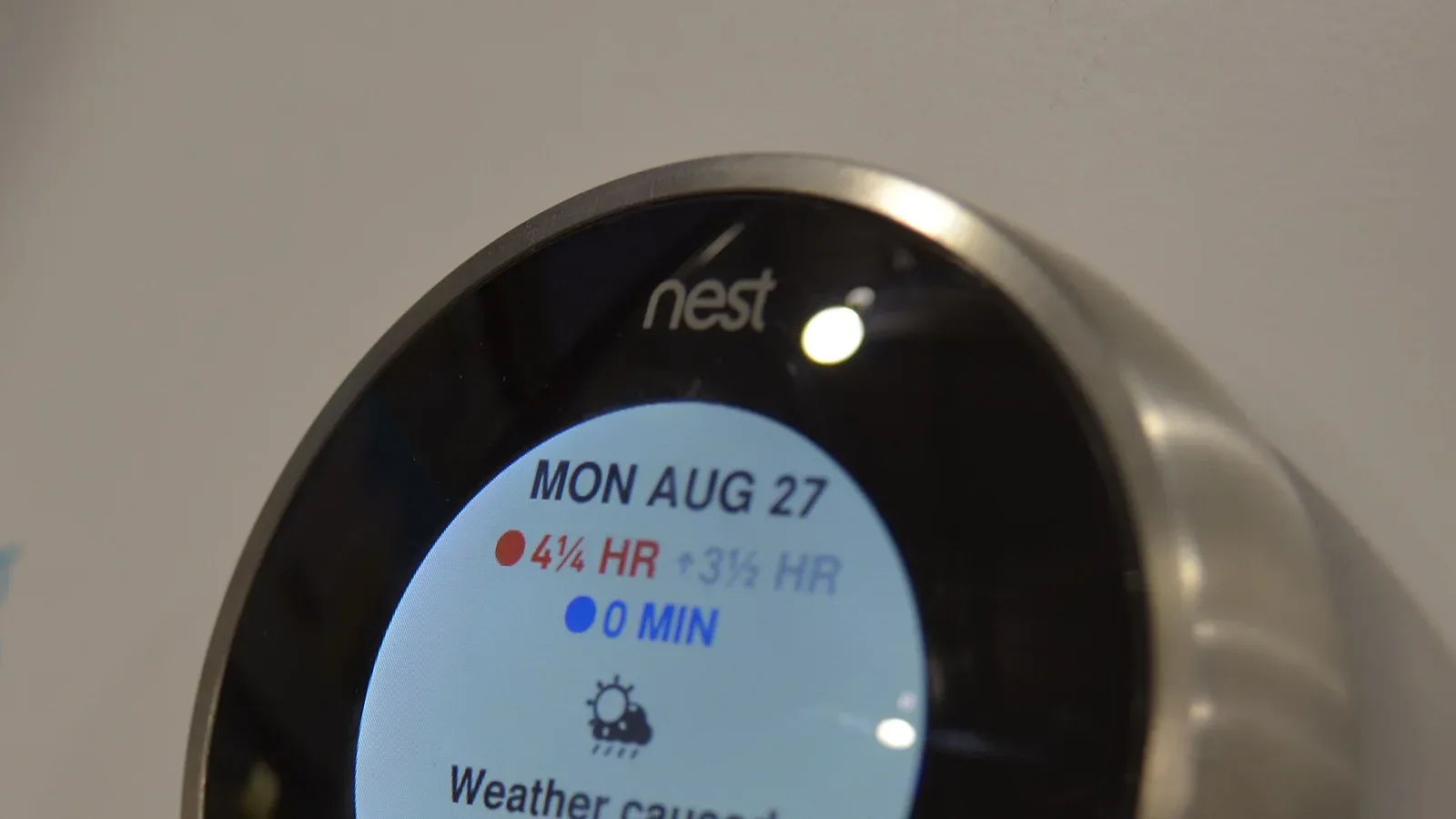
This guide is for hosts and property managers choosing the locks, noise monitors, thermostats, leak sensors and outdoor cameras for a short-term rental. It's organized by job: letting guests in, keeping noise down, controlling heating and cooling, catching leaks and freezes, and watching the outside of the home without breaking a platform rule.
By the end you'll know which smart lock your booking software can run, what each device costs, whether a lock pays for itself at your number of turnovers, and what to write in each listing so every camera and monitor is disclosed the way Airbnb, Vrbo and Booking.com ask. Prices were checked on each seller's own website on October 13, 2026.
- Airbnb's built-in smart lock connection works only in the U.S. and Canada, with listed Schlage, Yale and August models that have a keypad. Each confirmed booking gets a unique code that works only during the trip.
- If you run a property management system (PMS), buy from its list instead. OwnerRez connects Schlage Encode locks and igloohome directly for $4 per lock a month, Hospitable needs Wi-Fi plus a keypad, and neither supports the Schlage Arrive.
- Airbnb has banned indoor security cameras since April 30, 2024, even switched off. Exterior cameras are allowed if disclosed but never over an enclosed outdoor shower or sauna, and Vrbo allows outdoor cameras only on access points.
- Decibel monitors that don't record audio are allowed inside on Airbnb if you disclose them and keep them out of bedrooms, bathrooms and sleeping areas. Vrbo wants them disclosed in the listing before anyone books.
- Water damage and freezing claims averaged $15,400 on homeowners policies from 2019 to 2023, in ISO data published by the Insurance Information Institute. A Wi-Fi leak and freeze sensor listed at $99.95 on October 13, 2026.
- With the calculator's example inputs (60 turnovers a year, 20 minutes saved on each at $25 an hour, $300 of yearly rekeys, $60 yearly running cost), a $350 installed lock pays back in under six months.
Smart Locks for Guest Access
A smart lock does three jobs in a rental. It gives each booking its own code, it ends key handoffs, and it tells you when someone arrives. The right one for your door is the one your booking software can program without you, so pick in this order: software first, then the door, then the brand.
Four Tests Before You Buy
- A keypad. Guests should type a code and walk in, with no app to download. Every lock on Airbnb's direct list has a keypad or needs one added, and Hospitable requires a keypad or keypad accessory.
- A connection your software can reach. Codes can only be added and deleted from afar on a lock that's online. Airbnb asks you to use the Wi-Fi band the lock's maker recommends, for example 2.4 GHz. Some locks need a bridge, a small plug-in box that relays between the lock and your Wi-Fi like a translator: Hospitable's list notes that several Igloo models need an Igloo Bridge and the Yale Doorman needs one too.
- Your software's list. Airbnb's connection only handles Airbnb bookings. If you also take bookings on Vrbo, Booking.com or your own website, let your PMS run the lock so every reservation gets a code from one place.
- A backup way in. When you connect a lock, Airbnb has you add a backup entry method that it shares only when there's an unexpected lock problem, the lock is offline when the booking is made, or the trip changes. A coded lockbox holding a physical key is the simplest backup.
Lock Options Compared
The table lists the lock types hosts choose between, what each does in a rental, which systems can program it and the price on the seller's website. Prices are before tax and installation.
| Lock and type | What it does in a rental | Airbnb and PMS connections | Listed price, October 13, 2026 |
|---|---|---|---|
| Schlage Encode Smart WiFi Deadbolt (keypad deadbolt, built-in Wi-Fi) | Replaces your deadbolt; guests type a code at the outside keypad | Airbnb direct; Hospitable; OwnerRez direct at $4 per lock a month; Schlage is on Hostaway's list | From $299.00 |
| Yale Assure Lock 2 Touch with Wi-Fi (keypad deadbolt with fingerprint reader) | Replaces your deadbolt; entry by code, fingerprint or key | Airbnb direct; Hospitable through the Yale app; Yale is on Hostaway's list; no OwnerRez direct connection | $299.99 |
| August Wi-Fi Smart Lock (retrofit, inside the door) | Fits over your existing deadbolt so you keep your keys; add a keypad for guest codes | Airbnb direct with a keypad; Hospitable through the August app; August is on Hostaway's list | $199.99, keypad extra |
| Igloo (igloohome) keypad locks | Keypad codes; several models need an Igloo Bridge for Wi-Fi | Not on Airbnb's list; Hospitable through the Igloo app; OwnerRez direct at $4 per lock a month; on Hostaway's list | Varies by model |
| Hub-connected locks (for example, a Schlage Connect through SmartThings) | The lock talks to a smart home hub, and the hub talks to your software | Hospitable through SmartThings; OwnerRez through Hubitat at $4 per lock a month | Hub plus lock; varies |
| Coded lockbox with a physical key | The backup way in when a smart lock fails | None; its code becomes your backup entry method | Varies |
Schlage lists the Encode Smart WiFi Deadbolt "from $299.00," depending on the style, and shows the Airbnb logo among the services it works with. Igloo and hub-connected lock prices vary too much by model to list, so get the exact model number before you compare.
Which Lock Fits Your Setup
- Home in the U.S. or Canada, Airbnb only, no PMS: a lock on Airbnb's direct list, such as a Schlage Encode, a Yale Assure Lock 2 with Wi-Fi, or an August Wi-Fi Smart Lock with a keypad.
- OwnerRez: a Schlage Encode model or an igloohome lock, which connect directly.
- Hospitable: a Wi-Fi keypad lock from one of its supported apps, but not a Schlage Arrive.
- Hostaway: a brand from its Marketplace list; confirm your exact model with Hostaway before you buy.
- HOA or building rules stop you changing the outside hardware: a retrofit lock such as the August Wi-Fi Smart Lock, plus a keypad.
- Home outside the U.S. and Canada: Airbnb's direct connection isn't available there, so choose a lock your PMS supports.
Locks That Connect Directly to Airbnb
Airbnb's smart lock feature is only for listings in the U.S. and Canada, with one compatible lock per listing. These models were on Airbnb's list in October 2026:
- Schlage (connected to the internet, with a keypad): Encode Plus Smart WiFi Deadbolt, Encode Smart WiFi Lever, Encode Smart WiFi Deadbolt and Sense Pro Smart Deadbolt.
- August (each with a keypad): Wi-Fi Smart Lock, Smart Lock with Connect Wi-Fi Bridge, and Smart Lock Pro with Connect Wi-Fi Bridge.
- Yale: Assure Lock with Wi-Fi (Touchscreen, Keypad, SL and Assure Lever), Assure Lock 2 with Wi-Fi (standard, Touch and Plus), and the Approach Lock with Wi-Fi, which needs a separate keypad.
Once a lock is connected, guests with confirmed bookings get a unique code that's only active during their trip. Airbnb sends it by email and in Airbnb messages, keeps it in the trip guide, lets you adjust when codes are active and tells you when the guest checks in for the first time. Codes you create in the lock's own app, such as cleaner codes, stay yours: Airbnb says it can never see them and will never change them.
Airbnb's help page flags two setup snags. Update the lock's firmware first, since an older lock app can block the connection. And if Apple HomeKit or another smart home platform controls the lock, Airbnb may not find it, so disconnect it there and connect to Airbnb again.
What Each PMS Supports
If you use a PMS, its supported list decides, and the lists change, so check your exact model before you buy. This is what each company's own page said in October 2026. If you're still choosing software, start with this directory of PMS platforms.
- Hostaway works with Schlage, Yale, August, Igloohome, RemoteLock and Nuki "among others" through the Hostaway Marketplace, according to its smart locks page (updated February 12, 2026). When a booking is confirmed, it creates a unique access code and sends it to the guest with the check-in instructions.
- Hospitable requires a Wi-Fi lock with a keypad or keypad accessory, a supported model added through a supported app, and an active subscription where the lock's own service needs one. A lock added through a different app won't connect, even if the model is on the list.
- OwnerRez connects directly to Schlage Encode, Encode Lever and Encode Plus locks, igloohome and Hubitat, at $4 per lock per month. It can set a custom code, the last digits of the guest's phone number or a random code, and it deletes expired codes from the lock.
Other PMSs keep their own lists. Ask the company to confirm your exact model in writing before you buy.
Models That Trip Hosts Up
- Schlage Arrive. Hospitable doesn't support it because Schlage hasn't authorized the line for professional hosting integrations. OwnerRez doesn't support it either, and it isn't on Airbnb's list.
- Schlage Sense and Schlage Connect. OwnerRez supports neither. Airbnb lists only the Sense Pro, and Hospitable reaches the Connect through SmartThings.
- Kwikset on Hospitable. Kwikset limits access-code data, so Hospitable creates new codes for each reservation, and those codes may not show in the Kwikset app unless you connect over Bluetooth.
- Igloo Deadbolt 2S. Hospitable doesn't support units whose Bluetooth ID starts with IGB402.
- Nuki, TTLock and RemoteLock on Hospitable. Nuki needs a Nuki Smart Hosting subscription, TTLock needs the G2 Wi-Fi Gateway, and RemoteLock is open only to hosts who used it before March 25, 2024.
- Code length on OwnerRez's Schlage connection. Every code on the lock must be the same length, 4 to 8 digits, and the first code entered sets it, according to OwnerRez's Schlage article. Give cleaners codes the same length as guest codes, or you'll have to delete every code to change it.
Replacement Deadbolt or Retrofit
Swaps out your deadbolt and puts the keypad outside. The Yale Assure Lock 2 Touch with Wi-Fi listed at $299.99 and the Schlage Encode from $299.00.
- Guests type a code, with no app needed
- Both are on Airbnb's direct list
- Changes the outside hardware, so check HOA or building rules first
Attaches to your existing deadbolt on the inside of the door, so you keep the outside hardware and your original keys. The August Wi-Fi Smart Lock listed at $199.99 and has built-in Wi-Fi, so it needs no extra bridge.
- Fits doors where the exterior can't change
- Needs a keypad for guest codes
- On Airbnb's direct list with a keypad
Backup Entry and Staff Codes
Give every cleaner, handyman and co-host a personal code, named in the lock app, and delete it the day that person stops working for you. Put a battery check for every lock on the turnover checklist, and keep the backup lockbox code different from every door code. Our guide to building a cleaning and turnover system shows where those checks fit.
Door code message for bookings your PMS handles
Hi [Guest first name],

Your door code for [Property name] is [door code]. It works from [check-in time] on [arrival date] until [checkout time] on [departure date].

To get in, enter the code on the keypad and [press the lock button / turn the handle]. To lock up when you leave, [press the lock button / close the door and it locks itself].

If the keypad doesn't respond, message me here and I'll send a backup way in right away.

[Your name]
Airbnb sends codes on its own for a connected lock, so use this message for bookings from other channels or when your PMS runs the lock.
Smart Lock Payback Calculator
The money case for a smart lock is mostly time and risk: no driving out to hand over keys, no lockbox code to reset between guests, no locksmith after a guest leaves with a key. The calculator puts your own numbers on that. It values the time saved at the hourly cost you choose, adds the locksmith costs you avoid, and subtracts what the lock costs to run each year.
How Fast a Smart Lock Pays for Itself
Change the example numbers to match your home. Nothing leaves your device.
Example inputs only, not averages. The OwnerRez lock fee in the example comes from the sources listed at the end of this guide; get a local locksmith quote for your own rekey cost.
Example: a made-up three-bedroom home has 60 turnovers a year, and each used to take 20 minutes of key handling: meeting a guest, resetting the lockbox, collecting keys. At $25 an hour that's 20 hours and $500 a year. Add $300 a year in rekeys and lockout calls (two locksmith visits at $150, an example figure) and subtract $60 a year to run the lock: $48 for OwnerRez's $4-a-month lock fee plus $12 of batteries, also an example. The net saving is $740 a year, so a $350 installed lock pays for itself in about 5.7 months and the home ends the first year $390 ahead.
What the Calculator Leaves Out
- Security. A code that stops working at checkout can't be copied the way a key can, and Airbnb tells you when a guest first checks in.
- Late arrivals. Guests who land at midnight let themselves in, with no one waiting up.
- Failure costs. A dead battery or a Wi-Fi outage can leave a guest outside, which is why the backup way in matters.
- Fees you already pay. If your PMS plan already covers locks, enter only your battery cost as the running cost.
If the payback runs past three years, treat the lock as a security and convenience purchase and judge it on those terms. To weigh it against other upgrades, such as a hot tub or a work desk, try the amenity ROI calculator.
Use your own handoff time, measured over a few turnovers. A host who lives around the corner and already uses a lockbox saves far fewer minutes than one who drives out for every arrival, and with the example inputs that one number drives most of the saving.
Noise Monitors and Quiet Hours
A noise monitor measures how loud a room is and for how long, and alerts you when the level stays above a threshold you set. Airbnb defines a noise decibel monitor as a device that assesses sound levels and their duration but doesn't record audio. Airbnb codified its ban on disruptive parties on June 28, 2022, and an early alert gives you time to message a guest before a gathering becomes a policy problem or a neighbor's complaint.
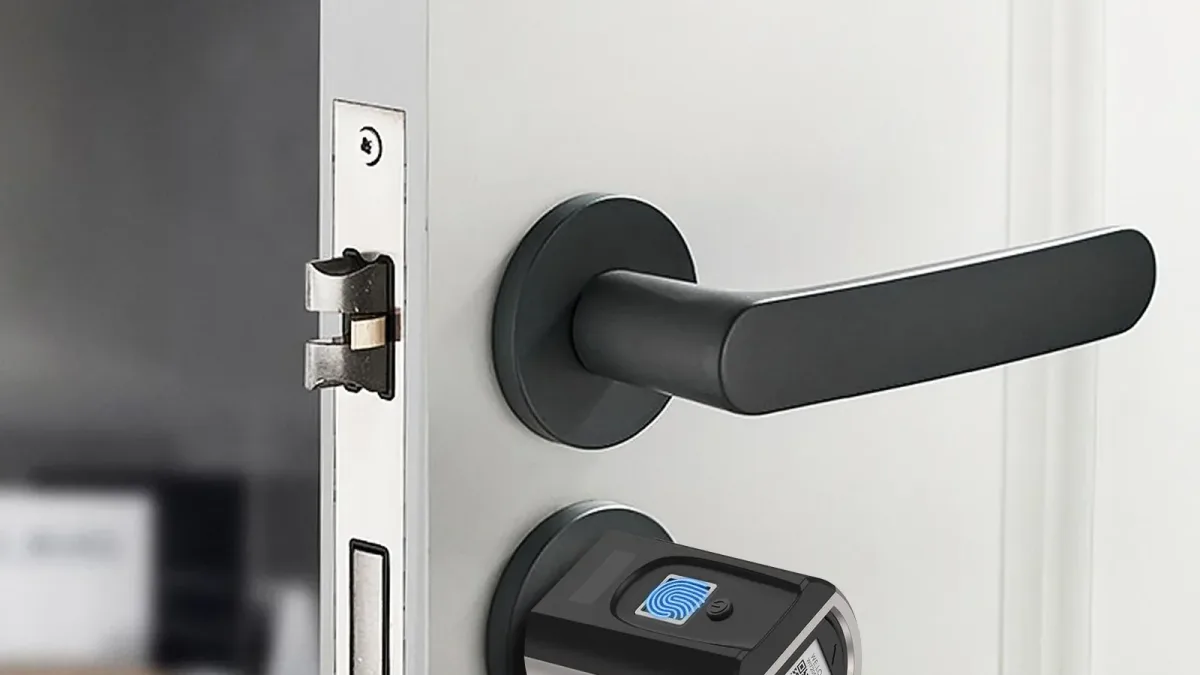
The placement rules, as of October 2026: Airbnb allows decibel monitors inside the home if you disclose them and keep them out of bedrooms, bathrooms and sleeping areas, and you don't have to say exactly where they are. Vrbo allows them if they're disclosed in the listing before a guest books and don't record or transmit any audio. Booking.com is less clear, so read the platform rules below before you install one indoors.
Noise Monitor Plans and Prices
Minut publishes its plan prices per home, in U.S. dollars. This is what its pricing page showed on October 13, 2026.
| Minut device or plan | What it adds for a rental | Booking connections | Price per home, October 13, 2026 |
|---|---|---|---|
| Minut sensor | The noise sensor that works with the plans below | Needs one of the plans below | One-time purchase; price not on Minut's pricing page |
| Starter | Core insights and tools for one property | Smart home integrations | $5 a month or $60 a year |
| Standard | Adds multiple properties, team access and 30 days of data | Syncs Airbnb listings, bookings and guest information | $10 a month or $120 a year |
| Pro | Adds advanced reports and unlimited data retention | Connects to over 30 PMS platforms | $15 a month or $180 a year |
| Call Assist add-on | Trained operators call guests when noise is detected, 24/7, in English and French | Added to a Minut plan | $10 a month per rental unit, billed annually |
NoiseAware is the other monitor most hosts compare. Its website blocked our automated price check for this update, so compare its current plans on its own pricing page before you choose. For any monitor, ask three things: does it connect to your PMS, can it alert a co-host or cleaner as well as you, and what will it cost for every home you run.
How to Set Up a Noise Monitor
- Mount it where people gather, such as the living room or kitchen, and never in a bedroom, bathroom or sleeping area.
- Match its quiet hours to the house rules in your listing, for example 10 p.m. to 8 a.m.
- Set a threshold and a duration so a dropped pan doesn't trigger an alert but a party does. Start with the maker's default and adjust after a few stays.
- Decide your response ahead of time: a polite message at the first alert, a phone call if the noise continues, and the platform's support team after that.
- Disclose it in every listing before anyone books, using the wording in the platform section below.
First message when the noise monitor alerts
Hi [Guest first name], it's [Your name], your host at [Property name]. Our noise monitor shows the volume has been above the house limit for about [number] minutes. It measures sound levels only and doesn't record anything. Quiet hours under this stay's house rules are [10 p.m. to 8 a.m.]. Could you please bring it down now? Thank you, and enjoy the rest of your stay.
A monitor catches problems after check-in. Screening before booking prevents more of them, as our guide to guest screening and party prevention explains.
Keep every alert message about volume and time, never about what was said. Airbnb and Vrbo both allow noise monitors on the basis that they record no audio, so a message that quotes a conversation tells the guest the opposite.
Thermostats and Energy Control
Heating and cooling make up almost half of a home's yearly energy bill, more than $900 a year, according to ENERGY STAR. In a rental, the cost risk is a guest who leaves the heat high with a window open, or a home heated for days with nobody in it. A connected thermostat lets you warm or cool the home before arrival, turn it down between stays, and check the settings from your phone when a guest says the heat isn't working.
Thermostat Options and Prices
The ecobee lineup page listed three models on October 13, 2026, all marked ENERGY STAR certified. ecobee claims savings of up to 26% (Enhanced and Premium) or up to 23% (Essential) on heating and cooling costs compared with holding 72°F all the time. Those are the maker's figures against a fixed setting; your result depends on your climate, your energy rates and your booking calendar.
| Thermostat | What it does in a rental | PMS connection | Listed price, October 13, 2026 |
|---|---|---|---|
| ecobee Smart Thermostat Essential | Schedules and remote control; pairs with a room sensor sold separately for some features | None on the PMS pages we checked; ecobee app | $139.99 |
| ecobee Smart Thermostat Enhanced | Adds a built-in radar occupancy sensor | None on the PMS pages we checked; ecobee app | $199.99 |
| ecobee Smart Thermostat Premium | Adds a SmartSensor in the box; can act as a security hub with an ecobee Smart Security subscription | None on the PMS pages we checked; ecobee app | $259.99 |
| Google Nest Learning Thermostat (4th gen) | 4-digit PIN lock with a minimum and maximum temperature | None on the PMS pages we checked; Nest or Google Home app | Not verified for this update |
Lock the Temperature Range
The setting that matters most in a rental is a lock that keeps guests inside a range you choose. On a Nest Learning Thermostat you set a 4-digit PIN, then a minimum and maximum temperature. From the Nest or Home app the smallest range is 5°F, for example 70 to 75°F; set on the thermostat itself, it can be narrower. A locked Nest still heats or cools to scheduled temperatures and Eco Temperatures that fall outside the range, so set those inside it too. Google's help page has the steps.
ecobee thermostats have a similar setting called Access Control. Check ecobee's help pages for which functions it can lock on your model before you rely on it.
Example: a made-up mountain cabin locks its thermostat between 66 and 74°F and schedules 68°F from check-in time to checkout. On empty days the host switches the home to a lower vacant setting, still warm enough to protect the pipes, and switches it back the morning of the next arrival.
On disclosure, Airbnb allows smart home devices such as Google's Nest and encourages, but doesn't require, hosts to disclose them and to let guests unplug or disable them. Vrbo asks you to disclose smart home devices before booking and give guests a way to turn them off; its examples are smart TVs and voice assistants. If your thermostat takes voice commands, treat it like a smart speaker. Either way, put the locked range in the house manual so a guest who feels cold knows what to expect.
Leak and Freeze Sensors
Water in an empty rental can run until the next cleaner walks in. Insurance data shows what a water claim costs on an ordinary home.
Water damage and freezing claims on homeowners policies
Average severity across 2019 to 2023.
Average frequency across 2019 to 2023.
Water damage and freezing in 2023.
Source: Insurance Information Institute, citing ISO, a Verisk Analytics business; read October 13, 2026
Those figures come from the Insurance Information Institute and cover homeowners policies in general, not rentals alone. A leak sensor alerts you while the water is still running, so you or a plumber can shut it off before the damage spreads to floors and walls.
Leak and Freeze Devices Compared
| Device | What it does in a rental | PMS connection | Listed price, October 13, 2026 |
|---|---|---|---|
| Wi-Fi leak and freeze detector (example: First Alert L1) | Alerts your phone when water touches the unit or its 5-foot cable; temperature and humidity warnings for freezing pipes; 100 dB alarm; no hub | Works on its own over Wi-Fi | $99.95 list; $79.95 on sale |
| Freeze alert in the coldest room | The same kind of sensor placed where pipes freeze first, with temperature alerts on | Works on its own over Wi-Fi | Same as above |
| Automatic shutoff valve on the main line | Closes the water supply when it detects a leak | Varies by model | Get a plumber's quote |
The First Alert L1 in the table runs up to 2 years on its two included batteries. Whatever brand you buy, look for the same four things: Wi-Fi with no hub, a sensing cable that reaches under appliances, temperature alerts for freezing pipes, and a loud alarm for whoever is in the home.
Where to Put Leak Sensors
- Under the kitchen sink, with the cable along the back where the supply lines connect.
- Behind the washing machine.
- Beside the water heater.
- Under each bathroom vanity and behind each toilet.
- Near the dishwasher and the fridge's ice-maker line.
- In the coldest room with plumbing, such as a crawlspace, a basement or a bathroom on an outside wall, with temperature alerts on.
Example: a made-up cabin with two bathrooms needs eight sensors: two vanities, two toilets, the kitchen sink, the washer, the water heater and the fridge line, with freeze alerts on the one in the coldest room. At the $99.95 list price that's $799.60 before tax; at the $79.95 sale price, $639.60.
If the home sits empty for long stretches, ask a plumber about an automatic shutoff valve on the main water line. Then ask your insurer whether leak detection or a shutoff valve changes your premium or coverage, and what your policy covers for water damage in a short-term rental. Our insurance guide for hosts lists the questions to ask.
Test every sensor when you change its batteries: touch the contacts with a damp cloth and check that the alert reaches your phone and your co-host's. An alert that only reaches the person on vacation can sit unread for hours.
Outdoor Cameras and Video Doorbells
Outside the home, a camera or video doorbell shows you who arrived, whether a delivery came and whether cars are filling the driveway. Cameras also carry more platform rules than any other device in this guide, so let those rules decide where each one points.
Outdoor Security Options
| Device | What it does in a rental | PMS connection | Listed price, October 13, 2026 |
|---|---|---|---|
| Video doorbell (example: Wyze Video Doorbell v2) | Shows arrivals and deliveries at the front door | None; maker's app | $59.98 with chime controller |
| Doorbell or camera with privacy controls (example: Ring) | Audio switch and up to two Privacy Zones per device | None; Ring app | Subscription needed to turn audio off |
| Exterior camera on an access point | Covers a driveway, gate or side entry | None; maker's app | Varies by model |
| Smart lock arrival notice | Tells you a guest has arrived, with no camera at all | Airbnb's smart lock connection | Included with a connected lock |
A budget doorbell such as the Wyze Video Doorbell v2 listed at $59.98 with its chime controller on October 13, 2026. Before you compare prices, check what each camera's app charges for recording history and privacy controls.
Aim, Audio and Recordings
- Aim at entrances. Vrbo, under Expedia Group's surveillance devices policy, allows outdoor cameras only to monitor a property's access points and never placed to capture the interior. Airbnb bans cameras over outdoor areas where guests expect more privacy, such as the inside of an enclosed outdoor shower or a sauna.
- Pools and hot tubs. On Vrbo, a camera that can see a pool or hot tub must be disclosed in the listing and in a visible place at the property, with a statement that the pool or hot tub is visible to the camera.
- Audio. Airbnb counts any device that records or transmits audio as a recording device, and recording conversations is regulated by state law. If you don't need sound, turn it off. In the Ring app the switch is called Audio Streaming and Recording, under Privacy Settings, and Ring says it requires a compatible subscription.
- Privacy zones. Ring allows up to two Privacy Zones per device, blocked out in live and recorded video. Motion behind a zone can still trigger a recording, so adjust Motion Zones too, and redraw the zones if the camera moves.
- Recordings. Vrbo asks hosts to limit what is collected and who can see recordings, and to delete stored recordings when they're no longer needed.
Local laws on cameras and audio recording can be stricter than any platform. Check with a local lawyer or your city or county office before you install a camera with a microphone.
A doorbell camera counts as a camera. Airbnb's own examples of recording devices include a doorbell camera and a baby monitor, so disclose the doorbell like any exterior camera and take any baby monitor out of the home.
Automation Tools and Wifi
Smart home automation in a rental mostly means devices acting on your booking calendar without you. These are the layers that connect them, as of October 2026.
- Airbnb's lock connection (U.S. and Canada): door codes for Airbnb bookings only.
- Your PMS: door codes for every channel, from one calendar.
- Device services with booking sync: Minut's Standard plan syncs Airbnb listings, bookings and guest information, and its Pro plan connects to over 30 PMS platforms.
- Smart home hubs: Hospitable reaches many locks through SmartThings, which needs a compatible hub, and OwnerRez connects directly to Hubitat.
- Stand-alone devices: thermostats and leak sensors run on their own schedules and alerts in the maker's app. None of the PMS lock pages above covers them, so set their schedules to match your usual check-in and checkout times.
A Booking From Start to Finish
- Booking confirmedA door code is created: by Airbnb for an Airbnb booking on a connected lock, or by your PMS, as Hostaway does at confirmation.
- Before arrivalThe guest receives the code. Airbnb sends it by email and in Airbnb messages and keeps it in the trip guide; Hostaway sends it with the check-in instructions.
- Arrival dayThe thermostat schedule brings the home to temperature, and Airbnb tells you when the guest checks in for the first time.
- During the stayThe noise monitor watches quiet hours and the leak sensors watch for water.
- CheckoutThe code stops working. Airbnb codes are active only during the trip, and OwnerRez deletes expired codes from the lock.
- TurnoverThe cleaner comes in on a personal code, changes any low batteries and leaves the thermostat on the vacant setting.
Wifi That Keeps Devices Online
Every connected device in this guide reports through your internet connection, so a weak router weakens all of them. Airbnb's wifi speed test runs in the Airbnb app while you're at the home, connected to the network named in your listing, and describes the result by download speed.
What Airbnb's wifi speed test shows
Airbnb calls this a solid wifi speed.
Airbnb calls this a snappy wifi speed.
Airbnb highlights fast wifi at the top of the listing.
Source: Airbnb Help Center, wifi speed test article, read October 13, 2026. Results of 1-6 Mbps show as basic.
Airbnb makes you responsible for the speed shown being accurate and available throughout the listing, so run the test from the room farthest from the router. The test shares your IP address and connection details with Measurement Lab (M-Lab), which publishes the data for internet research.
- Put locks and sensors on the band their makers recommend; Airbnb's lock setup gives 2.4 GHz as an example.
- Run your devices on a network guests don't use, so you can change the guest password between stays without reconnecting every lock and sensor.
- Keep the router and modem where a cleaner can reach and restart them, and label both.
Keep the guest network a plain password network, with no sign-in page. Airbnb's Off-Platform and Fee Transparency Policy bans using guest contact information for marketing or signing guests up for a contact list, and repeated or severe violations can cost a host listings or the whole account.
Marketing for direct bookings belongs on your own website, social accounts and Google listing, aimed at people who find you there, as our direct booking strategy guide explains.
Camera and Noise Monitor Rules by Platform
The three big platforms agree on the basics: no hidden devices, nothing in bedrooms or bathrooms, and disclose before booking. They differ on the details, and the details decide whether a listing stays up. This table summarizes each platform's rules as of October 2026.
| Device | Airbnb | Vrbo | Booking.com |
|---|---|---|---|
| Indoor security camera | Banned since April 30, 2024, even if off or disconnected; includes common areas of private-room listings | Not allowed inside the rental; in multi-unit buildings, allowed in shared areas for security | Not allowed in areas rented only to guests, even when off (Holidu's summary) |
| Exterior camera or video doorbell | Allowed; disclose its location in the listing; never over high-privacy areas such as an enclosed outdoor shower or sauna | Access points only; never placed to capture the interior; location and coverage in the listing (a photo isn't enough); pool or hot tub in view needs an on-site notice too | Declare each device and its exact location (Holidu's summary) |
| Noise decibel monitor | Allowed inside if disclosed; not in bedrooms, bathrooms or sleeping areas; exact location not required | Allowed if disclosed before booking and it records or transmits no audio | Ask partner support in writing before installing one indoors |
| Smart speakers and smart home devices | Allowed; disclosure encouraged but not required; letting guests unplug them encouraged | Allowed if disclosed before booking, with a way for guests to turn them off | Ask partner support how to declare devices with a camera or microphone |
| Enforcement | Can include removing the listing or account | Suspension or termination; hosts may have to refund affected guests | See Booking.com's Partner Hub page |
Airbnb's camera and recording device policy took effect on April 30, 2024. Beyond what the table shows, it makes one narrow exception: certain homes in Japan where the law requires a camera on the interior entryway, which must be disclosed and can't record audio.
Airbnb announced the indoor camera ban on March 11, 2024, and said it would investigate reported violations after the effective date, with action that can include removing the listing or the account.
For Booking.com, the host help center of Holidu, a vacation rental platform, sums up the rule as no security cameras or recording devices in areas rented only to guests, even when they're switched off. That summary doesn't settle whether an indoor noise monitor in a whole-home listing is allowed, so ask Booking.com partner support in writing before you install one.
Booking.com's own surveillance device requirements on its Partner Hub are the final word for that platform. The page blocked automated checks for this update, so open it in your browser before you place any device.
Disclosure Wording for Airbnb
In the Airbnb listing editor, open Your space, then Guest safety. Under Safety devices, tick "Exterior security camera present" or "Noise decibel monitor present," describe each device and where it is, and say whether it will be on or off. Noise decibel monitors also have their own entry under Guest safety. Fill in the bracketed parts of each template below and paste it into the matching field.
Airbnb safety devices: exterior camera or doorbell
[Video doorbell] at [the front door]. It views [the front porch and front walk] only, is [on at all times], and does not record audio. There are no cameras or recording devices inside the home.
Airbnb safety devices: noise decibel monitor
This home has a noise monitor in [the living room]. It measures sound levels only and does not record audio or conversations. If noise stays high during quiet hours, [10 p.m. to 8 a.m.], we get an alert and will message you.
Disclosure Wording for Vrbo
Vrbo wants each outdoor camera's location and coverage in the listing text, because a photo of the camera isn't enough. If a camera can see a pool or hot tub, say so in the listing and post the same notice somewhere guests will see it at the property.
Vrbo listing text: cameras and noise monitor
Security devices: one outdoor camera mounted [above the garage] covers [the driveway and the side entry door]. [The pool is visible to this camera.] There are no cameras or recording devices inside the home. A noise monitor in [the living room] measures sound levels only and does not record or transmit audio. Recordings are viewed only by [who can view them] and deleted after [number] days.
Vrbo on-site notice by the pool or hot tub
NOTICE
The [pool / hot tub] is visible to the outdoor security camera mounted [on the garage]. The camera covers [the driveway and side entry] and does not record audio. Questions: [phone number or "message us in the Vrbo app"].
Disclosure Wording for Booking.com
Holidu tells its hosts to declare every device and give its exact location in the property description. Telling guests again before arrival, and pointing the camera out at check-in, takes a minute and heads off complaints.
Booking.com message before arrival
Hello [Guest first name], a note before your stay at [Property name]: there is [one] outdoor camera at [the front entrance], covering [the entry path and parking area]. There are no cameras in the areas rented to you. We'll point it out when you arrive.

[Your name]
Install and Disclose Checklist
Work through the groups in order. The list saves your progress on this device, so you can come back to it between turnovers.
Smart Home Install and Disclosure Checklist
Tick items off as you finish them. Your progress stays on this device.
- Before you buy
- Install
- Disclose
- Every quarter
What to Do This Week
- Today: check your exact lock model against Airbnb's list or your PMS list, and walk the home writing down every camera, doorbell, monitor and smart speaker.
- This week: remove any indoor camera or baby monitor, including switched-off ones, and fill each platform's disclosure fields with the wording above.
- Before the next booking: put leak sensors under the sinks and by the water heater, lock the thermostat range, and test a guest code from outside with the door shut.
- This quarter: run the payback calculator before buying more locks, and put a battery, code and disclosure review on the calendar.
Then add a short tech section to the house manual, so guests know what each device does before they find it.
House manual section: the tech in this home
THE TECH IN THIS HOME

Door: keypad smart lock. Your code works from check-in to checkout. To lock up when you leave, [press the lock button]. If the keypad doesn't respond, message us and we'll send a backup way in.

Heating and cooling: the thermostat stays between [66] and [74] degrees. If you're uncomfortable inside that range, message us.

Noise: a noise monitor in [the living room] measures sound levels only. It does not record audio. Quiet hours are [10 p.m. to 8 a.m.].

Cameras: [one video doorbell at the front door, covering the porch and walk]. There are no cameras inside the home.

Water sensors: small sensors sit under the sinks and near the water heater. If one sounds a loud alarm, please message us right away.

Smart speakers: [none / one in the kitchen; unplug it whenever you like].

Wifi: network [network name], password [guest password].
Once the devices are in, say so plainly in the listing: "self check-in with a keypad," "fast wifi" only if Airbnb's test shows 50 Mbps or more, and one line on quiet hours. Our listing description formula shows where those lines fit.
If you'd rather hand the listing work to a team, Cavmir™ writes and sets up rental listings as part of its listing optimization service.
For the rest of the remote setup around these devices, including cleaning, messaging and maintenance, see our guide to managing an Airbnb remotely.
Sources
Every figure in this guide comes from these sources, checked in October 2026.
- Airbnb Help Center, "Connect a smart lock to Airbnb", October 2026: airbnb.com
- Airbnb Help Center, "Use of cameras and recording devices", October 2026: airbnb.com
- Airbnb Newsroom, "An update on our policy on security cameras", March 2024: news.airbnb.com
- Airbnb Newsroom, "Airbnb officially codifies party ban", June 2022: news.airbnb.com
- Airbnb Help Center, "Wifi speed test", October 2026: airbnb.com
- Airbnb Help Center, "Off-Platform and Fee Transparency Policy", October 2026: airbnb.com
- Expedia Group (Vrbo), "Surveillance devices policy", October 2026: expediagroup.com
- Holidu Host Help, "Security devices and CCTV", October 2026: holidu.co.uk
- Booking.com for Partners, "Requirements and regulations for surveillance devices", April 2024: partner.booking.com
- Hostaway, "Hostaway smart locks", updated February 2026: hostaway.com
- Hospitable Help Center, "Supported smart locks full list", October 2026: help.hospitable.com
- OwnerRez Support, "Schlage", October 2026: ownerrez.com
- OwnerRez Support, "Costs and fees", October 2026: ownerrez.com
- Minut, "Pricing", October 2026: minut.com
- Schlage, "Encode Smart WiFi Deadbolt", October 2026: schlage.com
- Yale, "Yale Assure Lock 2 Touch with Wi-Fi", October 2026: shopyalehome.com
- August, "August Wi-Fi Smart Lock", October 2026: august.com
- ecobee, "Smart thermostats", October 2026: ecobee.com
- ENERGY STAR, "Smart thermostats", October 2026: energystar.gov
- Google Nest Help, "How to lock a Nest thermostat", October 2026: support.google.com
- First Alert, "L1 WiFi Water Leak and Freeze Detector", October 2026: firstalertstore.com
- Insurance Information Institute, "Facts + Statistics: Homeowners and renters insurance", October 2026: iii.org
- Ring Help, "Using privacy features in the Ring app", October 2026: ring.com
- Wyze, "Wyze Video Doorbell v2", October 2026: wyze.com
Photography via Wikimedia Commons, resized and cropped: hero, Nest Learning Thermostat (cropped), CC0; inline, WELOCK fingerprint lock SECBN51, CC0.


.JPG)
