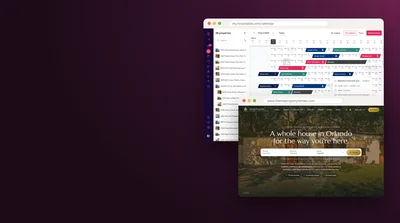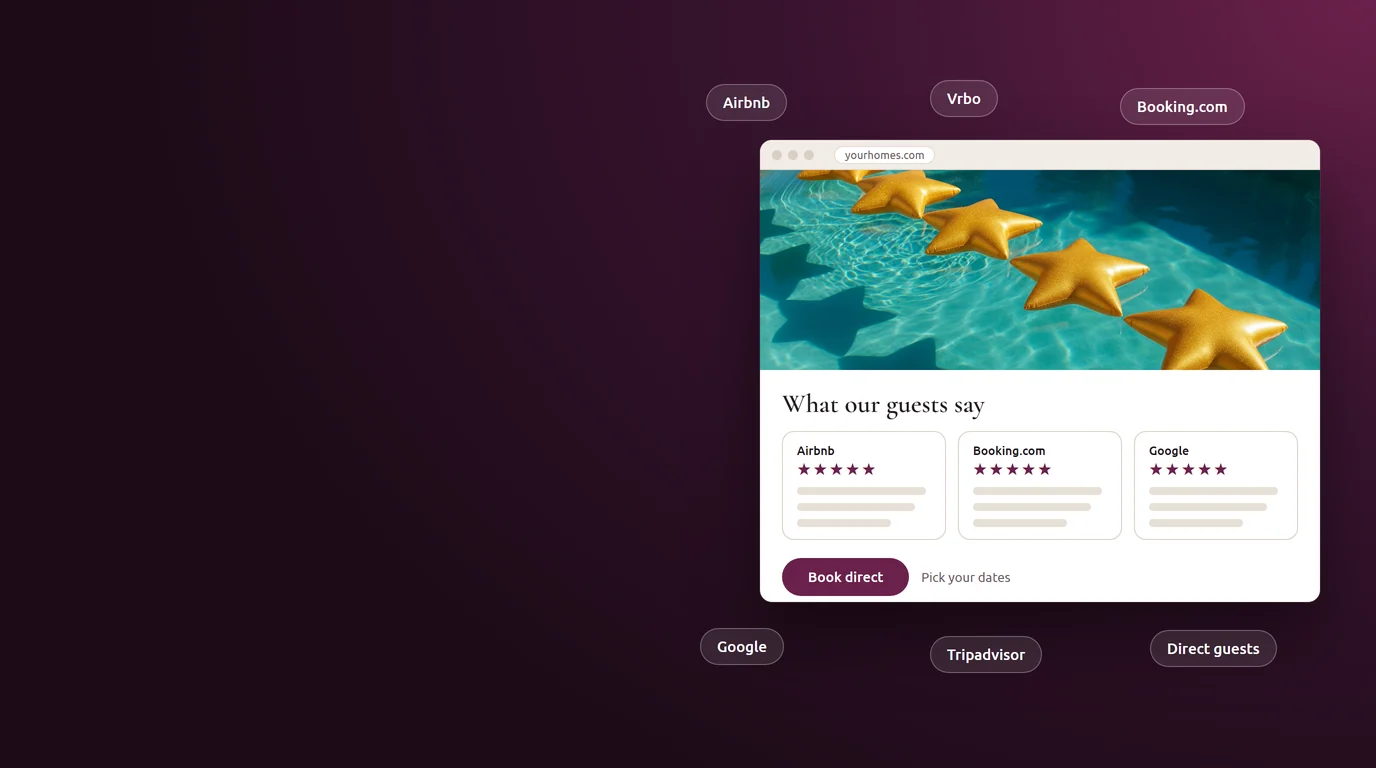


Cavmir and Revyoos are now partners. Revyoos is a review platform built for vacation rentals: it gathers the reviews your guests left on Airbnb, Booking.com, Vrbo, Google and other sites into one place and shows them on your own website. Cavmir builds direct-booking websites and runs the marketing that fills them. Put the two together and the guest who lands on your site sees the proof they came looking for, right next to your Book direct button.
I run marketing at Cavmir, which means I spend most of my week looking at why a visitor books or leaves. On the sites we build, one pattern shows up again and again. The host has a beautiful home, good photos, fair prices and a long record of happy guests. The guest finds the site, likes what they see, and then opens a new tab to check the reviews on Airbnb. Some come back. Many book right there, on the platform, and the host pays the fee they were trying to avoid.
Revyoos exists to close that tab. You can read about it on Revyoos's own website, and this post walks through what it does, chapter by chapter: why reviews matter so much on your own site, who built Revyoos and why, where it pulls reviews from, the formats it uses to show them, how we place them on a Cavmir site, how its review pages help with Google and AI search, its tools for answering reviews, and what it costs. Revyoos's numbers and prices are quoted from its published pages, opened in October 2026, and listed at the end.
One note before we start. Cavmir and Revyoos are partners, and we wrote this post because we think Revyoos solves a problem our clients have. Revyoos did not pay for it.
What the Partnership Means for Hosts
A short-term rental business has a lot of jobs, and no single tool does all of them. Your PMS runs the operation: calendars, messages, payments, cleaning. Revyoos runs your reputation: it gathers your reviews, helps you answer them and shows them where they do the most good. Cavmir builds the brand and the website that turn a curious visitor into a booking, and runs the search, social and paid campaigns that bring visitors in.
The partnership is about the point where those jobs meet. For you, it comes down to three things.
One recommendation you can trust
When a Cavmir client asks how to get all of their reviews onto their site, from every channel and not only Airbnb, Revyoos is the tool we point to. We looked at how it collects reviews, how it displays them and how it treats the host's control over replies before we said that, and the rest of this post shows what we found.
Widgets placed with the whole site in mind
Adding a review widget is a copy and paste. Adding it well takes more thought: which page, which format, how it looks on a phone, how it affects page speed, and whether your privacy policy covers it. On a Cavmir site we handle those questions as part of the build. Chapter six covers them one by one.
Marketing that points to your proof
Every campaign we run, from a local search page to an Instagram post to a paid ad, ends on your website. When that website shows a long, current record of happy guests, each of those campaigns works harder. Reviews are the closing argument, and Revyoos keeps that argument up to date without anyone retyping it.
If you already use Revyoos and need a website or marketing around it, we would love to build it. If you have a Cavmir site and want your reviews from every channel on it, Revyoos is where we would start. Either way, nothing about how you run your homes has to change.
Why Your Reviews Belong on Your Own Website
Think about how a guest finds a direct-booking site. They search for a place to stay, or they see one of your posts, or a friend sends them a link. They land on your home page. They like the photos. Then the doubt starts. Is this place as good as it looks? Is this a real business? Will I get my deposit back? On Airbnb, the answer is a click away, in the reviews. On most host websites, there is nothing to click.
That gap costs bookings. The guest goes looking for the reviews, finds your listing on a platform, reads the reviews there, and sees ten similar homes in the sidebar. Some come back to your site. Plenty book on the platform, and the fee you built a website to avoid lands on the bill after all.
What the research says
The best known study on this comes from the Spiegel Research Center at Northwestern University. Working with review data from online retailers, its researchers found that a product with five reviews was 270% more likely to be bought than a product with no reviews. The effect was largest for expensive items: showing reviews raised conversion by 190% for a lower-priced product and by 380% for a higher-priced one. A week in a vacation home is a high-priced, high-trust purchase. If reviews move a shopper buying a kitchen gadget, they move a family booking a $3,000 stay even more.
Two more findings from the same research matter for hosts. First, purchase likelihood peaked for ratings between 4.0 and 4.7 and dropped as ratings approached a perfect 5.0. Shoppers distrust a wall of flawless praise. Second, reviews marked as coming from verified buyers raised the odds of purchase by 15%. Both points shape how we place reviews on a site, as you will see in chapter six: show every review, not only the best ones, and let each one link back to where it was written.
The study is about retail, not travel, so treat the numbers as a direction rather than a promise for your homes. The direction is clear enough. People look for proof before they spend money, and the place where they find it is often the place where they buy.
Your reviews, your copy
There is a second reason to bring reviews home, and it has nothing to do with conversion. Your reviews live on platforms you do not control. Listings get paused, accounts change hands, platforms change their rules. Revyoos's pricing page quotes Matt Landau of the Vacation Rental Marketing Blog making exactly this point: owners and managers should keep their own copy of the reviews they earned. Revyoos can export every review to a CSV or Excel file (its features page lists export with the Business AI plan), so your record survives whatever happens to a listing.
If you are still building that record, our guides on getting your first ten Airbnb reviews and on a system for 5-star reviews are a good place to start. Once the reviews exist, the next step is making sure guests see them on your own site.
Who Revyoos Is
I like software that was built by someone who had the problem. Revyoos was. Its co-founder and CEO, Christophe Salmon, started out as a property owner in 2005 and later left a career in digital marketing to manage homes full time. He founded Costa CarpeDiem, a company that manages more than 40 properties on Spain's Costa Blanca.
As a manager, he wanted to show all of his reviews on his own website, whatever site they had been written on. He could not find a tool that did it the way a vacation rental business needs. So he asked an old colleague, Angel Arcos, a technology entrepreneur who had founded his first cloud software company in 2010, to build one with him. The two had worked together years earlier in the digital department of a business directory. Revyoos launched in 2020, with Angel as CTO. Pedro Díaz, a digital transformation advisor who has worked at Google, joined as an advisor.
Here is Revyoos in numbers, as it publishes them.
| What | Figure | Where Revyoos says it |
|---|---|---|
| Founded | 2020 | Home page and About page |
| Active customers | 1,000+ property managers and hotels | Home page and pricing page |
| Reviews collected | 2.40 million+ | Home page |
| Connected properties | 48,000+ | Home page |
| Review sources | Airbnb, Booking.com, Vrbo, Expedia, Tripadvisor, Google and Trustpilot | Integrations page |
| Native PMS sync | Guesty, Hostaway and Hostfully | Integrations page |
| Starting price | €5 a month before VAT, priced by number of properties | Pricing page |
| Free trial | 14 days, no credit card | Pricing page |
Revyoos also picked up early recognition in the industry. A testimonial on its site from Vanessa de Souza Lage, co-founder of the Rentals United channel manager and founder of the Vrtech events, notes that Revyoos won the Vrtech Award in 2020, the same year it launched. Its partners page lists many of the platforms our clients use, including Guesty, Hostaway, Hostfully and Lodgify, alongside other direct-booking companies.
The founding story explains the product. Revyoos is built around one idea, that the reviews a host earned belong to the host and should work for the host's own business. Every feature in the chapters below follows from that.
Every Review Source in One Place
A host's reviews are spread thin. A home listed on three platforms collects three separate sets of reviews, each with its own scoring scale, and a Google Business Profile collects a fourth. Revyoos brings them together. Its integrations page lists every source it supports today.
The platforms
Revyoos imports reviews from Airbnb, Booking.com, Vrbo, Expedia and Tripadvisor on the travel side, and from Google and Trustpilot on the review side. For a vacation rental, that covers the places nearly all of your guests will ever write. Once a review is in Revyoos, it is shown and managed alongside all the others, in one dashboard, whatever site it came from.
With a PMS, or without one
If you run your homes on Guesty, Hostaway or Hostfully, Revyoos connects to the PMS and brings in your properties and their reviews automatically. Revyoos calls this native synchronization, and it is the fastest way to set up a large portfolio. We build on all three of those platforms, and you can see how we work with each on our pages for Guesty, Hostaway and Hostfully.
A PMS is not required, though. Revyoos is clear that it works fully without one. You can create properties manually, import listings straight from Airbnb, upload a CSV or Excel file, or add the links to your listings on each platform. You can also mix these methods, for example syncing most homes from a PMS and adding one older listing manually. That matters for the many hosts we meet who run one or two homes with no software at all. If that is you, our page for hosts without a PMS explains how we build for you.
Reviews from guests who booked direct
Here is a gap most hosts never notice until it costs them. When a guest books on Airbnb, Airbnb asks them for a review. When a guest books on your own website, nobody does, because there is no platform in the middle. The more direct bookings you win, the fewer reviews you collect, and the thinner your record looks next to the competition.
Revyoos solves this with direct review request forms. Each property gets its own form, in several languages, that you can send to direct guests after their stay. Their reviews land in Revyoos next to the platform reviews and appear in the same widgets. For a host growing direct bookings, this is one of the most useful features in the product.
Your history comes with you
If you have reviews from a previous provider, an old website or an internal spreadsheet, Revyoos can bulk import them from a CSV or Excel file. Years of guest feedback do not have to be lost because you changed tools or platforms.
Four Review Widget Formats
Revyoos shows reviews through review widgets: small pieces of code you paste into a page, which then display your reviews and keep them current as new ones arrive. There are four main formats, and each one has a job.
A badge that stays on screen
Revyoos offers a small badge, a circle or a tab, that stays fixed in a corner of the screen while the guest scrolls. It shows your overall rating and opens the full set of reviews on a tap. Revyoos built a compact circle version for phones, where most travel browsing happens. Its value is timing: the proof stays in view at the moment the guest is choosing dates and reaching for the Book button, without covering the photos or the button itself.
A slider
A slider shows a few reviews at a time in a strip that moves on its own and can be swiped. You choose which reviews lead, the brand color and how many appear. It takes little space, which makes it a good fit for a home page or a campaign landing page where the photos should do most of the talking.
A review wall
A wall shows many reviews in a grid, with a Load more button for the rest. Guests can sort by date or by rating, and each review links to the original on the site where it was written, whether that is Airbnb, Booking.com or another platform. That link is a quiet but important detail. It shows the guest the review is real, which echoes the Spiegel finding about verified buyers. A wall is the right choice for a property page or a page that makes the case for booking direct.
A star rating
Revyoos also lists star ratings among its widget formats, a single line with your score that sits under a property name or a price. It answers the first question a guest has, how good is this place, before they read a single word.
One widget for the site, or one per home
Revyoos widgets come in two scopes: a global widget that shows reviews from every property, and property widgets that show only the reviews for one home. A manager with ten homes usually wants both, the global one on the home page and a property widget on each home's page. Revyoos notes one limit worth knowing: some website builders that come with a PMS only allow a single script on the site, in which case only the global widget will work. On a Cavmir site there is no such limit, so each home can carry its own reviews.
Every format can be styled. You choose colors and fonts to match your brand, the number of reviews shown and their order. Getting that right is part of chapter six.
How Cavmir Places Revyoos on Your Site
Every Cavmir site is built around one goal, a direct booking. Reviews are one of the strongest tools for reaching it, so we treat them as part of the design rather than something pasted in at the end. Here is how we place Revyoos on a typical direct-booking website.
Page by page
- Home page. A slider just below the first screen. The guest has seen the brand and the photos; the slider answers the first doubt before they scroll further.
- Each home's page. That home's own reviews, next to the dates and the price. A guest weighing one home wants to read about that home, not about the portfolio.
- The book direct page. A full review wall. This is the page that explains why booking on your site is a good idea, and a long record of happy guests is the best argument on it.
- The booking step. The badge in the corner, so the proof stays in view while the guest enters their details.
- A reviews page in the menu. Every review in one place, linked from the navigation, for the guest who wants to read everything before they commit.
Show every review
Most widgets let you filter, for example to show only 5-star reviews. We do not recommend it. The Spiegel research found that purchase likelihood peaks between 4.0 and 4.7 and falls as ratings approach a perfect 5.0. Guests trust a record that looks real, with the occasional 4-star stay and the host's reply to it. A response that is calm and helpful often does more for the next booking than another 5-star review would. Our guide to recovering from a bad Airbnb review covers how to write one.
Checked before it goes live
Any third-party script on a website affects speed, privacy and accessibility, so every widget we place goes through the same checks as the rest of the site:
- Speed. We test the page on a phone with the widget in place, because a slow page loses more bookings than a missing review ever wins.
- Privacy. We confirm the site's privacy policy and cookie banner cover the widget, the same way we do for analytics and every other tool on the site.
- Accessibility. We check the widget can be used with a keyboard and read by a screen reader, and that its colors keep enough contrast against your design.
- Design. We set the widget's colors and fonts to your brand so it looks like part of the site rather than an advertisement.
When your site already shows reviews
Many Cavmir sites are built on a PMS, and on those sites we already show the reviews your PMS passes along, which for most hosts means Airbnb reviews. So when does Revyoos add something? When your guests also review you on Google, Booking.com, Vrbo, Tripadvisor or Trustpilot and you want all of it in one place. When you take direct bookings and want those guests to leave reviews too. When you want review pages for searches on your name, AI help with replies, alerts or sentiment analysis. And when you have no PMS at all. If any of those apply, Revyoos is the tool we would add.
Review Pages for Google and AI Search
Widgets show reviews to people who are already on your site. Revyoos's SEO pages do a different job: they help bring people to your site in the first place.
What a review page is
A Revyoos review page is a standalone page on your website, with its own web address, built entirely from your verified guest reviews. Search engines can find it, read it and rank it like any other page. Revyoos updates it automatically every time a new review comes in, so it never goes stale, and it adds structured data, the code that tells search engines and AI systems what the page contains.
The searches it is built for
Think about who types your name plus the word "reviews" into a search box. It is someone who has already found you and is checking before they book. Revyoos aims its pages at exactly those searches: your brand plus "reviews", a property name plus "reviews", and local searches such as the best property managers in your town. Without a page of your own, those searches tend to land on your listings on Airbnb, Vrbo or Booking.com, where your reviews sit next to a dozen competitors and the booking comes with a fee. With a page on your domain, the same guest can read every review on your site and book direct from there.
AI search
More travelers now ask ChatGPT, Gemini, Perplexity or Google's AI answers where to stay, and those systems lean on sources that are clear, consistent and current. Revyoos's page on SEO and generative visibility makes the case that a structured, regularly updated record of real reviews on your own domain gives AI systems a source they can read and cite. It is also careful to say what nobody can promise: no tool guarantees a place in AI answers, and Revyoos does not control how search engines or AI rank content. We appreciate that candor.
This fits the way we think about GEO, generative engine optimization, at Cavmir. We break it into four jobs: being findable, being quotable, being corroborated and being bookable. Reviews from real guests, published on your domain and linked to where they were written, are some of the strongest corroboration a rental can have. Our guide to generative engine optimization for vacation rentals covers the other three jobs.
A note on stars in Google results
One expectation is worth setting. Since 2019, Google has not shown review stars in its search results for reviews that a business publishes about itself, which Google calls self-serving reviews. That applies to local businesses and organizations, whether the reviews are in the page code or in an embedded widget. So the value of a review page is the page itself: a clear, current place on your domain where searches on your name can land and guests can read. It is not a shortcut to stars under your listing in Google, and we would rather you hear that from us before you buy.
Replies, Alerts and What Guests Mean
Showing reviews is half the work. The other half is answering them and learning from them, and that is where most hosts fall behind, especially in peak season. Revyoos has three tools for this side of the job.
AI reply drafts you approve
Revyoos's AI review responses read each review and draft a reply based on what the guest wrote and how they wrote it. You can set the tone to match your brand. Then you review, edit or approve the draft before anything is published. Revyoos is firm on this point: replies are never posted blindly, and the drafts are a starting point, never mandatory.
For teams who prefer to work inside Airbnb itself, Revyoos also offers a browser extension that drafts replies while you read reviews on the platform. It is optional and works for Airbnb only; every AI reply feature is also available inside Revyoos.
We like this design. A reply to a review is public, and it is read by every future guest who reads the review. It should sound like you. A draft that saves you ten minutes and still leaves the final word to you is the right use of AI here.
Alerts and review status
With reviews arriving on several platforms, it is easy to miss one, and a negative review left without a reply looks worse every day it sits there. Revyoos sends alerts when new reviews arrive and helps you spot negative or sensitive ones faster. Inside the dashboard, each review carries a status: new, needs action or handled. For a team managing many homes, that status makes it clear who answered what, and stops two people from replying to the same guest.
Sentiment by topic
A 4.8 average tells you guests are happy. It does not tell you that three of them mentioned a slow hot water heater in the same month. Revyoos's sentiment analytics reads the text of your reviews and sorts what guests say by topic, such as cleanliness, communication, location and amenities, then shows how each topic trends over weeks, months and seasons. It also flags recurring issues and, for managers, shows patterns across the whole portfolio. Revyoos notes that the advanced analytics and portfolio views are part of its Business AI plan.
For a host, this turns reviews into a maintenance and training list. For us, it shapes the marketing. When guests keep praising the same thing, the view, the kitchen, the quick replies, that is what the website and the campaigns should lead with, in the words guests use.
Pricing and Getting Started
Revyoos prices by the number of properties you manage, starting at €5 a month. Prices are in euros, before VAT, and payments run through Stripe, which accepts cards and other common methods. Plans renew automatically, you can upgrade or switch plans whenever you like, and you can cancel at any time; your widgets stay active until the end of the period you paid for. The current plans and prices are on Revyoos's pricing page.
The 14-day free trial needs no credit card. Revyoos says setup takes minutes, and in our experience the widgets themselves are a short job. The time goes into choosing where they go and how they look.
How to start
- Start the free trial on Revyoos's site.
- Bring in your reviews: connect Guesty, Hostaway or Hostfully, import your listings from Airbnb, upload a file, or add your properties manually.
- Choose your widgets, colors and the number of reviews each one shows.
- If you are a Cavmir client, tell us your reviews are in. We place the widgets on the right pages, check them on a phone and a desktop, and confirm your privacy policy covers them.
- Send your direct guests their review forms after each stay, so your record keeps growing as your direct bookings do.
If you need the website too
Reviews need somewhere to live. If you are a Revyoos customer whose website is a template from your PMS, or who has no website at all, that is the part Cavmir builds: the brand, a direct-booking website on your own domain, connected to your PMS where you have one, and the search, social, press and advertising that bring guests to it. Our packages and monthly plans are published on the pricing page, and you can see the full list of platforms we connect to on our integrations page. For a one-screen summary of how Cavmir and Revyoos work together, see our Revyoos integration page.
We are glad to have Revyoos as a partner. It is a company that started with one manager's problem, solved it for thousands of others, and still builds around the idea that the reviews you earned belong to you. If you want your guests' words working for your own website, talk to us. We would love to help.
Sources
- Revyoos, home page, opened October 2026. revyoos.com
- Revyoos, About Us, opened October 2026. revyoos.com
- Revyoos, Pricing, opened October 2026. revyoos.com
- Revyoos, Features, opened October 2026. revyoos.com
- Revyoos, Vacation Rental and Hotel Review Management Integrations, opened October 2026. revyoos.com
- Revyoos, Review Widgets, opened October 2026. revyoos.com
- Revyoos, Floating Review Widget, opened October 2026. revyoos.com
- Revyoos, Review Slider Widget, opened October 2026. revyoos.com
- Revyoos, Embedded Review Wall, opened October 2026. revyoos.com
- Revyoos, Airbnb Review Widget (global and property widgets), opened October 2026. revyoos.com
- Revyoos, SEO Pages, opened October 2026. revyoos.com
- Revyoos, SEO and Generative Visibility, opened October 2026. revyoos.com
- Revyoos, AI Review Responses, opened October 2026. revyoos.com
- Revyoos, Review Management for Property Managers, opened October 2026. revyoos.com
- Revyoos, Sentiment Analytics for Guest Reviews, opened October 2026. revyoos.com
- Spiegel Research Center, Northwestern University, How Online Reviews Influence Sales, first published 2017. northwestern.edu
- Google Search Central Blog, Making Review Rich Results more helpful, September 2019. developers.google.com