


Lesson · 14 min
How to Take Airbnb Photos That Get Booked
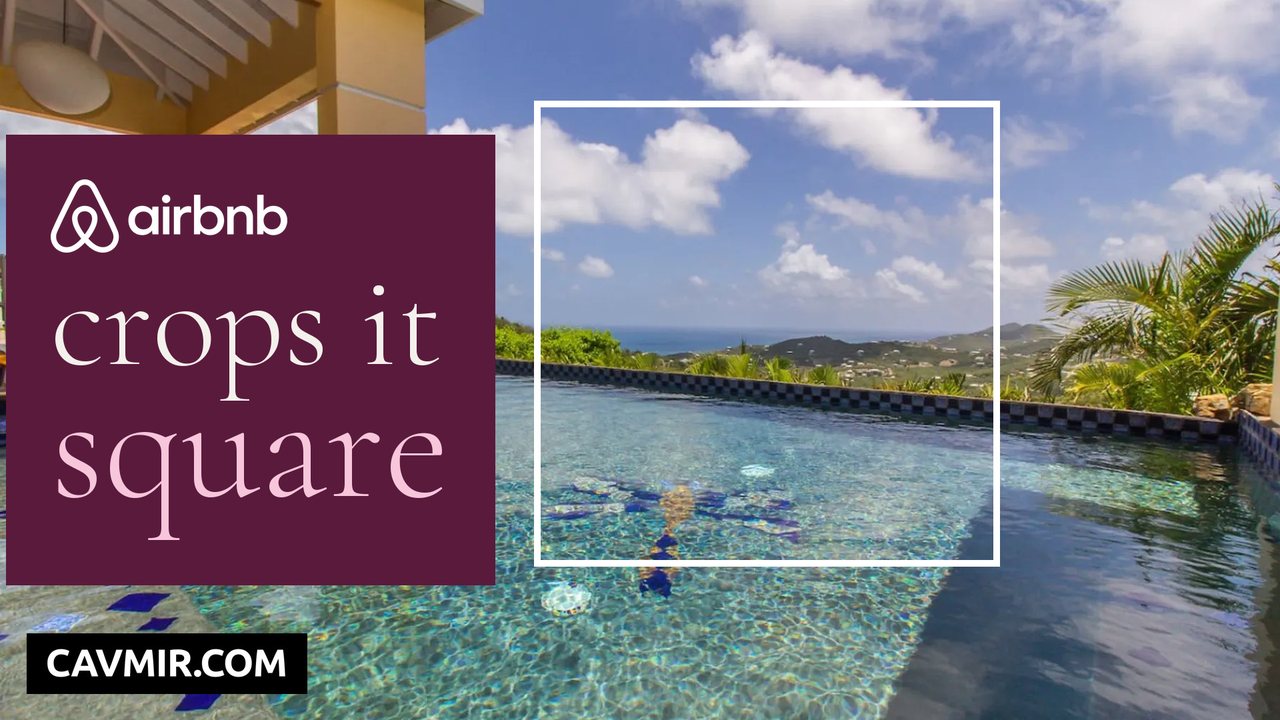
The video plays from YouTube when you press play. Nothing loads from YouTube before that.
How to take Airbnb photos that get booked, from the first photo to the photographer's license.
Your first photo is your ad: it is the picture every guest sees in search, and Airbnb says it crops photos into squares to fit its search results. This lesson covers the first photo, the order of the rest, a luxury shot list, light, camera height and lens (an iPhone 17's ultra wide is 13 mm), styling, what editing Airbnb allows, and who owns your photos.
In this video
Chapters
- 0:00Your first photo is your ad
- 0:30The first photo: three tests
- 1:36The order of the photos
- 3:02The shot list for a luxury home
- 4:02Light and time of day
- 5:21Camera height, lens and straight lines
- 6:44Styling the room
- 7:55Phone or photographer
- 9:08Editing: what Airbnb allows
- 10:11Captions and the photo tour
- 11:13Video on Vrbo and your website
- 12:12Who owns your photos
Press a chapter to play the video from that point.
What You Will Learn
- The three tests for a first photo: it shows the stay, it reads at phone size, it survives the square.
- Follow the stay: arrival and view, main room, kitchen and table, bedrooms, baths, then outside at evening.
- Make the first five your strongest and all different. In Vrbo's 2026 research, 48% of travelers called missing photos of important rooms a deal breaker.
- Open the blinds, lights on, flash off. Exteriors in the hour after sunrise or before sunset.
- Keep the camera level at about chest height and step back before you reach for the ultra wide.
- Clear every surface, then add one thing per room that says what the stay is.
- Edit light and straighten walls; never hide flaws or add what isn't there.
- Get the photo license in writing before the shoot.
Word for word
Transcript
From the English captions on YouTube.
0:00 Your first photo is your ad
Your first photo is your ad. It's the picture every guest sees in search, above the price, the title and the reviews. And Airbnb says it crops your photos into squares to fit its search results. So the best shot of your home can lose its best part. Here's how to shoot the first photo, how to order every photo after it, and the one license question that can stop you using your own pictures.
0:30 The first photo: three tests
Start with the first photo, because it does the most work. Vrbo says it plainly: your first photo is the one travelers see in search results. On Airbnb, it's your cover photo. And Airbnb's own advice is to shoot horizontal, and center the subject, because of that square crop. So shoot it wide, and put the thing that sells the stay in the middle, where every crop keeps it. What sells the stay is rarely the building.
It's the moment guests pay for: for a villa above the sea, the pool with the ocean behind it; for a desert house with its own court, the court. Then test it the way guests see it: small, on a phone, next to other homes. If you can't tell what it is at that size, neither can they. And check the square. If the crop cuts off the view, move the camera, not the view.
So every first photo passes three tests: it shows the stay, it reads at phone size, and it survives the square.
1:36 The order of the photos
After the first photo, the order tells the story of a stay. Airbnb needs at least 5 photos to publish. Vrbo wants at least 6 live at all times. A luxury home needs far more than that: every room, every view, and the details guests ask about. Missing rooms cost bookings. In Vrbo's 2026 research, 48% of travelers called a lack of clear photos of important rooms a deal breaker.
Airbnb's photo tour sorts photos by room. When it launched, Airbnb said its AI could help sort over 175 million listing photos. You can still drag the photos into any order you like, so set the order yourself. Follow the stay. Arrive: the outside and the view. Then the main room, the kitchen and the table, the bedrooms, the baths, and back outside for the evening. Make the first five your strongest, and make them different from each other.
Five pool photos in a row tell a guest nothing new. The pool, the living room, the kitchen, the best bedroom and the view tell them the whole house. Inside each room, lead with the widest shot, so guests know where they are. Then the details.
3:02 The shot list for a luxury home
Here's the shot list we hand a photographer for a luxury home. Outside: the arrival, the front of the house, and the hero view, the one that becomes your first photo. The main living space from two corners, so guests understand its size and how it connects. The kitchen wide, then one detail that says how well it's equipped. The dining table set for the number of guests the home sleeps.
Every bedroom wide, then the bed and the view from it. Every bathroom, with the best feature in frame. Every outdoor space: the pool, the deck, the fire pit, the garden, at the hour each one looks best. The amenities guests filter for. And the neighborhood: the beach, the town, the trail, where you have the right to use the photo. That's often forty or more photos for a big home, and every one of them earns its place.
4:02 Light and time of day
Light is the cheapest upgrade in this video. Airbnb's own advice: open the blinds, and turn on the lights. Shoot each room when it gets the most daylight, and turn the flash off. Outside, Airbnb points to the golden hours: the 60 minutes after sunrise and before sunset. Avoid the noon sun. Overhead light gives you hard shadows and harsh contrast. Try one exterior just after sunset, with every light inside on.
The house glows, and the sky is still blue. Bright windows are the hard part. A camera can't hold the room and the view in one exposure. Photographers shoot several exposures from a tripod and blend them. Your phone's HDR does a small version of the same thing. Watch the color, too. Daylight is blue, most bulbs are warm, and a room lit by both looks orange on one side and gray on the other.
Pick one: shoot by daylight with the lamps on low, or after dark with every light warm. And reshoot when the season changes the house: the garden in bloom, the pool open, snow on the deck.
5:21 Camera height, lens and straight lines
Now the camera itself: how high, how wide, and how straight. Airbnb says shoot straight ahead, without tilting the lens up or down. Tilt the camera, and the walls lean. Keep it level, and the verticals stay straight. Height changes the room too. One interior photographer Adobe quotes shoots from about two and a half to three feet off the ground. Another warns that a high camera pointing down feels like you're trying to make the room look bigger than it is.
Guests notice that. Then the lens. On a current iPhone, the ultra wide is 13 millimeters, a 120-degree view. Real estate photographers often start around 14 or 16. Go too wide, or too close, and a small room looks huge and the edges stretch. So step back, use the main lens where you can, and save the ultra wide for tight rooms. Shoot most rooms from a corner or a doorway.
You see two walls, the depth of the room, and how it opens to the next one. For a room built around one thing, a fireplace or a window wall, stand square to it, and let it sit in the middle. Turn on the grid, line up one vertical edge, and keep it straight before you press the button.
6:44 Styling the room
Styling is what no photographer can fix later. Clear every surface. Airbnb tells hosts to put away valuables and anything they don't want photographed. Make the beds tight. Fold the towels. Close the toilet lid. Open the shower curtain. Hide the cords, the remotes and the cleaning products. Every object in the frame is something a guest has to look past. Take down the family photos and the fridge magnets.
Guests want to picture their own stay, not yours. Then add one thing per room that says what the stay is: a set table, a book by the window, two glasses by the pool. Style the outside the same way: cushions out, umbrellas open, the pool clean and still. For the evening shots, light the fireplace and the pool. And photograph what guests come for: the fireplace, the view, the barbecue, the workspace.
Airbnb also asks hosts to show accessibility features, like step-free entries, wide doorways and grab rails.
7:55 Phone or photographer
So, phone or photographer? Airbnb says most cameras can take good listing photos, including the one on your phone. For a luxury home, hire a photographer. A guest paying a suite's price expects photos that look like one. Thumbtack puts the U.S. average for real estate photography at $123 to $272 an hour. Airbnb also runs its own program in some cities. Its photographer takes two or three images per room, and you get 15 to 25 retouched photos, depending on the size of the home.
The cost comes out of future payouts, and Airbnb offers one shoot per listing. There's no reshoot. Whoever shoots, hand them the shot list: the first photo, the five that follow, the time of day for each, and the details guests ask about. And before you book a photographer, ask three things: can I see homes like mine, how many photos do I get, and when. And settle the license before the shoot.
That's the last chapter, and it's the one that costs real money.
9:08 Editing: what Airbnb allows
Editing is allowed. Changing the house isn't. Airbnb's own tips: adjust brightness, contrast and highlights, and straighten or crop. But its rules say Airbnb will ask hosts to remove content if AI or other editing was used to hide flaws or damage, or add amenities that aren't there. So fix the light, and straighten the walls. Don't paint a blue sky over a gray view, erase what's outside the window, or add furniture the room doesn't have.
An AI restyle can show an owner what a room could become. It never goes on a listing as a photo of the room. And Airbnb checks. It can ask a host to visit the home and shoot the same corners in the Airbnb app, to confirm the photos are accurate. If the photos don't match the room, that check will show it. Edit the whole set the same way, so the colors match from room to room.
And keep every original.
10:11 Captions and the photo tour
Now make the photos explain themselves. In the photo tour, every photo sits in a room, and you can add details to each room, like a king bed or a big TV. Captions carry what a photo can't show. Airbnb's own example: the dining table expands to seat ten. Use them for the questions guests ask: which floor, which bed, how far to the beach, what the view is at night.
And add a visual description to each photo. Airbnb says it helps guests who are blind or have low vision, or can't load the images. Write it plainly, the way you'd describe the photo on the phone: a king bed facing a window over the bay. The same words help search engines understand the photos on your own website. On Vrbo, keep at least 6 photos live. Fewer than 6 for more than 30 days can get a listing suspended.
11:13 Video on Vrbo and your website
Then video. Vrbo now lets owners add a video to the listing. It's still rolling out, and a person approves each one. Its rules: under a minute if you can, two minutes at most, at least 15 seconds, and vertical is preferred. A voiceover and English captions are fine. Added music you don't have the rights to can get the whole video rejected. Vrbo also dropped virtual tours. A 3D tour now goes in the description, as a link.
But the place a film works hardest is your own website, where it's the first thing a guest sees. This villa's film was made from its photos, and it opens the villa's own website. A good minute follows the same story as your photos: the arrival, the view, the main room, the best detail, and the evening. Cut it short, and the same film becomes your Reels and Shorts.
12:12 Who owns your photos
Last, the question that costs real money: who owns your photos? Under U.S. law, the photographer does, from the moment the picture is taken. Paying for the shoot doesn't change that by itself. A commissioned photo only counts as a work made for hire in a short list of categories, with a written agreement signed by both sides. What you usually get is a license. And the license says where you can use the photos.
We've seen a photographer's license that allowed the listing and the website, and ruled out video. That home's photos appear in none of our videos, including this one. Airbnb's terms add a catch. Upload a photo, and you grant Airbnb a worldwide, perpetual license to use it. So your photographer's license has to let you give Airbnb that. Before the shoot, get it in writing: every listing platform, your website, social media, ads, print, video, and the right to edit.
Then credit the photographer wherever they ask, and keep the license on file. The same goes for every photo on your website that you didn't take: the beach, the town, the restaurant. Use what you have the right to use, and credit it. So: shoot the first photo for the square, tell the story in order, use the best light, keep the walls straight, and get the license right. If you'd rather have the whole shoot coordinated for you, that's what we do at cavmir.com.
Questions
Questions Owners Ask
How many photos does an Airbnb listing need?
Airbnb needs at least 5 to publish and Vrbo wants at least 6 live at all times; a large luxury home often needs forty or more.
Can I take Airbnb photos with my iPhone?
Yes. Airbnb says most cameras, including phones, take good listing photos. For a luxury home, hire a photographer.
Can I edit my Airbnb photos?
Brightness, contrast, highlights, straightening and cropping, yes. Airbnb will ask hosts to remove photos edited to hide flaws or add amenities.
Who owns the photos I paid for?
Under U.S. law the photographer does, unless a signed work-made-for-hire agreement covers it. Usually you get a license.
CavmirTV
More Videos
 2:16LessonAirbnb AI PhotosCan you use AI photos on Airbnb? What Airbnb's rules allow, what gets removed, and the right way to use AI on a listing.
 1:59LessonHow to Optimize Your Airbnb ListingHow to optimize your Airbnb listing and your Vrbo listing in five steps: the first photo, the shot, the name and the description.
 2:02LessonHow to Get Repeat Guests for Your Vacation RentalHow to get repeat guests for your vacation rental with your own guest list, in five steps that respect Airbnb's rules and the law.
 2:13LessonAirbnb Luxe RequirementsAirbnb Luxe requirements, step by step: how to get your home on Airbnb Luxe, what Airbnb checks, the walkthrough and the badge.
Cavmir
Start Here
Cavmir is a marketing agency for luxury vacation rentals: the website, Google, AI search, films and the guests you keep.
