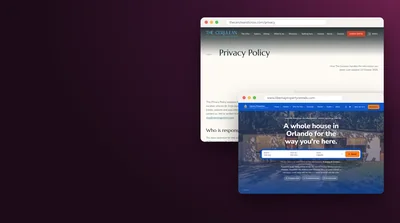


Three kinds of company can build a website for your Airbnb so guests can book with you directly. First, booking software that comes with a site: Guesty, Hospitable, OwnerRez, Hostfully, Smoobu, Lodgify, Hostaway and Uplisting. Second, website builders you set up on top of that software yourself: CraftedStays, a Host Camp template or a WordPress plugin. Third, designers who build the whole thing: Boostly, Host Camp's done-for-you packages, CraftedStays' White Glove service and agencies such as Cavmir™. For one listing or a handful, the least expensive route that works is usually the site inside your booking software. Guesty's plans page puts its Lite tier at $9 monthly per listing in November 2026.
The guide below is for hosts running somewhere between one and five listings. It covers what each route costs over a first year, how money and calendars move between your site and Airbnb, where things break, and how many days or weeks each takes. Each company's details come from its own pages, read in November 2026, and a price appears only where the company prints one.
The Short List of Who Can Build It
Most hosts asking this want one result: their own web address, carrying their photos and reviews, where a past direct guest or someone who found the home through Google can choose dates, check the total and pay. Here's who builds that for a small host, ordered by how much of the work stays with you.
Booking Software That Comes With a Site
A property management system, or PMS, keeps your calendar, rates, guest messages and payments together, and most of them can publish a bookable site from that same data. Among the ones that print a price and include a site for small hosts: Guesty Lite; Hospitable, on its Professional and Mogul tiers; OwnerRez, once you add its hosted website; Hostfully; Smoobu; and Lodgify. A Hostaway subscription comes with a simple booking site, and every Uplisting plan carries one too.
Builders You Set Up Yourself
If a software template looks too plain, you can lay your own site over the same data. CraftedStays presents itself as a booking-site builder that sits beside your PMS and pulls across listings, calendars, prices and reviews. Host Camp sells a template you install yourself, with a video course. WordPress fans have two connectors: a plugin from OwnerRez, and Boostly Connect, a free plugin account that ties a WordPress site to Hospitable.
Designers Who Build It for You
Boostly makes custom WordPress booking sites and, its partners' pages say, prices each project separately. Host Camp sells two done-for-you packages. CraftedStays sells a White Glove service plus bigger custom builds. Marketing agencies, Cavmir among them, build the site and can keep promoting it afterward. Freelance marketplaces carry many sellers offering Airbnb booking sites as well; the question list and scorecard further down work on any of them.
Which way to go turns mostly on one thing: is booking software already running your calendar? If yes, its built-in site costs little or nothing more and is the fastest test of whether anyone will book you directly. If you're on Airbnb alone, pick the software first, since every route that takes a live booking depends on it. Our 2026 comparison of rental website builders rates the software and general builders in more depth. This page stays with the small host and getting bookings to work.
What Booking Directly With You Takes
On Airbnb, a lot of machinery runs out of sight. Guests pay Airbnb, Airbnb pays you, AirCover sits behind the stay, and in many places Airbnb works out occupancy tax and takes it from the guest within the reservation. Once someone reserves on your own site, each of those jobs lands on you and your software. A builder or designer can set them up, but you'll want to know what you're asking for.
- A domain in your name. It's the address guests type. ICANN, which coordinates the domain system, tells registrants they carry sole responsibility for registering and using a domain, and must keep their contact details accurate with the registrar (ICANN's page for registrants). The registrant should be you, never the designer.
- Pages. At the least: a home page, one page per listing with photos and amenities, house rules, something about the area, and how to contact you. Five good pages answering the questions guests research ahead of a trip beat a long run of thin ones.
- A booking engine. This is the piece that lists free dates, prices the stay for those dates and that group, and takes the reservation. Your PMS almost always supplies it.
- Calendar sync. Something that closes the dates on Airbnb once someone reserves through your site, and the reverse, so no night sells twice.
- Payment processing. A card processor wired to your PMS or site, plus your decisions about deposits, balances and refunds.
- Your rules. Cancellation terms, house rules, a rental agreement, a deposit or damage cover, and whatever taxes your town and state charge.
Airbnb's Help Center draws the edges clearly. Its AirCover for Hosts article says coverage is automatic whenever you host a stay booked on Airbnb, listing $1 million of host liability insurance and $3 million of host damage protection. Airbnb's tax collection article explains that in areas where it has agreements with governments, Airbnb figures the occupancy tax and charges it to guests when they reserve, while hosts there still assess every other tax they owe. A stay that never passes through Airbnb gets neither. So ask any builder how their setup deals with payment, damage, taxes and your rules, and only then how the home page looks.
Your own site gives you one thing back. For reservations Airbnb takes from November 20, 2026 onward, its policy on host-imposed contracts says hosts may not, as a rule, make guests sign their own contract or rental agreement, or ask for a guest's phone, home address or email, outside a short list of exceptions. When someone books on your site instead, the rental agreement and the guest record are yours to set, within the law where the home sits. Have a local lawyer draft or review that agreement before the first booking.
The Three Routes Side by Side
Here's how the three compare on the points that settle the choice for a small host. The figures are ones the companies publish, covered one by one further down. Your totals will depend on your listing count and the software underneath.
| Website in your booking software | Builder you set up yourself | Designer builds it for you | |
|---|---|---|---|
| Who does the setup | You, inside the software | You, with templates and a course or help pages | The designer, from your photos, text and logins |
| Examples | Guesty Lite, Hospitable, OwnerRez, Hostfully, Smoobu, Lodgify, Hostaway, Uplisting | CraftedStays, Host Camp DIY template, WordPress with a PMS plugin | Boostly, Host Camp Lite and DFY, CraftedStays White Glove, agencies |
| Published cost for one listing | From $9 monthly on Guesty Lite to $55 monthly on OwnerRez with its hosted site | $89.99 monthly for CraftedStays' first two properties; $1,000 once for Host Camp's template, plus hosting | $2,000 to $3,000 at Host Camp plus hosting; White Glove from $2,500 at CraftedStays; agency builds with direct booking from $6,680 at Cavmir ($2,850 in its November 2026 fall special) |
| Published time to launch | Minutes to days for the basic site | A week or two, per CraftedStays | One to three weeks at Host Camp; four to eight weeks for agency builds with booking |
| Calendar and payments | Built in | From the PMS underneath | From the PMS underneath |
| Look and pages | The software's templates | More freedom, more of your time | Your brand, more pages, less of your time |
| Fits | Testing direct demand on a small budget | Hosts who like building and want their own look | Hosts who want it done and have the budget |
Software wins on price and speed. Calendar, quote, payment and guest record share one system, so fewer parts can fail. The cost is design and depth: pages follow the software's templates, an area guide can be awkward to add, and the site usually lives and dies with your subscription.
Building it yourself keeps the same software underneath and lets you shape the pages. You pay in hours, and you're the one who fixes a page that breaks on a phone.
Hiring a designer costs most at the start. It's worth it when you want the site to carry your own brand, need more pages than a template allows, or the fee costs less than your own hours would. A designer doesn't change the booking system, though, so the finished site can only do what its PMS can do.
One thing makes the decision less permanent than it looks: the same PMS can sit under all three. A host who launches on the software's own site can hire a designer a year on without moving calendar, rates or guest history.
The Website Inside Your Booking Software
For most small hosts this is where to begin, and it's the lowest-cost test of direct demand. Below is what each company's pages, read in November 2026, say about its site, its price and what it takes from a direct stay.
Guesty Lite
Guesty aims Lite at hosts with a few listings, one to three of them, and its plans page prices it from $9 for each listing per month, with 14 days to try it free. That page says Lite bundles a channel manager, a unified inbox and a direct booking website. Guesty also states that reservations or cancellations through its own booking engine carry no percentage fee, though the usual processor charges still apply, and that Lite pairs with Stripe. The Advanced Websites add-on is offered on the Pro and Enterprise tiers, not on Lite.
Hospitable
Hospitable's help article on pricing sets out three paid tiers. Host is $29 monthly and covers one property, with no direct booking. Professional is $59 and covers two, each additional property adding $15; Mogul is $99 for three, adding $30 per extra one. Professional and Mogul both include direct booking, and you pick its fee model: Direct Basic, a 1% commission, or Direct Premium, a 4% commission plus 3% for processing on each reservation.
Hospitable's website builder page fills in the rest. It presents Premium as a 4% fee on the guest and 3% on the host, or 7% charged to the host alone, and says Premium bundles payment processing, risk screening and tax tools. With Basic, Stripe's charges come off your payout, and verifying guests and fighting chargebacks fall to you. The page also says the hosted site goes live in minutes, lets you choose instant booking or manual approval, and lets you change the design, photos, branding and domain. The pricing page advertises 12% off for paying annually.
OwnerRez
OwnerRez's charge for each property drops as your count rises. Its fee schedule charges $40 monthly for property one, then $15 apiece for properties two and three, falling further as the count grows. The hosted website, a premium feature, costs $15 for property one and $5 for property two, while the plugin for WordPress, bundled with integrated sites, begins at $10 for property one. Its pricing page says there are no commissions, no guest fees and nothing charged per booking, and gives you 14 days to try it free. One property with a hosted site therefore runs $55 a month, before card processing.
Hostfully
Hostfully's software pricing page shows two tiers that suit small operators. On Growth, pricing begins at $15 for each property monthly, a platform fee comes on top, and direct stays carry a 0.85% booking charge plus a 1% gateway charge. On Pro, it's $25 per property monthly plus the platform fee, with no gateway charge and no commission on direct reservations. The comparison grid shows a direct booking site in every tier and lists a Premium Direct Booking Site add-on without a price. The platform fee isn't printed either, so ask for it before comparing. In November 2026 the page was also promoting a sale that ended November 30.
Smoobu
Smoobu's website builder page says you can make a custom site where guests find you and book with you directly, show an availability calendar that updates in real time, and that Professional Prepaid begins at €28 monthly for a single property. Its pricing page bills in euros, and its prices move with the billing cycle you choose, so read the figure for your cycle. It shows a Flex plan that charges 0.9% per booking, while Prepaid and Pro+ charge nothing per booking. It also lists a booking system that takes Stripe and PayPal, custom domains on every plan, and a two-week trial that doesn't ask for a card.
Lodgify
Lodgify sells everything in one package. Its product page says you can manage bookings, sync channels and build your direct booking website in one place, lists plans starting at $14 monthly, and offers a seven-day trial with free onboarding and no card required. Lodgify's encyclopedia page names Stripe and PayPal among the payment gateways it works with. Lodgify's full pricing page wouldn't load while this guide was being written, so check there which plan carries the website and whether any fee applies per booking. Our page on how Lodgify and an agency differ covers buying the software versus hiring out the work.
Hostaway and Uplisting
On Hostaway's direct booking page, the basic Booking Website is part of a Hostaway subscription at no added cost, with what the page calls a nominal processing fee per direct reservation. Booking Website Pro is extra: it costs $49 each month and takes 0.5% of the reservations it brings in. The page also says Hostaway adds a 1.8% charge to guests in the US. The subscription itself isn't priced on that page, and the copy speaks mostly to vacation rental managers, so a one-listing host should ask for a quote.
Uplisting quotes in pounds. Its pricing page describes an Independent Host plan for solo hosts and small operators, a simple booking site on every plan, a Plus site for an extra £30 each month, a pay-as-you-go choice at 3% of each booking with no monthly charge, and 14 days free without a card.
Where This Route Stops
Before building on any of these, put three questions to the software company. Will the site run on a domain registered to me? If I cancel, what becomes of the domain and the pages? Can I add pages later, like an area guide or a page for group stays? The answers show whether the software site is a trial you'll outgrow or a home worth keeping.
Building It Yourself on a Website Builder
In the middle route, booking software stays underneath and a site you design goes on top. It takes more of your time and gives you pages that look less like a template. Each option below still depends on a PMS for live dates, quotes and payment.
CraftedStays
CraftedStays bills itself as the booking-site builder for rental operators, a platform meant to sit alongside your PMS. You connect a supported PMS, and the CraftedStays home page says your listings, calendars, prices and reviews come across on their own while the PMS stays put. You choose a template, preview it filled with your own listings, then point your domain at it and switch bookings on.
On its pricing page, the Host Plan costs $89.99 monthly and covers your first two properties; each further property adds $8 monthly, up to 20. The page says that after year one it renews at $89.99, and it showed a lower introductory figure for the first year. There's no commission on bookings, a two-week trial with no card, and a Marketing Hub add-on at $30 monthly. Supported systems are Guesty, Hostfully, Hospitable, Hostaway and OwnerRez. The FAQ puts most self-serve launches at one to two weeks.
Host Camp's Template
Host Camp is a free resource site for short-term rental investors, run by Robuilt. On its direct booking design page, the DIY package costs $1,000, with hosting billed monthly on top. You get a Webflow template branded for you and a video course on setting the site up, full admin access, ownership of the site, and delivery in under three days. Reservations and payment go through the booking widget your PMS provides. Host Camp's partner list covers Hostfully, Lodgify, Smoobu, OwnerRez, Hostaway, Uplisting, Tokeet and iGMS, plus Guesty and Hospitable (Professional tier or above), and the page suggests checking whether your PMS charges anything on direct bookings.
WordPress With a Plugin
Want to own a WordPress site? Two companies above can connect to one. OwnerRez sells its plugin at the $10 starting price shown above. Hospitable's help article on Boostly Connect calls it a WordPress plugin that hooks your Hospitable account to your booking site and keeps listings, availability and bookings in step, with a free account and no card needed. WordPress hands you the most control along with the most upkeep: hosting, updates, backups and security sit with you or your host.
General Builders
Wix, Squarespace and other general builders can make a handsome site but have no rental calendar of their own. You'd either embed your PMS's booking widget or send guests to its booking page. Our guide to booking engines for rental websites shows how an engine fits into a site built elsewhere.
Count Your Hours
The hidden price here is time. You write each page, resize photos, set up the domain, try the booking flow on your phone and your laptop, and keep it current as rates, rules and photos change. Put a figure on those hours before choosing. If you'd rather give them to guests or the house, the next route hands them to someone else.
Hiring a Designer to Build It for You
A designer or agency takes your photos, listing details and user access to your booking software, and returns a finished site. The software still runs underneath. You're paying for design, writing, setup and someone to call when a page breaks.
Boostly
Boostly's own site didn't load during research, so what follows comes from partner pages. Smoobu's Boostly page says the company started in 2017 to help short-term rental hosts take back control from online travel agencies, has built more than 2,000 custom WordPress sites, and quotes project by project; it adds that the sites keep prices, availability and reservations in step with Smoobu. Hostfully's Boostly page describes website design tied into Hostfully and gives Hostfully members 30% off setup, and Hospitable's help center offers its own hosts 30% off the setup fee.
Separately, Boostly runs the Accelerator, which it describes as training, coaching and a community of hosts, at $97 monthly once a free first month ends, with no setup charge and no contract. The Accelerator page says a host who follows its plan will reach 65% of bookings direct inside a year, and promises a full refund if the program hasn't covered its cost after 12 months. Read those terms in full before relying on them.
Host Camp's Done-for-You Packages
Host Camp's two built-for-you packages each carry monthly hosting on top. Lite costs $2,000: Host Camp sets up a WordPress site, connects your PMS so calendars sync, adds a video course for loading your own images and copy, and lists hosting, maintenance and bug fixes each month. The package card says one week, and the FAQ says one to two. DFY costs $3,000 and builds the whole site from what you send; the card says two weeks and the FAQ two or three, counted from purchase and the intake form. Live client examples on the page include The Narrows Cabins, and a demo offers five homepage layouts to pick from.
CraftedStays Setup and Custom Builds
Like the CraftedStays platform but not the setup work? The same pricing page lists White Glove from $2,500 as a one-time charge, Growth builds from $7,500, and Enterprise builds from $14,000, each scoped to the project, all on top of the monthly plan.
Agencies and Freelancers
Agencies that build rental sites usually sell the build first and then a monthly plan covering search, fresh pages, social and ads. That's what we do; our packages, and the situations where we're a poor pick, are in a section of their own toward the end. Freelancers on the large marketplaces charge less for a site alone. Whoever you hire, ask to see two live sites from their portfolio and book each one as far as the payment screen, and keep the domain and hosting in your own accounts from day one.
What a Designer Should Hand Back
- The domain, registered to you through a registrar login that's yours.
- An owner-level login to the site, plus a hosting account in your name or hosting terms on paper.
- The booking connection made on your own PMS account, with the designer added as a user and never handed your password.
- Copies of photos, text and design files, and a contract clause assigning or licensing those to you.
- One page explaining how to update prices, photos and text yourself.
- A finished test booking: dates shut on Airbnb, test payment refunded.
Published Prices, Company by Company
The table shows what each company publishes, from its own pages in November 2026. A few figures were sale or introductory prices, flagged where the page said so. Card processing sits on top nearly everywhere, and prices move, so look at the live page before setting a budget.
| Company | Route | Published price | Fees on direct stays |
|---|---|---|---|
| Guesty Lite | Software site | $9 per listing monthly, one to three listings | None from Guesty; processor charges apply |
| Hospitable | Software site | Professional: $59 monthly covers 2 properties, then $15 each; the $29 Host tier lacks direct booking | Basic: 1%. Premium: 4% and 3% |
| OwnerRez | Software site | $40 monthly for one property; the hosted site adds $15 | None charged by OwnerRez |
| Hostfully | Software site | Growth starts at $15 and Pro at $25, each per property monthly, with an unpublished platform fee added | Growth: 0.85% booking and 1% gateway. Pro: none |
| Smoobu | Software site | Professional Prepaid begins at €28 monthly for a single property | Flex: 0.9%. Prepaid and Pro+: none |
| Lodgify | Software site | Plans start at $14 monthly; confirm which includes the site | See its pricing page |
| Hostaway | Software site | Basic site comes with the subscription; Pro site costs $49 monthly | Pro site: 0.5%. Guests in the US: 1.8% |
| Uplisting | Software site | Quoted in pounds; every plan has a basic site; Plus site £30 monthly | Pay-as-you-go: 3% |
| CraftedStays | Builder on your PMS | Host Plan: two properties for $89.99 monthly, $8 per extra one; White Glove from $2,500 | No commission |
| Host Camp | Template or done for you | DIY $1,000, Lite $2,000, DFY $3,000, hosting billed monthly on top | Whatever your PMS charges |
| Boostly | Done for you | Priced per project, according to partner pages | Whatever your PMS charges |
| Cavmir | Agency build | Builds with direct booking at $6,680 and $8,293 (fall special: $2,850 and $3,732); plans from $290 monthly ($245 until January 1, 2027) | Whatever your PMS charges |
How the Per-Booking Fees Add Up
Picture a $1,200 stay before taxes. A 1% host commission takes $12. A 0.85% booking charge with a 1% gateway charge comes to $22.20. A 4% guest fee puts $48 on the guest's bill, and a 3% host fee removes $36 from yours. All of that is charged in addition to the monthly price, which is how a plan with a low monthly figure can end up costing more over a year of big stays than a pricier plan with no commission.
Card processing usually comes on top as well. Square's US fee page, as one example, lists online card payments at either 2.9% or 3.3%, plus 30 cents, by plan, and 3.5% plus 15 cents for a card keyed in by hand or charged from a saved card. Your software likely uses another processor, so ask which one and read its rate.
Reading Builder Rankings
Ranking pages are handy for collecting names, provided you read how they're put together. iTechGuides, which AI assistants cite on this question, ranks 26 rental website builders and states openly that vendors can pay for top spots and that it may earn a commission from some links (iTechGuides ranking). That disclosure is useful, and a fine reason to treat every ranking, this one included, as a starting list, then judge each option against your own listing.
Calendar Sync and Double Bookings
The worst mistake a booking site can make is selling a night already sold on Airbnb. Calendars stay in step in one of two ways, and the two behave differently.
iCal Links
iCal works through a shared calendar file. Each site publishes a link ending in .ics, and the other site reads it. Airbnb's calendar sync article says nights you block on Airbnb, or that get booked there, are blocked on the other site, and nights booked on the other site are blocked on Airbnb. Nights you merely block on the other site might or might not carry over. The article adds that Airbnb pulls in a connected calendar on its own every 3 hours, that you can refresh by hand sooner, that Airbnb limits how often it can ask the other site for updates, and that it imports up to two years of dates.
Those three hours are the gap that matters. Suppose a guest books a weekend on your site at 9 a.m. and Airbnb doesn't read your calendar until noon: in between, someone on Airbnb can book the same weekend. Airbnb's article talks about the sync only as booked and blocked nights, so keep prices and rules right in each place yourself. iCal can serve a host who takes a few direct bookings and refreshes Airbnb's import by hand after each, but the window stays open.
A Connected Channel Manager
The alternative is a channel manager, usually built into a PMS, that links to Airbnb as software. Guesty Lite counts one in its plan, and Lodgify's product page says its channel manager keeps rates, availability and listings in sync on every platform. When a reservation comes in anywhere, the software shuts those dates everywhere else.
The catch is in Airbnb's fees. According to Airbnb's service fee article, the usual single fee, paid by the host alone, is 15.5%; anyone running property management software must be on that structure; that every home host is being moved onto it, and that switching can't be undone. On the older split fee, the article puts most hosts at 3%, with guests paying a fee of their own. Still on the split fee? Connecting software can move you to the single one. Already on it? The connection changes nothing on Airbnb's side.
A Setup That Prevents Double Bookings
- Choose one master calendar, normally the PMS, and have every channel read from it.
- On iCal, refresh Airbnb's import by hand after every direct booking, and consider turning off same-day bookings on your site so the calendars have time to catch up.
- Before sharing the link, book your own site with a real card, confirm Airbnb shut the dates, then refund it.
- Decide ahead of time what happens if a double booking slips through, and which guest keeps the dates.
Payments, Deposits and Damage Cover
A guest paying on your site pays through a card processor tied to your PMS or the site, and the money reaches your bank on the processor's timetable. Guesty Lite uses Stripe; Smoobu's booking system names Stripe and PayPal, and so does Lodgify among its gateways; Host Camp's builds pass payment to your PMS's widget. Learn which processor yours uses, what it charges, and how long it holds funds before paying out.
Who Pays the Software's Fee
Software fees on direct stays come in two forms. Some come off your payout: Hospitable's Direct Basic keeps 1%, and Hostfully Growth lists 0.85% for the booking plus 1% for the gateway. Others land on the guest: Hostaway lists a 1.8% US guest charge, and Hospitable's Direct Premium adds 4% for the guest. A guest fee leaves your payout alone but raises the guest's price, and the FTC's rule, covered in the next chapter, expects every mandatory charge inside the total shown first.
Deposits, Balances and Refunds
Before launch, decide what's due when someone books, when you charge the rest, and how refunds follow your cancellation policy. Put those rules into the software, so no one keys card numbers by hand and the guest sees the same terms on the booking page as in the rental agreement. Ask your builder to walk through every setting with you on a screen share before the site goes public.
Damage and Chargebacks
AirCover follows stays booked on Airbnb, so a direct stay needs separate protection. Two companies above sell it. Hospitable's builder page lists damage protection on bookings made through its sites, and the OwnerRez fee schedule prices per-booking damage protection on its standard tiers from $13 for $500 of cover to $69 for $5,000. Plenty of hosts also take a refundable deposit or hold an amount on the guest's card. Ask your insurance agent whether your policy reaches stays booked off the platforms, and keep in mind Hospitable's note that on Direct Basic, guest checks and chargebacks are yours.
A chargeback happens when a guest's bank pulls back a payment after a dispute. Paperwork is the defense: the accepted agreement, the confirmation and the message thread. Keep all three for each direct stay.
The Rental Agreement
Your own checkout can require guests to accept a rental agreement before paying. Most booking software attaches one to checkout or sends it for signature, and OwnerRez counts digital signatures among its free features. Have a lawyer in the home's state draft or review it, covering occupancy limits, pets, parties, damage, deposits, cancellations and quiet hours, and check that it matches the booking page.
Taxes and the Total Price on Your Booking Page
Two sets of rules decide what your booking page shows and charges: the taxes your state, county and city levy on short stays, and the federal rule on fees.
Occupancy Taxes on Direct Bookings
Airbnb's tax article describes collection that takes place inside an Airbnb reservation, in areas where Airbnb has government agreements or where the law requires it. Someone who reserves through your site pays you, so you charge, report and pay the tax on that stay. Before your first direct reservation, find out which state, county and city taxes apply at your address, register for each one, and set each up in the booking software as a separate line with the correct rate. Start with your state's revenue department and your county or city website, and have an accountant confirm the list.
The FTC Rule on Fees
The FTC's rule targeting unfair or deceptive fees reaches short-term lodging. The FTC's FAQ on the rule gives vacation rentals as an example of covered lodging and applies the rule to every business offering, displaying or advertising short-term lodging. Its own illustration is a rental that charges a cleaning fee over and above the nightly price; that fee, it says, belongs in the total price. Government charges such as taxes can be left off that first figure, but the final amount, taxes and optional extras included, must appear before the guest is asked for payment.
The FAQ doesn't settle whether someone renting one home counts as a business. If you're not sure, build the page as though it does. In practice, ask any builder to show you the price on a sample site: choose dates, add guests, and make sure the very first price on screen already includes cleaning and every charge a guest can't avoid.
Permit Numbers
Many towns license short-term rentals, and some want the permit or registration number shown on ads and listings. Check your local rules, and if yours ask for it, show the number in each page's footer and next to the tax lines at checkout.
Airbnb Rules Your Website Has to Respect
Owning a website is allowed. Using your Airbnb listing to point guests toward it isn't. Airbnb's page on keeping payments on Airbnb lists what guests and hosts may not do:
- Suggest moving the conversation off Airbnb before a reservation exists; until then, messages stay on Airbnb.
- Include, in a listing page or a message, any link that takes the reader away from Airbnb.
- Offer, or ask for, a cheaper rate in return for reserving somewhere else.
- Move an Airbnb reservation, or an extension of one, off the platform, including by canceling it.
- Take payment for mandatory fees outside Airbnb, except in the cases the page lists.
The page says Airbnb can answer a violation with education and warnings, and in serious cases it can suspend or take down the listing or the account. Put that beside the November 20, 2026 limits on contracts and guest contact details covered earlier, and the boundary is clear. The site serves people who reach you without Airbnb. Anyone who books on Airbnb stays on Airbnb, now and for the next trip.
Where Direct Guests Come From
Who books on your site, then? Travelers who search Google for a stay in your town and land on your pages. People following the property on Instagram or Facebook. Friends and coworkers of guests who reserved with you direct. And those direct guests again when they return. Every one of those takes effort after launch. A brand-new domain gets little traffic, and our own Airbnb website service page says its sites won't draw a crowd on day one. Bringing people to the site is different work from building it, and that side has a guide of its own: winning more direct stays.
Google Vacation Rentals
Some sellers talk about getting your home into Google's vacation rental results. Google's starter guide is blunt on this: a home owned by an individual isn't eligible for that feature right now. To appear there, it says, you'd need to be a property management business, registered as one, with its own direct booking website, or be on a booking site that already feeds Google. If you own one home and someone offers you that spot, ask how.
How Long Each Route Takes
These are the launch times each company publishes. Most count from the day work begins, and almost all assume you send photos, text and logins promptly.
| Company and package | Published time to launch |
|---|---|
| Hospitable hosted site | Minutes, per its builder page |
| Hostaway Booking Website | Minutes, per its direct booking page |
| CraftedStays, self-serve | One to two weeks for most launches, per its FAQ |
| Host Camp DIY template | Template and course delivered in under 3 days; your own setup follows |
| Host Camp Lite | One week on the package card; one to two in the FAQ |
| Host Camp DFY | Two weeks on the card; two or three in the FAQ |
| Cavmir Starter, Mid Tier and Full with Direct Booking | Two to three weeks; four to five; six to eight, varying by PMS |
Trials are short. Guesty Lite, OwnerRez, Smoobu, CraftedStays and Uplisting each give 14 days, Lodgify 7. Collect photos, house rules, cancellation terms and tax rates before you start one, so the trial goes on testing bookings rather than writing.
A Week-by-Week Plan for One Listing
Here's a plan for one listing on the software route. A designer takes longer, but the same steps happen inside that timeline.
- Day 1Buy the domain under your own name. Collect photos, house rules, cancellation terms and tax rates.
- Days 2 to 3Start the trial. Connect Airbnb and confirm rates, fees and rules match the listing.
- Days 4 to 5Build the pages: home, the listing, house rules, the area and contact.
- Day 6Hook up the processor and set deposit, balance and refund rules, taxes and the rental agreement.
- Day 7Book a test stay using a real card. Confirm Airbnb shut the dates, then refund it.
- Week 2Point the domain, publish, and set up Google Search Console for the domain so you can see searches and clicks.
- Day 90Look at visits, inquiries and direct bookings, and decide whether to stay on this route or move up.
The Year-One Math for One Listing
A booking site earns its keep through fees you skip on stays that would otherwise have come through Airbnb, plus any new stays it brings. Here's a made-up example using the published prices above.
Picture one cabin with an average stay of $1,200 before taxes. On Airbnb's 15.5% single fee, Airbnb keeps $186. Booked on the host's site with card fees at a sample 3%, the same stay costs $36. Every direct stay that takes the place of an Airbnb stay therefore saves $150, before any software commission. The table shows each route's first-year cost and how many such stays cover it.
| Example route | Year-one fixed cost | Saved per direct stay | Direct stays to cover it |
|---|---|---|---|
| Guesty Lite site | $108 | $150 | 1 |
| OwnerRez with its hosted site | $660 | $150 | 5 |
| Hospitable Professional, Direct Basic | $708 | $138 after the 1% fee | 6 |
| CraftedStays on OwnerRez | $1,560 at the standard price | $150 | 11 |
| Host Camp DFY on OwnerRez | $3,480 plus hosting | $150 | 24 or more |
| Agency build with booking, plus a monthly plan, on OwnerRez | $12,253 at regular prices ($7,692 with the fall special build price) | $150 | 82 (52) |
The OwnerRez rows assume its $40 base price for the PMS underneath. The agency row uses our regular prices for the Full package and the Foundation plan, with the fall special build figure in brackets, to show the heaviest case on fees alone.
Two things shift this. First, a site that brings guests who'd never have found your Airbnb listing earns the entire stay, not merely the fee gap. That's when a custom build plus marketing can make sense for one home. Second, hosts still on Airbnb's split fee save much less per direct stay, since they pay about 3% on Airbnb and the guest pays the rest; there, most of the gain goes to the guest, who avoids Airbnb's guest fee, unless you price differently.
Try your own numbers below. If the stays you'd need exceed what your calendar can hold, begin with a cheaper route. Our direct booking calculator approaches the same question from the guest's side of the fees.
What Your Booking Site Costs in Year One
Type in the route's price and your own booking figures. The math runs on this page only.
Starting figures are examples: one listing on OwnerRez with its hosted site. Swap in your quote, your processor's rate and your own records.
Questions to Ask Before You Pay Anyone
Put the same questions to every company on your shortlist, software or designer, and get the replies back on paper or by email. Then score each with the scorecard below, working from what they wrote, not what they said on a call.
15 questions for a website builder or designer
Who owns what
1. Will the domain be in my name, at a registrar account I can log in to?
2. Whose name is on the hosting account, and what will hosting cost me each month after launch?
3. If I cancel, which of these stay mine: pages, text, photos, the domain, past bookings?

Booking and calendar
4. Which booking software runs underneath, and does it reach Airbnb as software or through iCal?
5. If it's iCal, what stops a direct booking from taking a night already sold on Airbnb?
6. Can I open a live site you built, choose dates and get to the payment screen?

Money
7. Add it all up for year one: setup, software, hosting, add-ons and per-booking fees. What's the total?
8. Which processor handles payments, and whose account receives the money?
9. Does the guest pay any fee, and is it in the first price shown?

Rules and protection
10. How does the booking page add my local taxes, and which do I file myself?
11. How do deposits, damage cover and refunds work on direct stays?
12. Where in checkout does my rental agreement appear, and how is acceptance recorded?
13. Does any part of your plan link my Airbnb listing or messages to the site, or ask Airbnb guests for contact details?

Work and timing
14. What launch date will you put in writing, and what must I send you, by when?
15. After launch, who edits prices, photos and text, and what does each edit cost?
Website Builder and Designer Scorecard
Rate one option at a time, using its written answers and terms. Nothing you click is sent anywhere.
Weights follow what costs most to fix after launch. A domain held by someone else, a calendar that sells a night twice, a price hiding its fees and a plan that breaks Airbnb's rules each carry three times the weight of the launch date. A cheap option that lands below Good is the costly one in the end.
Red Flags
- The domain or hosting would live in the builder's account "to keep things simple."
- A promise of a Google ranking, a page-one spot or a set number of bookings.
- A promised place in Google's vacation rental results for one home you own.
- Any plan to put your site's address into your Airbnb listing, photos or messages, or to ask Airbnb guests for their email.
- A booking page that reveals the cleaning fee only on the final step.
- No test booking before the site goes public.
Cavmir's Packages and When to Skip Them
We build rental websites and then market them through search, AI answers, social, email, press and ads. We don't manage homes, set nightly prices or reply to guests. Below is what our pages say, read in November 2026, laid out the way we've covered everyone else. Sale prices end, so look at the live pages before budgeting.
- A site that points to your Airbnb listing. Our website for your Airbnb, the Starter Website, carries the property's name, photos, area guides and platform reviews, with a button on each page that leads to the listing on Airbnb. It needs no booking engine and no PMS. Its regular price is $3,278 one time, and in November 2026 a fall special listed it at $1,475. The package spans 40 pages and one or two properties, with a two-to-three-week build.
- Sites that take direct bookings. Mid Tier costs $6,680 at its regular price (the fall special showed $2,850) and adds a direct booking option over 75 pages for as many as three properties, taking four to five weeks. Full with Direct Booking is regularly $8,293 (the fall special showed $3,732). It ties booking into your PMS, spans 125 pages and up to five properties, and needs six to eight weeks, varying with the PMS. Our direct booking page names Hospitable, Guesty, Uplisting, Hostaway, OwnerRez, Smoobu, Lodgify and Hostfully. Guests get a live quote, then pay in the PMS's checkout, so payment and the guest record never leave your PMS.
- Payment and ownership. Website packages are split into two payments, one at the start and one at launch. The pricing page states that you own the domain, code, words and photos, and that the site goes with you if you leave.
- After launch. A monthly plan covers hosting, security, new pages and reports. Foundation's regular price is $290 a month; the Holiday Discount brings it to $245 until January 1, 2027. Destination, meant for one or two homes, costs $800 ($590 under the same discount) and adds social posting and a monthly guest email. Plans run at least six months, then continue month to month and end with 30 days' notice. Google and Meta bill ad budgets to you directly.
When We're the Wrong Pick
Our direct booking page advises waiting if you rent only a few nights a year, if you're new with no reviews or guest list, or if nobody has time or money to draw visitors to a site, and suggests your PMS's own website instead. The Airbnb website page names three more poor fits: a listing that still needs reviews or better photos, a goal that's only about paying Airbnb less, and a home you might stop renting soon.
For one listing, the year-one table explains why. A custom build plus a monthly plan needs dozens of direct stays to pay back on fees alone, so it makes sense only when the marketing brings guests who'd never have found your listing. If what you need is a working booking page this month, the software route is the smarter purchase, and you can step up later without moving your calendar. If you want the site built and marketed for you, our case studies include single homes and small groups of cabins, described in each project page's own words.
The Short Version
For one Airbnb or a few, begin with the website inside booking software you already use, or choose the software first if you have none. Keep the domain under your own name, link the calendar to Airbnb as software where you can, set up payment, taxes and the rental agreement before anyone pays, and leave Airbnb guests on Airbnb. Move to a builder or designer once the site has shown there's demand worth a better one.
Sources
Company facts come from each company's site or from a named partner's page, read in November 2026. Prices and terms shift; recheck any figure before you use it.
- Guesty plans and Lite FAQ
- Hospitable help article 4596748 on plan pricing
- Hospitable website builder feature page
- OwnerRez pricing and trial page
- OwnerRez schedule of costs and fees
- Hostfully PMS plan pricing
- Smoobu website builder feature page
- Smoobu plans and booking fees
- Lodgify product overview
- Lodgify encyclopedia entry on its own platform
- Hostaway Booking Website and Pro add-on
- Uplisting plans in pounds
- CraftedStays home page
- CraftedStays Host Plan and setup prices
- Host Camp packages for direct booking sites
- Smoobu page on its Boostly integration
- Hostfully page on its Boostly integration
- Hospitable help article on Boostly Connect
- Boostly Accelerator program page
- iTechGuides ranking of rental site builders, with its disclosure
- Airbnb help article 99, calendar import and export
- Airbnb help article 1857, split and single fee structures
- Airbnb help article 2799, pricing transparency rules for hosts
- Airbnb help article 4169, the November 2026 limits on contracts and guest data
- Airbnb help article 937, AirCover for stays booked on Airbnb
- Airbnb help article 2509, where Airbnb collects occupancy tax
- FTC answers on its fee rule for tickets and lodging
- Google starter guide for vacation rental partners
- Square fees for US card payments
- ICANN on what registrants are entitled to and responsible for
- Our pricing, monthly plans and service pages, November 2026