

This guide is for Airbnb and Vrbo hosts who want a website of their own, and for owners whose site went up years ago and never got a second look. It lists the 75 things a vacation rental website needs before it can take a booking with confidence: the legal pages, the consent controls, the accessibility work, the pages and sections guests read, the booking flow, the contact form, the proof, and the search basics that get the site found by Google and by AI assistants.
Each item says what it is, why a guest or a regulator cares, and what to check. Some are a ten-minute fix. Others decide whether the site ever takes a booking at all. Score your site in the first chapter, work through the chapters in order, and use the 75-box checklist at the end to track what is done.
One note before we start. I'm a content strategist, not a lawyer. The legal and privacy items here describe what good sites include and what the rules say in plain words, with the sources linked. Before you publish a policy or rental agreement, have a lawyer licensed in your state read it against your own business.
What a Rental Website Has to Do
A guest who lands on your site is usually comparing it with your Airbnb listing in another tab. They want to know three things fast: is this the same home, is it safe to book here, and is the price right. A site that answers all three in the first minute is far more likely to get the booking.
That's why the 75 items in this guide go far beyond design. A beautiful site with no privacy policy, a contact form that fails quietly or a price that jumps at checkout loses the guest just as surely as an ugly one. The checklist is grouped by the job each item does:
- Get found: the foundation (domain, speed, security) and the search basics (titles, sitemap, structured data, AI readiness).
- Earn trust: the legal pages, the consent controls, accessibility, reviews, the host story and the permit number.
- Answer questions: the property pages, sleeping arrangements, amenities, the map, area guides, FAQ and policies in plain words.
- Take the booking: live availability, the total price up front, a secure checkout, a working contact form and a clear next step.
If you're starting from zero, our step-by-step guide to how to build a website for your Airbnb covers the address, the platform and the launch. This guide is the inspection list you run before launch and every few months after it. For the design side, page by page, read vacation rental website design, page by page.
Rental Website Scorecard
Answer each line for your site as it is today. Nothing leaves your device.
On the sites we review, the usual gaps are the same few: a privacy policy copied from another business, a cookie banner with no working Reject button, a price that adds the cleaning fee at the last step, and a contact form nobody has tested since launch. The chapters below take each one in turn.
The Foundation
These eight items sit under everything else. Guests never see most of them, but they decide whether the site loads, whether the browser trusts it and whether you can take it with you if you change providers.
Your Own Domain Name
A site on a builder's subdomain (yourhome.somebuilder.com) tells a guest you rent from someone else. Buy a short .com that matches the property or brand name, register it in your own name with your own email, and turn on auto-renew. If a renewal fails and the grace period runs out, a lapsed domain can pass to a stranger. Our guides on choosing a domain name and the best domain registrars cover the details. Check: you can log in to the registrar yourself, and the renewal date is on your calendar.
HTTPS on Every Page
HTTPS encrypts what passes between the guest's browser and your site. Chrome has labeled plain http pages "not secure" since 2018, and Google announced that from Chrome 154, in October 2026, the browser asks the visitor's permission before opening a public site without HTTPS. Google called HTTPS a lightweight ranking signal in 2014; today, treat it as a trust requirement. Every page, image and form needs it, not only the checkout. Check: type your address with http:// in front and confirm it forwards to https://, then look for the padlock on a property page and on the contact page. If any image still loads over http, the browser can flag the page as not fully secure.
Fast, Reliable Hosting
Good hosting serves your pages from servers close to the guest, so a family in Chicago and a family in London both get the page quickly. A content delivery network does this by keeping copies of your pages in many cities. Ask your provider three questions: where the site is served from, what happens when traffic spikes, and how often it goes down. Check: open the site from your phone on mobile data, not your home Wi-Fi, and time how long the first screen takes.
A Layout Built for Phones First
Guests often find you on a phone, in a spare minute, and book later on a laptop, so the phone visit decides whether they come back. Design every page for a small screen first: one column, large tap targets, photos that fill the width, and a book button the thumb can reach. Then let the layout widen for tablets and desktops. Check: open every page type on your phone and try to find the price, the dates and the contact details with one hand.
Page Speed That Passes Core Web Vitals
Google measures real-world speed with three numbers it calls Core Web Vitals: how fast the main content appears (Largest Contentful Paint, good within 2.5 seconds), how quickly the page responds to a tap (Interaction to Next Paint, good under 200 milliseconds) and how much the layout jumps while loading (Cumulative Layout Shift, good under 0.1). Big hero videos and uncompressed photos are the usual causes of a slow site. Our post on what a slow website costs you in bookings goes deeper.
The speed numbers Google checks
The main image or headline should appear within 2.5 seconds.
A tap or click should get a visible response this fast.
The page should barely move while it loads.
Source: Google, web.dev Core Web Vitals, October 2026
Professional Email on Your Domain
Inquiries answered from [email protected] look like a business. Answers from a free mailbox look like a side project, and they land in spam more often. Set up email on your domain and add the three records that prove your mail is yours: SPF, DKIM and DMARC. Gmail and Yahoo have required these from bulk senders since February 2024, and they help every sender reach the inbox. Check: send a message to a Gmail address, open it, choose "Show original" and confirm SPF, DKIM and DMARC all say PASS.
A Daily Check on the Site
Sites break quietly. A certificate expires, a form stops sending, a booking widget loses its connection, a legal page disappears in an update. A daily automated check that loads your key pages and tests your forms tells you the same morning, before a week of inquiries goes missing. Many hosts and monitoring services offer uptime alerts; make sure yours covers forms and the booking flow, not only whether the home page loads.
Ownership of Everything
Before you sign with any builder, agency or platform, get the answer to one question in writing: if I leave, what do I take with me? You should own the domain, the content, the photos and, ideally, the code or an export of it. Some platforms let you leave with your words and photos but not the design; some keep the domain. Keep your own copies of every photo and every page of text, and keep the logins in a password manager you control. Check: your contract or terms name you as the owner of the domain and content.
The Legal Pages
Nine pages make up the legal set. Each one protects you and helps the guest, and each one should be linked from the footer of every page on the site. Write them for your own business: a policy copied from another company names their tools, their address and their practices, and that proves to anyone who reads it that nobody reviewed yours.
| Page | What it tells the guest | Why it matters |
|---|---|---|
| Privacy policy | What you collect, why, who receives it and their rights | Required by privacy laws in many states, the EU and the UK |
| Terms of use | The rules for using the website itself | Limits your liability and protects your content |
| Rental agreement | The contract for the stay | Sets payment, damage, occupancy and liability terms |
| Cancellation policy | What a guest gets back, and when | Guests check it before paying |
| House rules | Pets, parties, smoking, quiet hours, parking | Sets expectations and supports a damage claim |
| Accessibility statement | Your accessibility standard and a contact | Shows good faith and gives people a way to reach you |
| Cookie policy | Each cookie, its purpose and how long it lasts | Consent rules in the EU and UK, and good practice everywhere |
| Photo credits | Who took any licensed photo and under what license | Licensed photos usually require credit |
| Copyright and trademark notice | Who owns the content and how to report a problem | Protects your work and answers complaints early |
Privacy Policy
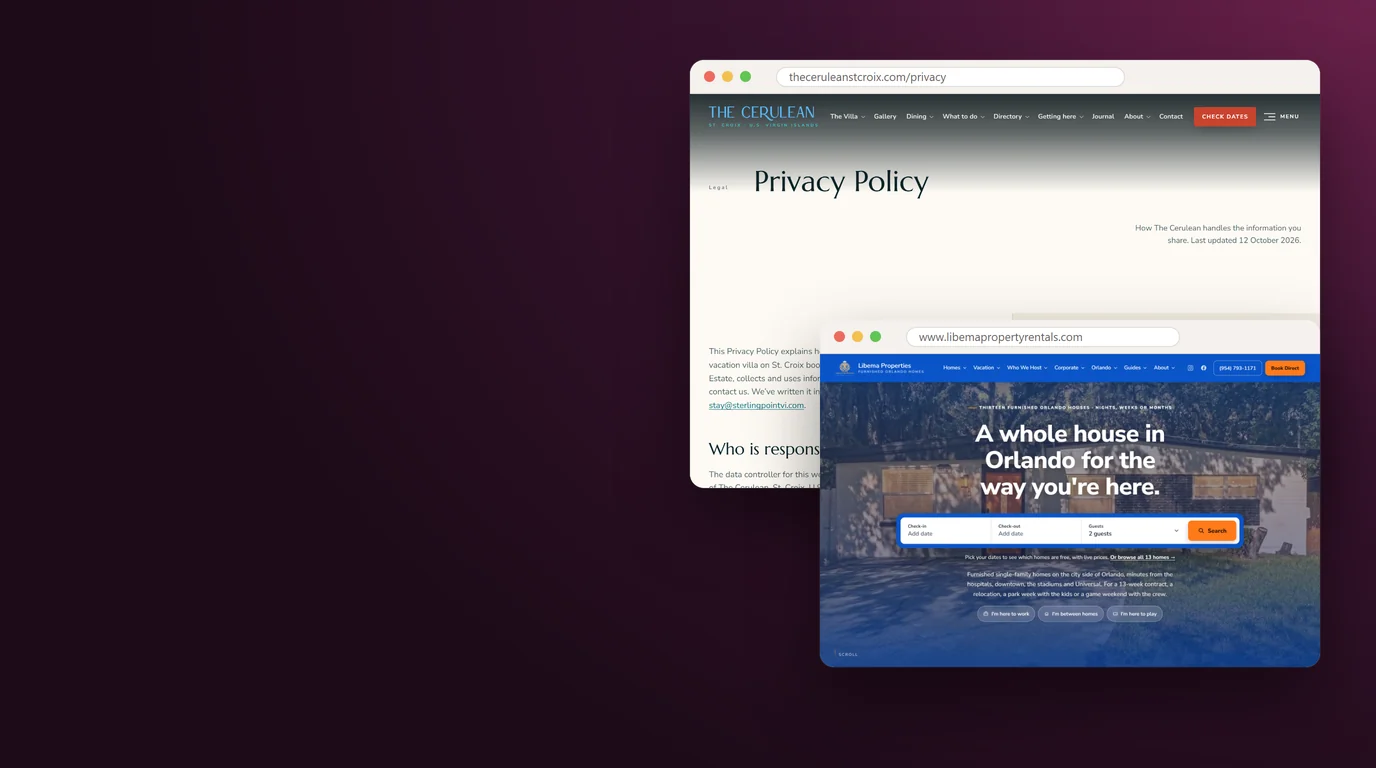
Your privacy policy says who you are (the legal name of your business and a contact address), what you collect through each form and tool, why, who receives it (your booking software, payment processor, email provider, analytics), how long you keep it, and how a guest can ask to see or delete it. California's privacy law, the CCPA, applies to businesses above set thresholds, about 20 states now have comprehensive privacy laws of their own, and the EU and UK rules (GDPR) can apply when you market to or track visitors there. Even when a law does not reach a small host, every major platform and payment provider expects a privacy policy, and guests look for it. Put a "Last updated" date on it and change it whenever you add a tool.
Terms of Use
Terms of use cover the website, not the stay. They say who owns the text and photos, that the information is general and can change, how liability is limited as far as the law allows, which state's law applies, and how to contact you. They are where you say that prices and availability shown on the site are confirmed only at booking, which matters when a calendar sync runs a few minutes behind.
Rental Agreement and Booking Terms
The rental agreement is the contract for the stay: who the guest is, the dates, the total price and payment schedule, the security deposit or damage protection, the maximum number of guests, liability for injuries and damage, and what happens if the home becomes unavailable. Show it before payment and have the guest agree to it as part of checkout. Most booking software can attach your agreement to every direct booking. Check: the agreement on the website is word for word the one your software sends.
Cancellation and Refund Policy
Guests look for the cancellation policy before they pay. State it in one plain sentence first ("Cancel up to 30 days before arrival for a full refund"), then the details: partial refunds, fees that are not refunded, what happens with travel insurance, and how weather or government orders are handled. Keep it the same on every page and in the booking flow. A cancellation policy that differs between the website and the checkout is a common reason a direct-booking dispute goes against the host.
House Rules
House rules set expectations before arrival: check-in and check-out times, the guest limit, pets, smoking, parties and events, quiet hours, parking, pool and hot tub rules, and trash. Write them as a friendly list, not a warning sign, and put them on each property page as well as their own page. Rules a guest agreed to before booking are much easier to enforce than rules found on the fridge.
Accessibility Statement
An accessibility statement says which standard the site aims to meet (WCAG 2.1 or 2.2 Level AA is the common benchmark), what you have done to meet it, any known gaps you are working on, and an email address where anyone who hits a barrier can reach you, with a response time. It is not a shield against complaints, but it shows good faith and turns a frustrated visitor into an email instead of a letter from a lawyer. Our accessibility statement is an example of the format.
Accessibility statement, a starting point to adapt
Accessibility at [Property or business name]

We want everyone to be able to use this website and plan a stay with us. We aim to meet the Web Content Accessibility Guidelines (WCAG) 2.2 at Level AA.

What we have done:
- Every photo that carries information has a text description.
- The site works with a keyboard alone and shows where you are on the page.
- Text and buttons meet the contrast levels in the guidelines.
- Videos have captions or carry no speech.

What we are still working on:
- [Describe any known gap and when you expect to fix it]

If anything on this site is hard to use, email [accessibility contact email] or call [phone number]. We reply within [number] business days and will help you book by phone or email in the meantime.

This statement was last reviewed on [date].
Cookie Policy
The cookie policy lists every cookie and similar tool the site uses, what each one does and how long it lasts: the consent choice itself, analytics cookies such as Google Analytics' _ga, any ad pixel, the booking widget's session cookie, and anything a chat or map tool sets. It also says how to change your choice later, with a link that reopens the banner. Many sites fold this into a section of the privacy policy; either works as long as the footer links straight to it.
Photo Credits
If any photo on the site came from someone other than you or a photographer you paid, it needs a license and usually a credit. Free photo licenses such as Creative Commons 4.0 require the author's name, a link to the license and a note if you changed the photo; the safest place for that credit is next to the photo itself. Uncredited licensed photos are a common reason site owners receive demand letters. Keep a list of every image with its source and license, credit each one on the page that shows it, and keep a credits page as an index.
Copyright and Trademark Notice
The footer copyright line, the year followed by your legal business name, states who owns the site. A short trademark line says that Airbnb, Vrbo, Google and other names belong to their owners and that you are not affiliated with them, which matters if you mention those platforms in your copy. Give an email for copyright complaints and answer them within a few business days. If your site lets guests post reviews, comments or photos, register a DMCA agent with the U.S. Copyright Office, which costs $6 and lasts three years; it is one of the conditions for the law's safe harbor.
Consent and Privacy Controls
The legal pages say what you do with a guest's information. These seven items make the site behave the way the pages say it does. The rule underneath all of them is simple: nothing that tracks a visitor runs until the visitor says yes, and saying no is as easy as saying yes.
A Cookie Banner With a Working Reject Button
A cookie banner asks the visitor whether the site may use analytics and advertising cookies. Under the EU's ePrivacy rules, storing or reading a cookie that is not strictly needed for the service the visitor asked for requires their consent first. U.S. law rarely requires a banner for a small host, but consent first is the safe standard for any site with visitors from Europe. Put Accept and Reject side by side, the same size and weight, with a link to the cookie policy. Store the choice so the banner does not reappear on every page, and give visitors a footer link to change it. Check: click Reject, then open your browser's developer tools and confirm no analytics or pixel cookies were set.
Cookie banner text
With your OK, we use cookies to see how visitors use this site and to measure our ads. You can accept or reject them, and change your choice any time from the link in the footer. Read our cookie policy for the full list.

[Accept]  [Reject]
Tracking Tags That Wait for Consent
The banner only works if your tags listen to it. Google Analytics, Google Ads, the Meta Pixel and similar tags should load only after a yes. Google's EU user consent policy requires advertisers to collect consent from users in the European Economic Area and pass it to Google before using ad personalization and measurement there; Consent Mode is the setting that passes that signal, and since March 2024 it carries two extra signals for ad data and ad personalization. Chat widgets, session-replay tools and pixels also carry legal risk in California, where lawsuits under the state's wiretap law grew to nearly 4,000, according to the sponsors of a 2026 law, signed on September 30, that narrows some of those claims from January 1, 2027. Claims over chat widgets, session replay and pixels that capture what visitors type remain open to private lawsuits. Check: with consent rejected, watch the browser's network tab and confirm no request goes to the analytics or ad servers.
| Tool on the page | Before a yes | After a yes |
|---|---|---|
| Google Analytics | Not loaded | Full measurement with cookies |
| Meta Pixel or Google Ads tag | Not loaded | Page views and booking events |
| Embedded Google Map | A static map image with a "Load map" button | The interactive map |
| YouTube or Vimeo video | A still frame with a play button | The player, once clicked |
| Chat widget | A button only | The chat, once opened |
| Booking widget | Loads, using only the cookies booking needs | Same |
A Do Not Sell or Share Link
California's privacy law gives residents the right to opt out of the sale or sharing of their personal information, and sharing includes sending data to ad networks for targeted ads. The law covers businesses with more than $26,625,000 in annual revenue, or that buy, sell or share the personal information of 100,000 or more California residents or households, or that earn half their revenue from selling it; most single-home hosts fall below all three. If your site runs an ad pixel and your business is covered, it needs a "Do Not Sell or Share My Personal Information" link, and it must honor Global Privacy Control, a browser setting that sends the opt-out automatically. Several other state laws have similar opt-out rights. Even below the thresholds, honoring the signal costs nothing and keeps the site ready as your business grows.
Email Consent at Sign-Up
If your site offers a newsletter or a guide in exchange for an email, the visitor should choose it with a checkbox they tick themselves, never one ticked for them. Say what they will get and how often ("one email a month with open dates and local events"). U.S. law (CAN-SPAM) also requires every marketing email to carry your postal address and a working unsubscribe link, and opt-outs must be honored within 10 business days; Yahoo asks bulk senders to honor them within 2 days, and penalties under CAN-SPAM reach $53,088 per email. This list is for people who found your site or booked with you directly. Airbnb's host rules ban using guest contact information from Airbnb bookings for marketing, and for reservations made from November 20, 2026, hosts may not ask Airbnb guests for personal data at any point during the booking or stay. Those guests never go on the list; our guide to direct booking strategy explains where that line sits.
Email consent checkbox (unticked by default)
[ ] Yes, send me one email a month from [Property name] with open dates, seasonal offers and local events. I can unsubscribe at any time. See our Privacy Policy.
Text Message Consent
Automated marketing texts in the U.S. need the guest's prior express written consent under the Telephone Consumer Protection Act, and the law's damages are counted per message. Keep two kinds of texts apart: replies about a booking the guest asked about, and promotions. For promotions, use a separate unticked checkbox that names your business; carriers and texting providers also expect it to say that texts are recurring and automated, that consent is not a condition of booking, that message and data rates may apply, and that replying STOP ends them. If you text from a regular 10-digit number, your provider will walk you through registering your brand and campaign (known as A2P 10DLC); unregistered senders pay extra carrier fees.
Text message consent checkbox (separate, unticked)
[ ] Text me offers and open dates from [Business name] at the number above. Messages are recurring and may be sent automatically. Consent is not a condition of booking. Message and data rates may apply. Reply STOP to end, HELP for help. See our Privacy Policy and Terms.
A Privacy Notice at Every Form
Put a short line under every form that collects personal details: what you will use them for and a link to the privacy policy. California calls this a notice at collection for businesses its law covers, and it is good practice everywhere because it answers the question a guest has at the moment they type their phone number. "We use these details to answer your inquiry. See our Privacy Policy." is enough for a contact form.
Self-Hosted Fonts and Click-to-Load Embeds
A font loaded from Google's servers, a map embedded from Google Maps or a video embedded from YouTube sends each visitor's IP address to that company when the page opens, before any consent. That shares visitor data with a third party before the visitor agreed to anything, which is exactly what the consent banner is meant to prevent. The fix is cheap: host your font files on your own server, and show maps and videos as a still image with a button that loads the real thing when clicked.
Accessibility
The accessibility statement is a promise. These six items keep it. In the U.S., the Department of Justice has said the Americans with Disabilities Act applies to what public accommodations offer on the web, and lodging businesses are public accommodations; whether a single vacation home counts depends on how it is run, so plan as if it does. Federal courts alone saw 3,117 website accessibility lawsuits in 2025, up from 2,452 in 2024, according to the law firm Seyfarth Shaw, and small hospitality businesses receive their share. If you sell to guests in Europe, note that the European Accessibility Act has applied since June 28, 2025 to e-commerce services for EU consumers, though service businesses with fewer than 10 staff and no more than 2 million euros in turnover or balance sheet are exempt, which covers most hosts. The better reason to do this work is that it makes the site easier for every guest: older travelers, someone booking on a phone in bright sun, a parent holding a toddler in one arm.
One warning before the list. Accessibility overlay widgets, the toolbars that promise to make any site compliant with one line of code, do not fix the underlying problems in the site's code, and they do not make a site compliant. Fix the site itself. Our article on vacation rental website accessibility covers the legal background in more depth.
Alt Text on Every Meaningful Image
Alt text is the description a screen reader speaks in place of a photo, and the text Google reads to understand it. Describe what matters to a guest: "Primary bedroom with a king bed and doors to the ocean-view balcony", not "bedroom" and never "IMG_4471". Decorative images, such as a background texture, get an empty alt so screen readers skip them. Check: turn on your phone's screen reader (VoiceOver on iPhone, TalkBack on Android) and listen to your property page.
Keyboard Navigation and Visible Focus
Some visitors cannot use a mouse or touch screen. Every link, button, menu, date picker and form field should work with the Tab, Enter, Space and arrow keys, in a logical order, with a visible outline showing where you are. Menus that open on hover only, and date pickers that need a click on a tiny day square, are the usual failures. Check: put the mouse away and try to choose dates and reach the checkout using only the keyboard.
Color Contrast and Readable Text
WCAG asks for a contrast ratio of at least 4.5 to 1 between normal text and its background, and 3 to 1 for large text. Light gray text on white and white text over a bright photo are the common failures; add a dark scrim behind text on photos. Use body text of at least 16 pixels and let it grow when the visitor zooms. WCAG 2.2 also sets a minimum size of 24 by 24 pixels for tap targets such as buttons and links, unless they have enough space around them.
Captions, Motion Settings and Quiet Video
Any video with speech needs captions. A hero video should start muted and give the visitor a way to pause it, since moving backgrounds can trigger dizziness for some people. Respect the "reduce motion" setting on phones and computers: when a visitor has turned it on, the site should stop parallax, sliding and autoplay effects. A floor plan or map shown as an image needs a text version of its key facts nearby.
Accessible Forms
Every field needs a visible label that stays in place (placeholder text that disappears when you type does not count), and errors should say what went wrong and how to fix it in words, not only in red. Group related choices, such as the number of adults and children, and never time a form out while someone is filling it in. Avoid image puzzles to prove the visitor is human; they block many disabled visitors and annoy everyone else. The spam protection item in the contact chapter covers the alternatives.
The Home's Real Accessibility Details
The ADA rules for hotels require reservation services to identify and describe accessible features in enough detail for guests with disabilities to judge independently whether a room meets their needs. Units that the operator does not own or substantially control are exempt from some of those reservation rules, but guests with disabilities ask the same questions, so answer them on each property page: steps at the entrance, a step-free route, door widths if you know them, a bedroom and bathroom on the main floor, a walk-in shower or grab bars, parking near the door, an elevator, pool access. Say so clearly when the home is not suitable for wheelchair users. Our guide to accessible vacation rentals explains why this audience is worth the effort.
The Pages and Sections Guests Read
These ten items are the content of the site: the pages and sections that answer a guest's questions in the order they ask them. A guest who finds every answer stays on your site; one who can't find an answer often goes back to the listing.
A Home Page First Screen That Answers Three Questions
Before any scrolling, the home page should say what the place is, where it is, and what to do next. That means the property or brand name, the town and the one thing that sets it apart ("Four-bedroom beach house on Siesta Key, steps from the sand"), a photo or short video of the home itself, and a date search or Check availability button. Skip slogans that could describe any rental anywhere. Our guide to vacation rental website copywriting has examples line by line.
A Full Page for Each Property
Every home gets its own page with its own address on the site (yoursite.com/homes/ocean-cottage/), so it can rank on its own and be shared. The page carries the name, the headline facts (bedrooms, bathrooms, guests, size), a description written for the guest who books it, the photo gallery, amenities, sleeping arrangements, the map, reviews of that home, the house rules, the cancellation policy and the booking box. If you manage several homes, add a listing page with filters for dates, guests and bedrooms.
A Photo Gallery With Every Room Labeled
Guests look at photos before they read a word, and they want to see every room, not the ten best angles. Order the gallery the way a guest walks through the home, label each photo with the room ("Bedroom 2, two twin beds"), and include the outdoor spaces, the view, the street and the parking. Compress every photo for the web so the gallery stays fast. Use only photos of the home itself, taken recently; a guest who finds a different sofa on arrival remembers it in the review.
A Complete Amenities List
Guests filter by amenities on every platform, and they check the same list on your site. Group them by what guests search for: kitchen, bathroom, bedroom and laundry, entertainment, outdoors, family, work (Wi-Fi speed in numbers), parking, and accessibility. Name brands where they matter, such as a Weber grill or a Nespresso machine, and give details where a guest would ask: pool heated or not, and which months; hot tub size; crib and high chair on request. Match the list to your booking software so it never contradicts your listings.
Sleeping Arrangements Room by Room
Groups plan a stay around beds. List each bedroom with its bed sizes, the floor it is on, whether it has its own bathroom, and any sofa beds or bunk beds by room. "Sleeps 10" means little until a family knows whether the grandparents get a ground-floor king with its own bathroom. A simple table or a row of room cards works better than a paragraph.
Location, Map and Distances
Show where the home is on a map, with the neighborhood named, and list the drive or walk times guests care about: the beach, the town center, the nearest grocery store, the airport, the ski lift. You do not need to give the exact address before booking; an approximate area is common for privacy and safety. Load the interactive map only after a click or after consent, as described in the consent chapter.
An About the Host Page
Direct bookers want to know who they are sending money to. An About page with your name, a real photo, why you own or run the home, how long you have hosted, and how you look after guests turns a website into a person. Add the business details that prove you are real: the legal business name, a phone number, and the city you operate from.
Area Guides and a Blog
Guides to the area answer the questions guests search for before they choose a home: where to eat, what to do with kids, the best beaches, the best time to see the fall color. Each guide is a page Google can send visitors to, and each one links to your homes. Write from what you know: the bakery that sells out by nine, the trail that is quieter on weekdays. A short journal of seasonal posts keeps the site fresh. Cavmir™'s guide to vacation rental SEO shows how guides and posts work together.
A Getting There Page
Tell guests how to reach you: the nearest airports with drive times, whether they need a car, ferry or shuttle details, parking at the home, and anything tricky about the last mile, such as a gravel road or a gate code given at check-in. Guests planning from far away, especially international guests, read this page closely, and it gives AI assistants a clear answer when someone asks how to get to your town.
A Seasons and When to Visit Page
Guests choose dates by season: when the water is warm, when the leaves turn, when the festival runs, when prices are lowest. A page that describes each season at your home, with the events that fall in it, helps guests pick dates you have open and gives you a page to point to in every seasonal post and ad. Update the event dates every year, and mark any that are not yet announced as expected.
Booking and Pricing
These seven items turn a brochure into a booking site. The aim is a flow with no surprises: the guest picks dates, sees the full price, reads the terms, pays on a secure page and gets a confirmation right away. Every surprise along the way, from a fee that appears late to a calendar that says open when the home is booked, costs you the booking.
Live Availability From Your Booking Software
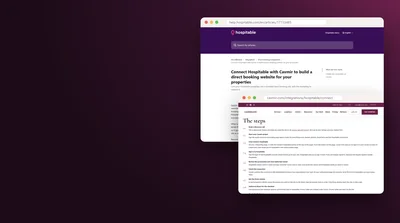
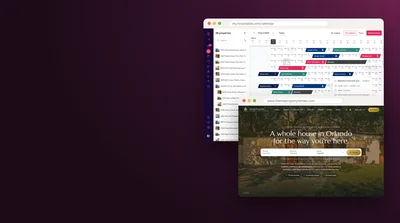
The calendar on your site should come from the same system that runs your Airbnb and Vrbo calendars, usually your property management software (PMS), so a night booked anywhere closes everywhere. Most PMS platforms offer a booking engine or an API for this. iCal links between platforms work, but they update on a schedule rather than instantly, which leaves room for double bookings on busy weekends. Our post on connecting Hospitable to a direct booking website walks through one setup in detail.
The Total Price, Shown First
The Federal Trade Commission's rule on unfair or deceptive fees took effect on May 12, 2025, and it covers short-term lodging, including vacation rentals. When you show a price, you must show the total price, including every mandatory fee such as cleaning, resort or service fees, more prominently than any other price. In practice: when a guest enters dates, the first and largest number they see is the full stay price, with a line-by-line breakdown underneath, and taxes are shown before payment. Prices on property cards and listing pages count too, so either show a total for a sample stay or ask your lawyer how to present a nightly rate there.
| Line in the quote | Example | How to show it |
|---|---|---|
| Total for the stay | $2,486 for 5 nights | First and largest |
| Nightly rate times nights | $380 x 5 = $1,900 | In the breakdown |
| Cleaning fee | $225 | Included in the total, listed in the breakdown |
| Other mandatory fees | $75 pool heat | Included in the total, listed in the breakdown |
| Taxes | $286 | Shown before payment |
| Refundable security deposit | $500, refunded after checkout | Named clearly as refundable, with the timing |
| Optional add-ons | Early check-in $50 | Offered separately; good practice is never to pre-select them |
The example figures are made up for illustration. The rule's full text and the FTC's guidance for businesses are linked in the sources; ask your lawyer how they apply to your fees.
A Secure Checkout
Take card payments on a page run by your booking software or a payment processor, such as Stripe, so card numbers never touch your own site. The card industry's security standard (PCI DSS 4.0.1) has requirements, in effect since March 31, 2025, for the scripts that run on payment pages, which is one more reason to let a specialist host the payment step. Show the processor's name and the padlock on the checkout page, accept the cards and wallets your guests use, and send the guest to a clear confirmation page afterward.
A Book Button on Every Page
A guest ready to book should never have to hunt. Put a Check availability or Book button in the top menu of every page, and on phones keep a slim bar fixed to the bottom of property pages with the price and the button. Area guides and blog posts should end with a link to the homes. Count the taps from the home page to a quote for real dates: three is good, five is too many.
Payment Schedule and Deposit, Stated Up Front
Say when the guest pays and how much: for example, 50% at booking and the rest 30 days before arrival, or the full amount for stays booked within 30 days. If you take a refundable security deposit or charge for damage protection instead, say which, how much, and when a deposit comes back. These terms belong on the property page, in the booking flow and in the rental agreement, with the same wording in all three places.
Stay Rules Before Checkout
Show the rules that decide whether a booking can happen before the guest reaches the payment page: minimum nights by season, check-in and check-out times, the maximum number of guests, the minimum age to book, pets allowed or not, and whether events are permitted. A guest who learns at the last step that the home needs a seven-night stay in July, or does not allow dogs, leaves annoyed and does not come back.
A Confirmation Email and a Clear Next Step
Within a minute of paying, the guest should get an email with the dates, the address or the area, the total paid and the balance due, the cancellation policy, the rental agreement and when check-in details will arrive. A booking that goes quiet after payment worries guests, and worried guests call their card company. Check: make a test booking on a test card, or a real one you refund, and read the confirmation as a guest would.
Direct Booking Savings Calculator
Change the numbers to match your home. Nothing leaves your device.
Example inputs only. Fee rates from Airbnb and Vrbo help pages, October 2026; check your own fee in your account. This leaves out the cost of the site and any booking software fees.
For a fuller model that includes the cost of the site itself, try our direct booking calculator. Vrbo's terms are also changing, with a rate and content parity clause covered in our post on Vrbo's 12% fee and rate parity; read it before you price your site below your listings, and never mention a lower direct price to a guest on Airbnb, whose rules ban offering discounts to book off the platform.
Contact and Inquiries
Many guests, especially for larger homes and longer stays, want to ask a question before they book. These six items make sure every question reaches you and gets an answer while the guest is still deciding.
A Contact Page
The contact page gives every way to reach you: the form, the email address, a phone number, the hours you answer, and the city you operate from. Link it from the top menu and the footer. If you speak more than one language, say so: "We answer in English and Spanish" tells an international guest they can write.
A Contact Form That Reaches Your Real Inbox
One of the most common failures we find on rental websites is a form that looks fine and sends nothing. The message goes to an old address, a mailbox nobody checks, or a spam folder, or the form's sending service stopped working after an update. Send a test message through every form on the site, check that it arrives with every field the visitor typed, and repeat after any change to the site, the domain or the email setup. A daily automated test is better still.
Phone, Text and Messaging Options
Make the phone number a tap-to-call link on phones. If you take texts or WhatsApp messages, say so and link to them; guests from many countries prefer WhatsApp to email. Use a business number rather than your personal mobile, so you can hand it to a co-host or assistant later. Whatever you list, answer it.
An Inquiry Form With Dates and Guests
A form that asks only for a name, an email and a message gets "Is it available?" and nothing else. Add check-in and check-out dates, the number of adults and children, pets yes or no, and an optional "What's the occasion?" field. You can reply with a quote and the open dates in one message, and the occasion gives you something personal to say.
Spam Protection Without Puzzles
Every public form attracts spam. Block it with methods guests never see: a hidden field that only bots fill in, a check on how fast the form was submitted, and an invisible challenge such as Cloudflare Turnstile. Avoid image puzzles where you can; they cost real inquiries and fail people using screen readers. Check the spam folder of your form tool once a week so a real guest never sits there.
An Auto-Reply and a Response Time
Send every inquiry an automatic reply that confirms the message arrived, says when you will answer and gives the phone number for anything urgent. Then answer quickly, while the guest is still comparing homes. Put your usual response time on the contact page, and keep it.
Inquiry auto-reply
Hi [Guest first name],

Thank you for writing to [Property name]. Your message arrived, and [Host first name] will reply within [number] hours with open dates and a full price for your stay.

If your question can't wait, call or text [phone number] between [hours] [time zone].

You can also check live availability and the total price for your dates here: [link to the property page]

[Host first name]
[Property name]
[Website address]
Trust and Proof
A guest sending money to a website they found an hour ago needs reasons to believe the home is real, the host is real and the photos are current. Airbnb and Vrbo lend their trust to every listing; on your own site you build it with these six items.
Guest Reviews From Every Platform
Bring your reviews from Airbnb, Vrbo, Google and direct stays onto the site, each with the guest's first name, the month of the stay and where the review was left. Show them all, not only the five-star ones; a page of perfect reviews looks edited, and a calm reply to a four-star review builds more trust than ten more fives. Check your platforms' terms on displaying reviews elsewhere, and link to the original listings so guests can see the reviews in place.
No Fake, Bought or Filtered Reviews
The FTC's rule on consumer reviews and testimonials took effect on October 21, 2024. It bans fake reviews, including ones written by AI or by people who never stayed, paying for reviews that must say something good (or bad), reviews from staff or family without a clear disclosure of the connection, and suppressing negative reviews through groundless legal threats. Never invent a review to fill a page, never paraphrase one into something better, and never show only the reviews that suit you while claiming they are all of them.
The Permit or Registration Number
A growing number of cities require short-term rentals to register, and some require the registration or permit number in every advertisement; check whether yours treats your own website as one. New York City requires registered hosts to put their registration number in all advertisements and offers, with fines of $100 to $5,000 for leaving it out, and Honolulu requires ads for stays under 30 days to show the registration or permit number and the property's tax map key, while ads for unregistered homes must say they cannot be rented for under 30 days. Put the number on each property page and in the footer if your city requires it. Our guide to short-term rental permits and licensing covers how to find your city's rules.
Safety Features and Camera Disclosure
List the safety equipment in the home: smoke and carbon monoxide detectors, a fire extinguisher, a first aid kit, pool fencing or alarms, and the nearest hospital. Disclose every security camera and noise monitor, where it is and what it covers. Airbnb banned indoor security cameras in its listings worldwide from April 30, 2024, and requires hosts to disclose outdoor cameras and noise monitors before guests book, so many guests now look for the same disclosure everywhere; on your own site, state that there are no cameras inside the home, if that is true.
Camera and monitoring disclosure
Cameras and monitoring: There are no cameras or recording devices inside the home. One doorbell camera covers the front entrance and records only when someone approaches. A noise monitor in the living room measures sound levels and does not record audio.
Business Details in the Footer
The footer should name the business that runs the site, with its legal name in the copyright line, a contact email and phone, and the city or address you operate from. If you collect lodging taxes, a tax or registration number can go here too. Guests and payment processors both look for these details before they trust a site.
A Host Photo and a Short Story on Each Property
Repeat a short version of the host story on each property page: a real photo of you or your team, two sentences about why you love the place, and how guests reach you during a stay. A face and a name next to the booking box answer the question a direct booker asks most: will a real person pick up if something goes wrong.
Guest Questions and Help
Three items answer the questions that come up again and again, before and after booking. Each answer you publish is one fewer email, and each one is a sentence Google and AI assistants can quote when a traveler asks about your home or your town.
An FAQ Page Built From Real Questions
Go through your last year of guest messages and list the questions that came up more than twice. Those are your FAQ. Answer each in two to four plain sentences: Is the pool heated? Is there a crib? How far is the beach on foot? Can we check in early? You can mark up the page with FAQ structured data, but treat it as a label for machines rather than a way to stand out: Google limited FAQ rich results to government and health sites in 2023 and stopped showing them in search altogether from May 7, 2026. What still counts is the text itself, a plain question followed by a plain answer, which is the format guests skim and AI assistants quote.
Policies in Plain Words
Next to the legal pages, give guests a short, friendly summary of the rules that decide whether the home fits them: pets (which, how many, any fee), parking (how many cars, where), events and visitors, smoking, children, minimum age to book, and quiet hours. Put the same summary on each property page. A guest planning a reunion or a dog-friendly trip decides from this section in seconds.
An Arrival Guide for Booked Guests
The details a guest needs on the day (the exact address, door codes, Wi-Fi, parking, trash days, appliance instructions) belong in a private guide sent to booked guests before arrival, never on a public page. Many PMS platforms send it automatically a few days before check-in, or you can use a digital guidebook with a private link. Keep the public site to what a guest needs to choose and book. For guests who booked on Airbnb, the guide carries the stay details only, with no website pitch, sign-up or request for personal details.
SEO and AI Search
These nine items help Google, Bing and AI assistants such as ChatGPT, Gemini and Perplexity find the site, understand it and send guests to it. None of them is visible to a guest, and all of them are quick to check. Search engines reward sites that are easy to read, and AI assistants quote sites that state facts in short, clear sentences.
A Unique Title, Description and Share Image for Every Page
The page title is the blue link in search results and the name on the browser tab. Give every page its own, with the main search phrase first: "Ocean Cottage, 3-Bedroom Beach Rental in Cannon Beach, Oregon" beats "Home". Write a meta description of about 150 characters that says what the page offers. Add a share image and title (Open Graph tags) so a link sent by text or posted on Facebook shows the home, not a blank box or your logo cropped in half.
One Clear Heading Per Page
Each page gets one main heading (H1) that names it, then section headings (H2, H3) in order. Headings help screen-reader users jump through the page, and they tell search engines what each section covers. Name the content in plain words: "Bedrooms and Beds" tells a reader and a search engine more than "Rest Easy".
An XML Sitemap and a Sitemap Page
An XML sitemap is a file that lists every page you want search engines to find, usually at yoursite.com/sitemap.xml. A single file holds up to 50,000 addresses or 50 MB, far more than a rental site needs. Keep it automatic so new pages are added the day they go live, and leave out pages you do not want in search, such as thank-you pages. For people, link your main pages from the footer, which works as a sitemap guests can see.
A robots.txt File
The robots.txt file at yoursite.com/robots.txt tells search engine crawlers which parts of the site to skip, and it points them to the sitemap. It is the first file a crawler asks for, and it only controls which pages crawlers visit; to keep a page out of Google, use a noindex tag instead. Keep it short, list the sitemap, and never block the whole site by accident; a leftover "Disallow: /" from a test site is a common reason a new site never appears in Google. Decide here, too, whether AI crawlers may read your pages.
Structured Data
Structured data is code in the page, written in a format called JSON-LD, that labels facts for search engines: this is a lodging business, this is its address and phone, this page is a vacation rental with four bedrooms, these are its reviews, this is a list of questions and answers. Google's dedicated vacation rental markup is for partners who send listings through its programs, but general markup for your business, your pages and breadcrumbs still helps search engines read the site correctly. Check every page in Google's Rich Results Test and the Schema.org validator.
Clean Addresses, Redirects and a Helpful 404 Page
Page addresses should be short and readable: /homes/ocean-cottage/ rather than /index.php?id=4471. When you replace an old site, redirect every old address to its closest new page with a permanent (301) redirect, so the links and rankings you built over the years carry over. Make the "page not found" (404) page useful, with a search box, the main menu and links to your homes, so a broken link still ends in a booking page.
Google Search Console and Bing Webmaster Tools
Verify the site in Google Search Console and in Bing Webmaster Tools, which also feeds the search behind some AI assistants. Submit the sitemap in both. Search Console shows which searches bring visitors, which pages Google has indexed and why others are not, and it emails you when something breaks. Check it once a month. Bing Webmaster Tools can import your Search Console setup in a few clicks. One thing Google will not take is a Business Profile for a single vacation home: its guidelines list vacation homes as ineligible, while a sales or leasing office can qualify. Vacation rentals can still reach Google's travel results through a property manager with a direct booking website or a booking site that is integrated with Google.
A Site AI Assistants Can Read
More and more travelers ask an AI assistant to recommend a rental before they search anywhere else. Assistants quote sites that state the same facts the same way everywhere: the home's name, place, bedrooms, guests, distances, policies and what guests praise. Three things help: a short, human-readable "about this business" page, a robots.txt that lets the AI crawlers you want read the site, and an llms.txt file at the root with a plain summary and links to your main pages, which some AI tools read and which takes minutes to add. In Cavmir's July 2026 study of Google AI answers across 15 U.S. markets, independent and regional operators earned 82% of the citations in answers to destination questions, and Airbnb or Vrbo appeared in 17% of answers. Our guide to generative engine optimization for vacation rentals covers the full method.
Who Google's AI answers cite for vacation rentals
Share of citations in destination answers that went to independent and regional operators.
Share of answers in which either platform appeared at all.
Destination and branded questions asked in each market, July 2026.
Source: Cavmir, AI Search Visibility for Short-Term Rentals, July 2026
Language Versions for International Guests
If a real share of your guests come from abroad, translate the pages they read most: the home page, property pages, the booking terms and the getting there page. Use a proper translation, not an automatic widget, give each language its own address (/es/, /pt/), and tell search engines which page is which language with hreflang tags. Translate the legal pages too, or say clearly which language governs. Your analytics will tell you which languages to start with.
Measurement and Marketing
The last four items tell you whether the site works and keep guests coming back to it. Without them you are guessing which pages bring bookings and which ones only bring visits.
Analytics That Count Booking Clicks
Install Google Analytics 4 (or another analytics tool) behind the consent banner, and set up events for the actions that matter: a click on Book or Check availability, a completed inquiry form, a tap on the phone number, and a completed booking if your booking software can report it. Mark the most important ones as key events. Page views tell you what guests read; these events tell you what makes them book.
Your Existing Tracking, Carried Over
When you replace an old site, list every tracking tag it carried before you switch: Google Analytics, Google Tag Manager, Google Ads, the Meta Pixel, Search Console verification and any others. Put each one on the new site from launch day, behind the same consent banner. Losing them leaves a gap in your reports that cannot be filled later, and lets your ad audiences shrink.
An Email Sign-Up for Site Visitors
Offer visitors a reason to join a list: open dates for next season, a local guide, early notice of holiday weeks. Use the consent checkbox from the consent chapter, and send one useful email a month. This list is your own audience of people who found you directly or booked direct. Our vacation rental email marketing guide covers what to send.
Social Profiles Linked Both Ways
Link your Instagram, Facebook, Pinterest, TikTok or YouTube profiles from the footer, and link the website from each profile. Use the same name, the same photo and the same short description everywhere. When the details match across your site, your profiles and your listings, search engines and AI assistants are more confident they are all the same business, and guests who find you on social media land on a page where they can book.
The Full Checklist and Launch Plan
Here are all 75 items in one list. Tick them off as you go; your progress stays on this device, so you can come back to it. If you are building a new site, work through the groups in order. If you are checking an existing one, start with the groups where your scorecard was weakest.
The 75 must-haves for a vacation rental website
Tick items off as you finish them. Your progress stays on this device.
- The foundation
- The legal pages
- Consent and privacy
- Accessibility
- Pages and sections
- Booking and pricing
- Contact and inquiries
- Trust and proof
- Guest questions and help
- SEO and AI search
- Measurement and marketing
A Launch Plan in Six Weeks
A site with one to three homes can work through the whole list in about six to eight weeks, if the photos, the rental terms and the booking software are ready when you start. Here is the order that works:
- Week 1Register or confirm the domain, choose the platform or partner, gather photos, rental terms, house rules and the cancellation policy, and connect the booking software.
- Week 2Write the home page, property pages, sleeping arrangements, amenities, the About page and the FAQ from your guest messages.
- Week 3Build the pages, the booking box and the forms. Write the legal pages for your business and have your lawyer review them.
- Week 4Add the cookie banner, consent-gated tags, structured data, sitemap and robots.txt, and run the accessibility checks by keyboard and screen reader.
- Week 5Test everything: a booking on a test card, every form to the inbox, the total price for three sets of dates, every page on a phone over mobile data.
- Week 6Launch, set the redirects from any old site, submit the sitemap to Google and Bing, and publish the first area guides.
- Every quarterRerun the scorecard, update the legal pages for any new tool, and refresh event dates and photos. Run the full list once a year.
Doing It Yourself or With a Partner
A careful owner can do all of this on a good website builder with a booking plugin, given time. Our comparisons of short-term rental website builders and of doing it yourself versus hiring an agency lay out the trade-offs. If you would rather hand it off, Cavmir builds direct booking websites for vacation rentals with these items in place at launch, connected to your PMS, with hosting for the first 12 months and a daily check of uptime, the certificate, forms, legal pages and the booking sync. As of October 2026, website packages start at $1,475 during our Fall Special, and the monthly plans that keep a site updated and promoted start at $290 a month; see pricing for every package and what it includes. For a single home with a modest budget, a builder you maintain yourself may be the better fit, and we will say so on the call.
Whichever way you go, the checklist is the same. If you want a second pair of eyes on your current site, book a free discovery call and we will go through the scorecard with you.
Sources
Every legal rule, fee and statistic in this guide comes from these sources, checked in October 2026. Example figures in tables and calculators are made up for illustration.
- Federal Trade Commission, "Rule on Unfair or Deceptive Fees: Frequently Asked Questions", October 2026: ftc.gov
- Federal Register, "Trade Regulation Rule on the Use of Consumer Reviews and Testimonials", August 22, 2024: federalregister.gov
- Federal Trade Commission, "Federal Trade Commission Announces Final Rule Banning Fake Reviews and Testimonials", August 2024: ftc.gov
- U.S. Department of Justice, "Guidance on Web Accessibility and the ADA", March 18, 2022: ada.gov
- Code of Federal Regulations, 28 CFR 36.302, reservations made by places of lodging, October 2026: law.cornell.edu
- W3C, "What's New in WCAG 2.2", October 2026: w3.org
- W3C, "Web Content Accessibility Guidelines (WCAG) 2.2", contrast minimum, October 2026: w3.org
- W3C, "Understanding Success Criterion 2.5.8: Target Size (Minimum)", October 2026: w3.org
- Seyfarth Shaw (Kristina Launey, Minh Vu), "Federal Court Website Accessibility Lawsuit Filings Bounce Back in 2025", republished by Legal 500, 2026: legal500.com
- Directive (EU) 2019/882, the European Accessibility Act, Article 4 (microenterprises), text as published: legislation.gov.uk
- Directive (EU) 2019/882, the European Accessibility Act, Article 31 (application from June 28, 2025): legislation.gov.uk
- California Privacy Protection Agency, "Frequently Asked Questions" (Do Not Sell or Share link, opt-out preference signals), October 2026: cppa.ca.gov
- Directive 2002/58/EC (ePrivacy Directive), Article 5, text as published: legislation.gov.uk
- European Data Protection Board, "Fines", October 2026: edpb.europa.eu
- Google Ads Help, "EU user consent policy" and consent mode, October 2026: support.google.com
- Google Tag Manager Help, "Consent mode" (ad_user_data and ad_personalization), October 2026: support.google.com
- Sidley Austin, "California's SB 690 Clears the Legislature", September 3, 2026: sidley.com
- Crowell and Moring, "California Governor Signs SB 690", October 2026: crowell.com
- Federal Trade Commission, "CAN-SPAM Act: A Compliance Guide for Business", October 2026: ftc.gov
- Google Workspace Admin Help, "Email sender guidelines", October 2026: support.google.com
- Yahoo Sender Hub, "Sender Best Practices", October 2026: senders.yahooinc.com
- Code of Federal Regulations, 47 CFR 64.1200, telephone and text solicitation rules, October 2026: law.cornell.edu
- Twilio, "A2P 10DLC" registration, October 2026: twilio.com
- Google Search Central, "Understanding Core Web Vitals and Google search results", October 2026: developers.google.com
- web.dev, "Interaction to Next Paint becomes a Core Web Vital on March 12", 2024: web.dev
- Google Search Central, "Build and submit a sitemap", October 2026: developers.google.com
- Google Search Central, "Introduction to robots.txt", October 2026: developers.google.com
- Google Search Central, "Vacation rental structured data", October 2026: developers.google.com
- Google Search Central, documentation updates on FAQ rich results (2023 limit and May 7, 2026 removal), October 2026: developers.google.com
- Google Search Central Blog, "HTTPS as a ranking signal", August 7, 2014: developers.google.com
- Google, "A milestone for Chrome security: marking HTTP as not secure", July 24, 2018: blog.google
- Google Security Blog, "HTTPS by default", October 2025: security.googleblog.com
- PCI Security Standards Council, "Important Updates Announced for Merchants Validating to Self-Assessment Questionnaire A", January 30, 2025: pcisecuritystandards.org
- Airbnb Help Center, "Limiting host-imposed contracts and other requirements", October 2026: airbnb.com
- Airbnb Newsroom, "An update on our policy on security cameras", March 11, 2024: news.airbnb.com
- Airbnb Help Center, "Airbnb service fees", October 2026: airbnb.com
- Vrbo Help, "How is the booking fee calculated", October 2026: help.vrbo.com
- NYC Mayor's Office of Special Enforcement, "Rules Governing Registration and Requirements for Short-Term Rentals": nyc.gov
- City and County of Honolulu, Department of Planning and Permitting, "Short-Term Rental FAQ", October 2026: honolulu.gov
- Google Business Profile Help, "Business eligibility and ownership guidelines", October 2026: support.google.com
- U.S. Copyright Office, "DMCA Designated Agent Directory: Frequently Asked Questions", October 2026: copyright.gov
- Cavmir, "AI Search Visibility for Short-Term Rentals", July 2026: cavmir.com
- Cavmir, "Pricing" (website packages and monthly plans), October 29, 2026: cavmir.com