If you want the short version, here it is: Airbnb listing optimization is the practice of tuning every part of your listing — photos, title, description, amenities, price, calendar, reviews, and the dozens of small fields most hosts skip — so that more of the people who see your place actually click it, and more of the people who click actually book. It isn't one big move. It's a stack of small, deliberate ones that each nudge a real number in the right direction.
The reason this works is that a booking is never a single decision. It's a funnel. A guest searches, sees your card among a wall of others, taps it or scrolls past, reads your page, then either books or backs out. Every one of those steps has a rate attached to it, and every rate can go up. When you optimize your Airbnb listing, you're not chasing one magic fix — you're raising the pass-through rate at each stage of that journey, from impression to click to booking. Small gains compound. A better cover photo earns more clicks, more clicks feed Airbnb a stronger signal, a stronger signal earns more impressions, and a sharper description turns more of those visits into confirmed nights.
I've spent six-plus years doing this work for short-term rental hosts, and I'll tell you the part that surprises people most: the biggest wins usually aren't glamorous. They're a swapped first photo, a title that survives being cut off on a phone, an amenity checkbox nobody ticked, a fee structure that stops scaring people at checkout. This guide walks the whole listing, section by section, and ends with a printable checklist you can run top to bottom in an afternoon. Let's get into it.
Start with the funnel: why optimization raises the rate at every step
Before you touch a single field, it helps to picture what you're actually optimizing. A guest's path to booking your place runs through three gates, and each one is a percentage you can move.
The first gate is the impression — the moment your listing appears in someone's search results. You don't fully control how often this happens, but your listing's performance influences it heavily. The second gate is the click. Of everyone who sees your card, some fraction taps it to look closer. That fraction is your click-through rate (CTR), and it's driven almost entirely by four things a guest can see without opening your page: your cover photo, your title, your price, and your star rating. The third gate is the booking. Of everyone who opens your listing, some fraction actually reserves a stay. That's your conversion rate, and it's where your photos, description, amenities, reviews, rules, and calendar do their work.
Here's why the funnel framing matters so much. These stages multiply, they don't add. If your listing earns half the clicks it could and converts half the visitors it should, you're not down by "a bit" — you're capturing a quarter of your potential bookings. Fix one stage and you lift the whole chain. Fix both and the result feels less like a tune-up and more like a different listing entirely. That's the quiet math behind every optimization pass: you're multiplying rates, and multiplication rewards you for improving several small things at once.
There's a feedback loop stacked on top of this, too. Airbnb's search wants to show guests listings that get clicked and booked, because that keeps guests happy and keeps them on the platform. When your card earns clicks and your page earns bookings, the system reads that as a match and tends to show you more often. So a well-optimized listing doesn't just convert better — it earns more impressions to convert in the first place. If you want the full mechanics of that ranking loop, I laid them out in the Airbnb search ranking guide. For now, keep the three gates in your head as we walk the listing: impression, click, book.
| Listing section | Why it matters | Quick win |
|---|---|---|
| Cover photo | The single biggest driver of your click-through rate at impression | Test a brighter, wider hero shot that shows the property's best feature |
| Title | Confirms the click and has to survive being cut off on a phone | Front-load your strongest selling point in the first ~35 characters |
| First five photos | Decide whether a click becomes a stay in the first few seconds | Reorder so the strongest five come first, as a logical tour |
| Description | Answers the questions that stop a hesitant guest from booking | Move your best two sentences above the "show more" fold |
| Amenities | Some are search filters — miss one and you vanish from that search | Tick every amenity you truly have, especially the filterable ones |
| Total price | The number at checkout, not the nightly rate, is what converts | Right-size your cleaning fee so the all-in total looks fair |
| Calendar | Stale calendars and odd minimums quietly kill bookings | Open the dates you can host and sanity-check your minimum stay |
| Reviews and response | Social proof plus your response metrics build trust before booking | Reply to every review and keep your response time fast |
The cover photo and first five photos: your biggest click lever
If you only change one thing this year, change your cover photo. Nothing else on your listing moves your click-through rate as hard. The cover is the large image on your search card, and it's competing against a full screen of other large images. A guest's eye is scanning fast, making gut calls in a fraction of a second per square. Your cover has to win that split-second contest before your title or price ever gets read.
A strong cover photo tends to share a few traits. It's bright and well-exposed, because dark or muddy images read as "cheap" even when the property is lovely. It's shot wide enough to give a sense of space, since cramped framing makes rooms feel smaller than they are. And it leads with the property's single best feature — the view, the pool, the light-flooded living room, the design that makes your place different from the one above it. If your strongest asset is the thing guests are searching your market for, that's your cover, every time.
Then come the first five photos, which do the next job: turning that click into a stay. When someone opens your listing, they don't read first — they swipe. The opening five images carry most of the weight of that first impression, so they should tell a quick, logical story: hero shot, then the main living space, the kitchen, a bedroom, and the feature that seals it. Don't bury your best bedroom at position nineteen. Front-load the gallery the same way you front-load the title.
Open your search results on your phone and look at your cover photo shrunk down to card size, next to your real competitors. Does it pop, or does it blend into a row of beige living rooms? Squint until the image blurs — the shot that still reads clearly when it's fuzzy is the one that wins the scroll. I run this squint test on every cover before I call it done.
Quality matters as much as order. Phone snapshots with crooked horizons and harsh flash undercut even a great property, while professional images consistently earn more clicks and let you hold a higher rate. If your photos are the weak link, that's usually the highest-return fix on the whole listing — I go deep on lighting, angles, and shot lists in the Airbnb photography guide, and if you'd rather hand it off, Cavmir's short-term rental photography service exists for exactly this. Either way, treat your gallery as the hardest-working real estate on the whole page, because in click-through terms, it is.
The title: the sentence that has to survive a phone screen
Your title is the short line under your cover photo in search results, and it's the second thing a guest reads after the image. Its job is to confirm the click the photo started. A good title is specific and front-loaded: it puts your single strongest selling point in roughly the first thirty-five characters, because that's about all a phone shows before the line trails off into an ellipsis.
Most of your guests are booking on a phone, so plan around the narrow case, never the generous desktop one. "Charming and Cozy Home in Great Location" is already cut off before it says anything real — and every word of it could describe ten thousand other rentals. Compare that to "Oceanfront Cottage, Private Hot Tub" or "Walk to Main St, Sunny 2BR + Parking." The strong versions lead with a concrete differentiator, name a standout feature, and skip the filler adjectives that carry no information.
A simple shape works across almost every property type: lead differentiator, plus one standout feature, plus a location or vibe cue, in that order, front to back. Put the thing that makes you different where the phone will actually show it, and let the rest follow. Skip words that describe nothing — "beautiful," "amazing," "perfect" — and spend those characters on specifics a guest is genuinely filtering for.
Because a title takes five minutes to rewrite and shows up in your own insights within a week or two, it's one of the best feedback loops in the whole business. Test one, watch your click-through rate, adjust. If you want the full playbook — character counts, word choices, and a big pile of templates you can adapt tonight — it's all in the title optimization guide.
The description: answer the questions that stall a booking
By the time a guest reaches your description, your photos have done the emotional work. The description's job is quieter and just as important: it removes doubt. A hesitant guest has specific questions — Is the bed actually comfortable? Is the neighborhood safe at night? Will the Wi-Fi handle my work calls? Is this really a good fit for a family with a toddler? Your description either answers those questions or leaves the guest to guess, and guessing guests don't book.
The structure that converts best is front-loaded, just like the title. Airbnb shows only the first stretch of your description before a "show more" link, so your two strongest sentences have to live above that fold. Lead with what makes the stay special and who it's perfect for, then use short, skimmable chunks below — the space, the neighborhood, who it suits, and the practical notes. Big unbroken walls of text get skipped. Short paragraphs and clear labels get read.
Write like a person, not a brochure. The copy that books reads the way you'd text a friend who's deciding whether to come stay — warm, specific, and honest about what the place is and isn't. "Big kitchen, pool out back, five minutes from the beach" beats "spacious and beautifully appointed accommodations" every time, because it's concrete and it tells the guest something real. Specific details also build trust: they signal that you know your own place and you're not hiding anything.
Honesty here does double duty. Setting accurate expectations in the description heads off the disappointed reviews that come when reality doesn't match the pitch — and those reviews feed right back into your conversion rate down the line. If you want a repeatable framework for the whole thing, section by section, I wrote it up as the Airbnb description formula. Steal the structure and pour your own property into it.
Amenities: completeness, and the ones that double as search filters
Amenities look like a boring checklist, and that's exactly why they're one of the most overlooked wins on a listing. Here's the part hosts miss: some amenities aren't just information — they're search filters. When a guest ticks "Pool," "Free parking," "Pets allowed," "Wifi," or "Air conditioning" in the filter panel, Airbnb hides every listing that doesn't have that box checked. If you have the amenity but never marked it, you've made yourself invisible to the exact guests searching for it. You didn't lose the click — you never even got the impression.
So step one is completeness. Go through the entire amenities list and honestly tick everything your property actually has. Hosts routinely leave real amenities unchecked simply because they set the listing up quickly and never went back. Every unchecked filterable amenity is a search you're silently dropping out of. Those filterable ones deserve special attention, because their absence removes you from results entirely, not just from a guest's mental checklist.
Step two is accuracy in both directions. Don't claim amenities you don't have — that's a fast track to a frustrated guest and a review that mentions the missing hot tub. But do make sure the workhorses are all present: Wi-Fi (and it's fair to describe the speed if it's good), a well-equipped kitchen, heating and air conditioning, a washer or dryer, self check-in if you offer it, and a dedicated workspace, which matters enormously to the remote-work crowd. These are the amenities guests scan for and quietly reward.
Step three is knowing which amenities actually move bookings so you can decide what's worth adding. Not every checkbox carries equal weight — a handful genuinely change conversion, and some are worth a real investment. I ranked the ones that consistently earn their keep in the guide to amenities that increase bookings. And if you're ever unsure how Airbnb treats a specific amenity or filter, the Airbnb Help Center is the source of record.
Total price and fee optics: the number that actually converts
Guests don't book a nightly rate. They book a total. The figure that decides whether someone reserves is the all-in price at checkout — nightly rate times nights, plus your cleaning fee, plus any extra-guest charges, plus Airbnb's service fee and taxes. You can have a perfectly competitive average daily rate (ADR) — the average price you charge per booked night — and still lose the booking because the total lands wrong once fees pile on. Optimizing price means optimizing that final number and how it feels, not just the headline rate.
Fee optics are where a lot of otherwise-good listings quietly leak bookings. The most common culprit is an oversized cleaning fee. A $150 cleaning fee on a two-night stay adds $75 a night in the guest's mental math, and it reads as padding. Guests have gotten sharp about this — many now sort by total price, and a bloated cleaning fee makes your all-in number jump in exactly the comparison you don't want to lose. The fix isn't always to slash the fee; sometimes it's to fold part of it into the nightly rate so the total looks honest and the breakdown doesn't sting.
Book your own listing. Go through checkout as a guest for a typical two- or three-night stay and look at the total Airbnb shows you. That number, not your nightly rate, is what you're really competing on. If the cleaning fee makes you flinch, it's making your guests flinch too. I do this for every client, and it reframes the whole pricing conversation in about thirty seconds.
Beyond optics, your pricing should move with demand. A flat rate all year leaves money on the table in peak weeks and prices you out of the market in slow ones. Dynamic pricing — adjusting nightly rates by season, day of week, local events, and how far out the booking is — keeps you competitive at the total-price level all year long. I walk through the tools and the strategy in the complete guide to dynamic pricing, and market-data services like AirDNA can show you what comparable listings in your area are charging, so you're setting rates against real local demand instead of a guess.
One more optics note: a listing with zero reviews and a premium price is a hard sell. When you're new, it's often worth pricing a notch below your true value to earn those first bookings and reviews, then raising rates as your social proof stacks up. Price is a lever you'll pull constantly — it's the one listing element you can change in seconds and test forever.
Calendar accuracy and minimum-stay: the quiet booking killers
Your calendar is easy to ignore and expensive to get wrong. Airbnb's search favors listings with open, available dates, because an available listing is one it can actually book. If your calendar is mostly blocked, stale, or riddled with orphan gaps, you're handing away both impressions and bookings without ever seeing where they went.
Start with availability hygiene. Open the dates you're genuinely willing to host, and keep the calendar current so you're not blocking nights you'd happily fill. Watch for orphan nights, too — the single empty days stranded between two bookings that are too short for most guests' minimum-stay needs. A smart minimum-stay setup, or Airbnb's own tools for filling those gaps, can recover nights that would otherwise sit empty all season.
Minimum-stay settings deserve a real think, not a set-and-forget. Too high a minimum and you filter out the weekend guests who make up a huge share of demand in most leisure markets. Too low and you drown in one-night stays that mean more turnovers, more cleaning, and more wear. The right answer depends on your market and your tolerance for turnover, and it often changes by season — a two-night minimum might be right in shoulder months, while a peak holiday week can support a longer stretch. Match the minimum to how guests in your market actually travel, then revisit it every season instead of leaving it frozen at whatever you picked on day one.
Also check your booking settings while you're in there: preparation time (the blocks Airbnb can add between reservations for cleaning), advance notice, and how far into the future guests can book. Set preparation time too generously and you'll block far more nights than you need. These settings hide in the calendar tab and quietly shape how bookable you really are, so give them a pass at least once a season.
Reviews, response rate, and response time: the trust signals
Reviews are the closest thing to a sure conversion lever you have, because they answer the one question your own copy never can: can you be trusted? A guest weighing two similar listings will pick the one with more reviews and a higher rating almost every time. Star rating and review count sit right on your search card, which means reviews influence both the click and the booking. Nothing you write about yourself carries the weight of a stranger saying your place was exactly as described.
You can't fake this, but you can build it deliberately. Deliver a genuinely good stay, then ask for the review — a short, warm message after checkout thanking the guest and letting them know a review helps other travelers goes a long way. New listings feel the review gap most sharply, which is why those early bookings are worth pricing for. Get the first handful in the door, ask well, and the flywheel starts turning on its own.
Now the part hosts forget: your response rate and response time are metrics too, and they show on your listing. Response rate is the share of new inquiries and requests you reply to; response time is how fast you typically do it. Guests can see these, and a slow or spotty responder plants doubt right at the moment of decision. Airbnb also factors responsiveness into how it treats your listing and into Superhost status, so a fast reply helps you on two fronts at once.
The fix is mostly systems, not heroics. Turn on notifications, set up saved reply templates for your most common questions, and use scheduled messages for the predictable touchpoints — booking confirmation, check-in details, checkout reminder. Aim to answer new inquiries within an hour during waking hours; quick replies win the bookings that slow ones lose to whoever answered first.
House rules, cancellation policy, and Instant Book as conversion factors
These three settings feel administrative, but each one is quietly deciding whether guests book you or the listing next door. They're conversion factors dressed up as fine print, and they're worth setting on purpose instead of accepting the defaults.
House rules
Clear, reasonable house rules build confidence; harsh or fussy ones scare good guests off. There's a balance to strike. You want rules that protect your property — no parties, quiet hours, occupancy limits — without reading like a list of accusations. A wall of stern "do not" statements makes a guest wonder what went wrong before they arrived. State what you need plainly, keep the tone welcoming, and be upfront about the things that genuinely disqualify a booking (no pets, not suitable for young children) so the right guests self-select and the wrong ones don't book and then leave a sour review.
Cancellation policy
Your cancellation policy is a real lever on conversion, and stricter is not always safer. Flexible and Moderate policies lower the risk a guest feels at the moment of booking, which nudges more of them to commit — especially for trips planned well ahead, where plans might still shift. A Strict policy protects you from last-minute cancellations but adds hesitation for the guest, and some will book the more forgiving listing instead. Match the policy to your market: in a destination where people plan far out, flexibility can win you bookings you'd otherwise lose; in a tight, high-demand market, you can afford to be firmer.
Instant Book
Instant Book lets guests reserve without waiting for you to approve each request, and turning it on tends to help both your ranking and your conversion. Airbnb favors Instant Book listings in search because they book more predictably, and many guests filter for it — they don't want to wait on a yes. Some hosts avoid it out of a desire to screen every guest, but you keep guardrails: minimum-stay rules, verified-ID requirements, and the reservation requirements Airbnb lets you set. For most listings, the impression and conversion gains from Instant Book outweigh the control you give up. If you leave it off, at least do it knowingly — you're accepting fewer bookings in exchange for that extra screening.
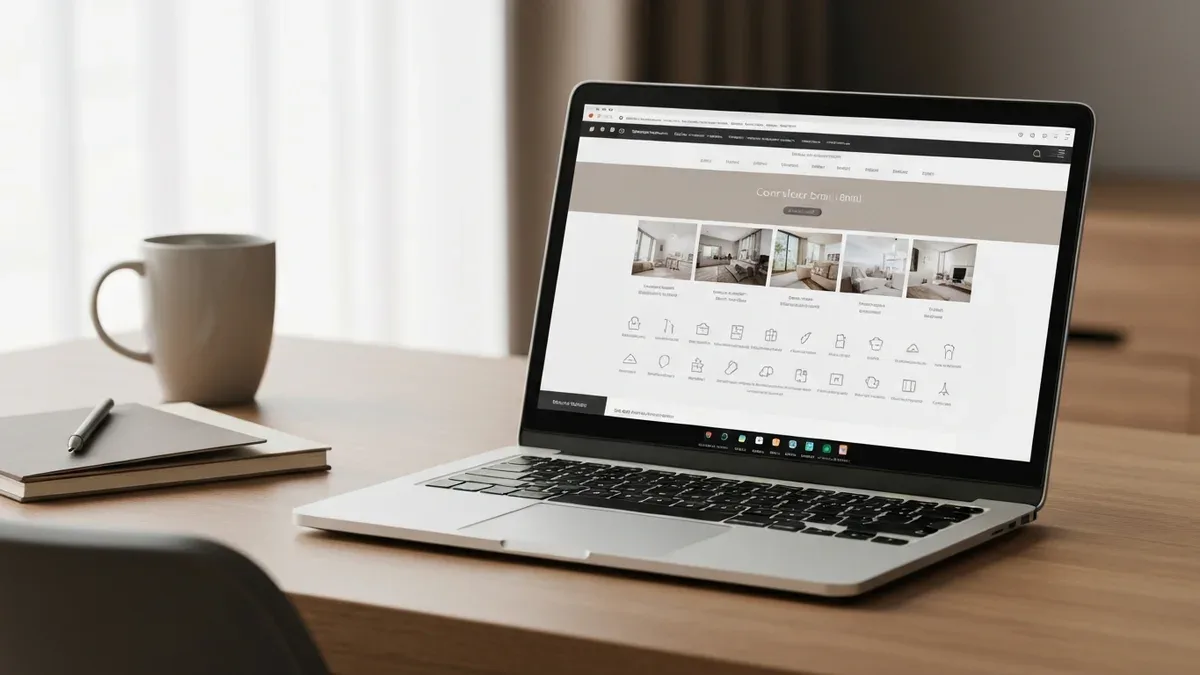
A fully optimized listing isn't one big fix — it's every field pulling its weight, from the cover photo down to the settings most hosts never open.
Fill every field Airbnb gives you
Airbnb hands you a long list of fields, and most hosts fill maybe two-thirds of them. Every blank is a small missed signal — to guests deciding if you're a fit, and to a search system that rewards complete, detailed listings. A big part of optimization is simply the unglamorous work of finishing the listing. Go through and complete all of it: the property type and room details, exact bed types and counts in each bedroom, bathroom count, the neighborhood description, getting-around notes, and the check-in and checkout times and method. Fields you leave empty are questions a guest has to ask or assume, and every one of those is friction that can send them to a listing that already answered it.
Photo captions and final order
Captions are a field almost nobody uses, which is exactly why they're an easy edge. Add a short caption to each photo naming the room and calling out what's special — "Primary bedroom with ocean view and blackout blinds," not a silent picture a guest has to interpret. Captions turn a gallery someone swipes past into a guided tour. While you're in there, lock your final photo order: hero first, then a logical walk through the space, grouping rooms together so the gallery flows the way a guest would actually move through the property. A jumbled gallery — bedroom, exterior, bathroom, another bedroom — makes even a great place feel disorganized.
Add a listing video
Airbnb supports short video walkthroughs, and few hosts in most markets bother — which makes a good one a genuine differentiator. A 30-to-60-second clip that walks through the space gives guests a truer sense of flow and size than stills can, and it answers the "how does it all connect?" question that a grid of photos leaves open. It doesn't need to be a big production; a steady, well-lit walkthrough that shows how the rooms relate does the job. In a sea of photo-only listings, motion earns a second look.
Accessibility features
Airbnb has a dedicated accessibility section — step-free entry, wide doorways, a roll-in shower, grab bars, and more — and it doubles as a search filter for guests who need those features. If your property has any of them, document them precisely, ideally with a photo of each. Two good things happen when you do. You become visible to a set of guests who are actively filtering for accessible stays and often struggle to find them, and you set accurate expectations so nobody arrives to a mismatch. It's both the right thing to do and a segment of demand most hosts leave completely untapped.
Walk your own listing like a guest
Here's the audit that catches what every checklist misses: stop looking at your listing as its owner and experience it as a stranger who's never seen it. You know the place too well. You mentally fill in the good Wi-Fi, the easy parking, the quiet street — none of which a guest can see. Walking your listing as a guest surfaces the gaps between what you know and what you've actually shown.
Do it on a phone, in the live search results, not the edit screen. Search your market and dates the way a guest would, and find your card in the grid. Does your cover photo stop your thumb? Does your title still make sense once it's cut off? Then open the listing and go top to bottom as if you're deciding: swipe the photos, read the first lines of the description before "show more," scan the amenities, run the total through checkout, glance at the reviews and your response time. Note every place you hesitate, get confused, or want more information. Those hesitation points are exactly where real guests drop off.
Ask someone who's never seen your place to book it out loud while you watch — a friend, your partner, anyone. Don't explain anything. The moment they squint, scroll back, or ask "wait, is there parking?" you've found a spot your listing isn't answering. Five minutes of watching a real person stumble beats an hour of you staring at your own page.
This walk-through is also how you decide where to spend your effort. Maybe your photos are strong but your description is a wall of text. Maybe your title is sharp but your cleaning fee is scaring people at checkout. The guest's-eye pass tells you which gate in the funnel is leaking hardest, so you fix the thing that's actually costing you bookings instead of polishing something that was already fine. If you'd rather have a trained set of eyes do it, this audit is the core of Cavmir's listing optimization service — we walk the whole funnel and hand you the priority list.
Keep it fresh: a seasonal cadence and channel parity
Optimization isn't a one-time project you finish and forget. Markets shift, competitors improve, seasons turn, and a listing that was dialed in last spring can drift out of tune by fall. The hosts who stay ahead treat their listing like a living thing and give it a light, regular refresh.
A seasonal refresh cadence
A simple rhythm works: every quarter, do a quick pass, and at each season change, do a deeper one. Swap your cover and lead photos to match the season — a cozy, warm-lit interior for winter, the deck and greenery for summer — so guests picture the stay they're about to take, not the opposite one. Update your title and description for what's relevant now, whether that's ski access, beach proximity, or a local event drawing a crowd. Revisit your pricing and minimum stays for the season's demand, and reread your recent reviews for patterns worth acting on. This doesn't take long, and it keeps your listing feeling current to both guests and the search algorithm, which tends to reward recently updated listings. Slow shoulder months are the perfect time to do this work — you've got the calendar space, and it sets you up for the next peak.
Competitive markets make this cadence non-negotiable. In a deep coastal market like San Diego, where hundreds of near-identical listings compete for the same searches, a stale listing slides down the results while sharper competitors climb past it. The refresh is how you hold and improve your position over time.
OTA and direct-booking parity
If you list on more than one platform — and many hosts distribute across several — your listings need to stay in parity. An OTA, or online travel agency, is a booking marketplace like Airbnb, Vrbo, or Booking.com. When you also run your own direct-booking site, all of these are storefronts for the same property, and guests do compare them. If your Airbnb photos are gorgeous but your Vrbo gallery is three years out of date, or your direct site quotes a price your Airbnb calendar doesn't match, you look careless — and worse, you can double-book. Every optimization you make to one storefront should propagate to the rest.
Parity isn't only cosmetic. Rates and availability have to line up so a guest doesn't find a cheaper night on one channel and resent you for it, and so you never sell the same night twice. A channel manager keeps calendars and pricing synced across platforms, which is what makes real parity practical once you're on more than one or two. The goal is simple: whichever storefront a guest lands on, they see the same excellent, accurate, up-to-date property.
The Airbnb listing optimization checklist, in order
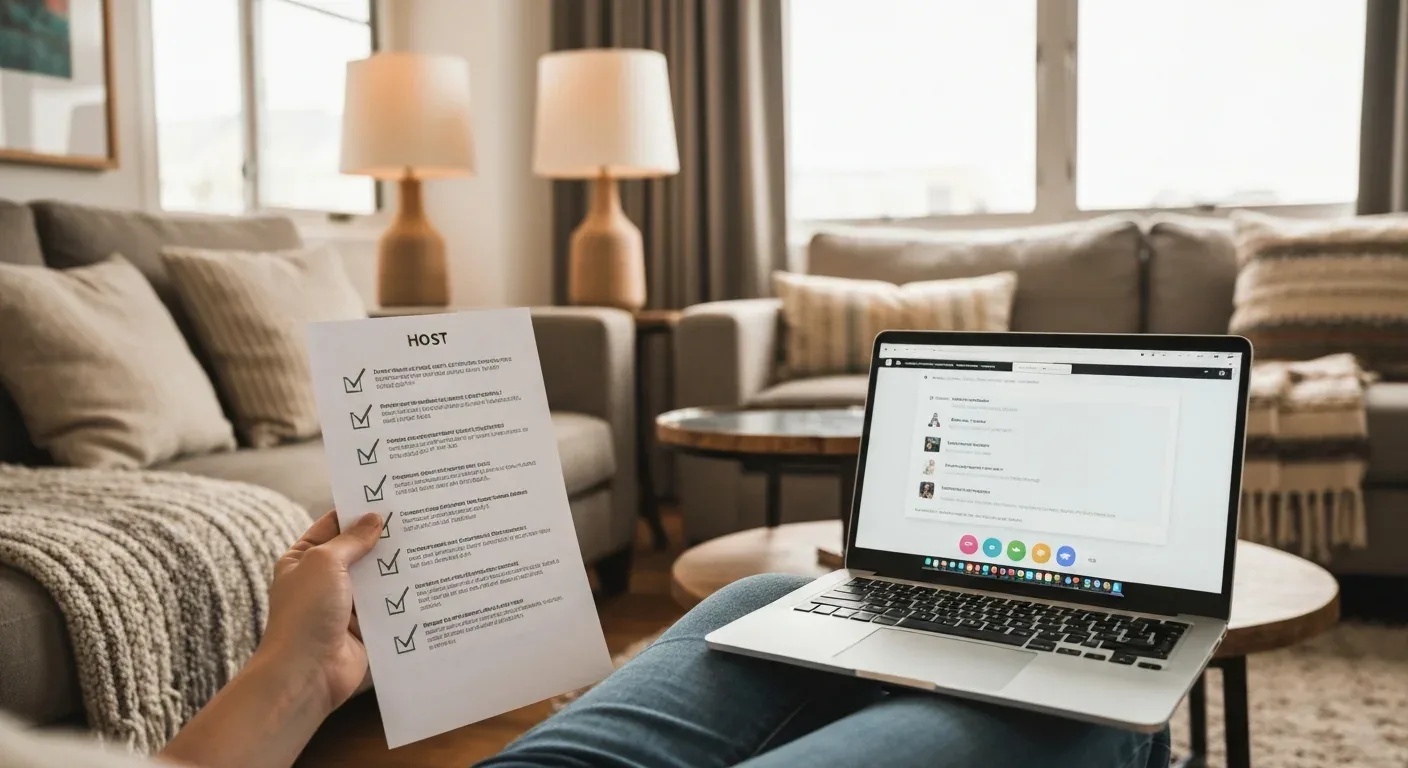
Here's the whole optimization pass as a single sequence you can run top to bottom. Work it in order — it's built to fix the highest-impact, top-of-funnel items first, then move down toward the details. Set aside an afternoon and go.
- Fix the cover photo. Pick your brightest, widest shot that leads with your best feature, and check how it reads shrunk to card size on a phone next to your competitors.
- Reorder your first five photos. Hero, main living space, kitchen, best bedroom, and the feature that seals it — a logical tour, strongest shots first.
- Rewrite the title. Front-load your single strongest selling point in the first ~35 characters so it survives the phone cutoff, and cut every filler adjective.
- Sharpen the description. Put your two best sentences above the "show more" fold, then short, skimmable chunks that answer the questions guests actually ask.
- Complete every amenity. Tick everything you truly have, with special care for the filterable ones (pool, parking, Wi-Fi, A/C, pets) that hide you from searches when unchecked.
- Right-size your fees. Run your own checkout for a two-night stay and make sure the all-in total — cleaning fee and all — looks fair against comparable listings.
- Clean up the calendar. Open the dates you can host, clear stale blocks, sanity-check minimum stays and preparation time, and hunt for orphan nights.
- Tune your pricing. Set rates that move with season and demand, and if you're new, price a notch under value to earn your first reviews.
- Reply to every review and speed up responses. Turn on notifications, set saved templates, and aim to answer new inquiries within an hour.
- Set rules, cancellation, and Instant Book deliberately. Reasonable rules, a policy matched to your market, and Instant Book on unless you have a strong reason to screen manually.
- Fill every remaining field. Bed types, bathroom count, neighborhood, check-in details, photo captions, and the accessibility features that double as filters.
- Add a listing video. A steady 30-to-60-second walkthrough that shows how the space connects — a differentiator in most photo-only markets.
- Walk it like a guest, then sync your channels. Do the phone audit in live search, note every hesitation, fix the biggest leak, and push the improvements to every platform you list on.
Key Takeaways
- Optimization is funnel math. You're raising the rate at three gates — impression, click, and book — and because those rates multiply, small improvements compound into outsized gains.
- Your cover photo and first five images are the biggest click lever. Nothing else moves your click-through rate as hard, so start there.
- Front-load everything. Title, description, and gallery all get cut off or skimmed, so your strongest material has to come first.
- Some amenities are search filters. Leave one unchecked and you disappear from that search entirely — completeness is free visibility.
- Guests book the total, not the nightly rate. Right-size your fees and price to the all-in number at checkout.
- Settings are conversion factors. Calendar accuracy, cancellation policy, Instant Book, and your response time all quietly decide bookings.
- Finish the listing. Fill every field, caption your photos, add a video, and document accessibility — completeness signals quality to guests and to search.
- Refresh on a cadence and keep channels in parity. Optimization is ongoing, and every storefront for your property should match.
Run your first pass this week
You don't have to do all of this at once, and you definitely don't have to do it perfectly. Pick the top of the funnel — the cover photo and the first five images — and start there, because that's where a single change moves the most. Then work down the checklist as you have time. Each pass makes the next guest's decision a little easier, and those easier decisions add up to more nights booked at a better rate. That's the whole point of listing optimization: a stack of small, honest improvements that quietly compound.
If you'd rather not stare at your own listing until the flaws blur together — and after a while, everyone's do — that's exactly the kind of work my team does every day. We walk the full funnel, find the leaks, and hand you a prioritized fix list, or do the fixing for you. When you're ready for a second set of eyes, come say hello at Cavmir's contact page and tell us about your place. No pressure, just a straight read on where your bookings are hiding.